

Are you a Business Architect striving to optimize Case Types in Pega App Studio? Imagine having instant access to actionable process mining Insights, right where you design and refine your Case Types. No more switching between systems or guessing where bottlenecks occur.
With the new Process and Task Mining component, you can surface real-time insights directly in App Studio to streamline your optimization journey and make data-driven decisions faster than ever.
Why process mining matters in App Studio
When working on Case Types it’s common to tweak flows for efficiency. But without visibility into how those processes perform, you’re flying blind. Where are the slow transitions? Is there unnecessary rework? Traditionally, answering these questions meant jumping between tools, adding friction to your workflow.
This integration changes that.
Introducing the Process and Task Mining Component
Our latest innovation brings process and task mining into App Studio, which enables you to:
- Spot bottlenecks and slow transitions instantly.
- Identify rework and inefficiencies without leaving your design environment.
- Act on Insights in real time.
Getting started: Simple setup, powerful results
Enabling the component is straightforward:
- In Dev Studio, open your Application Definition.
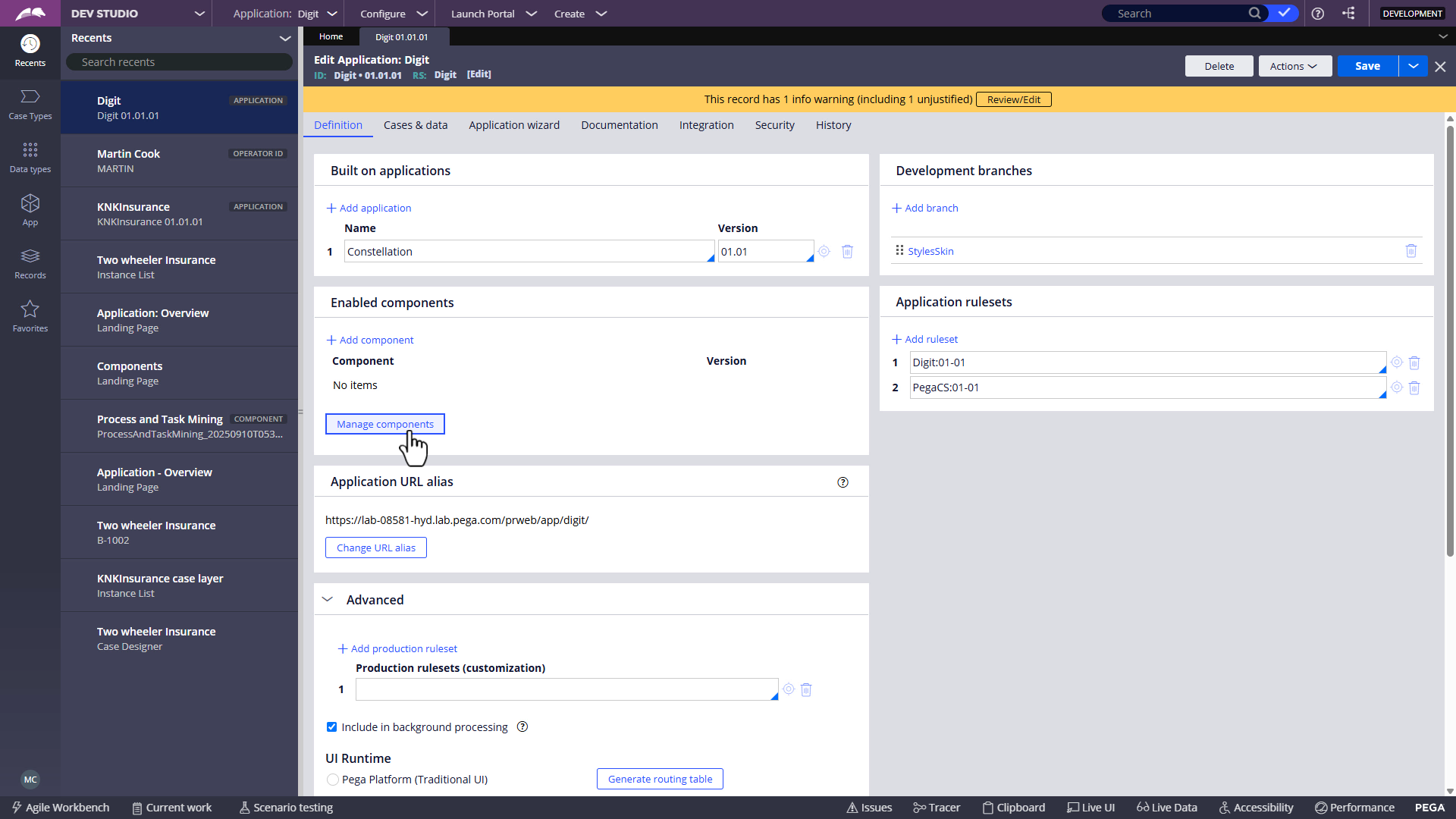
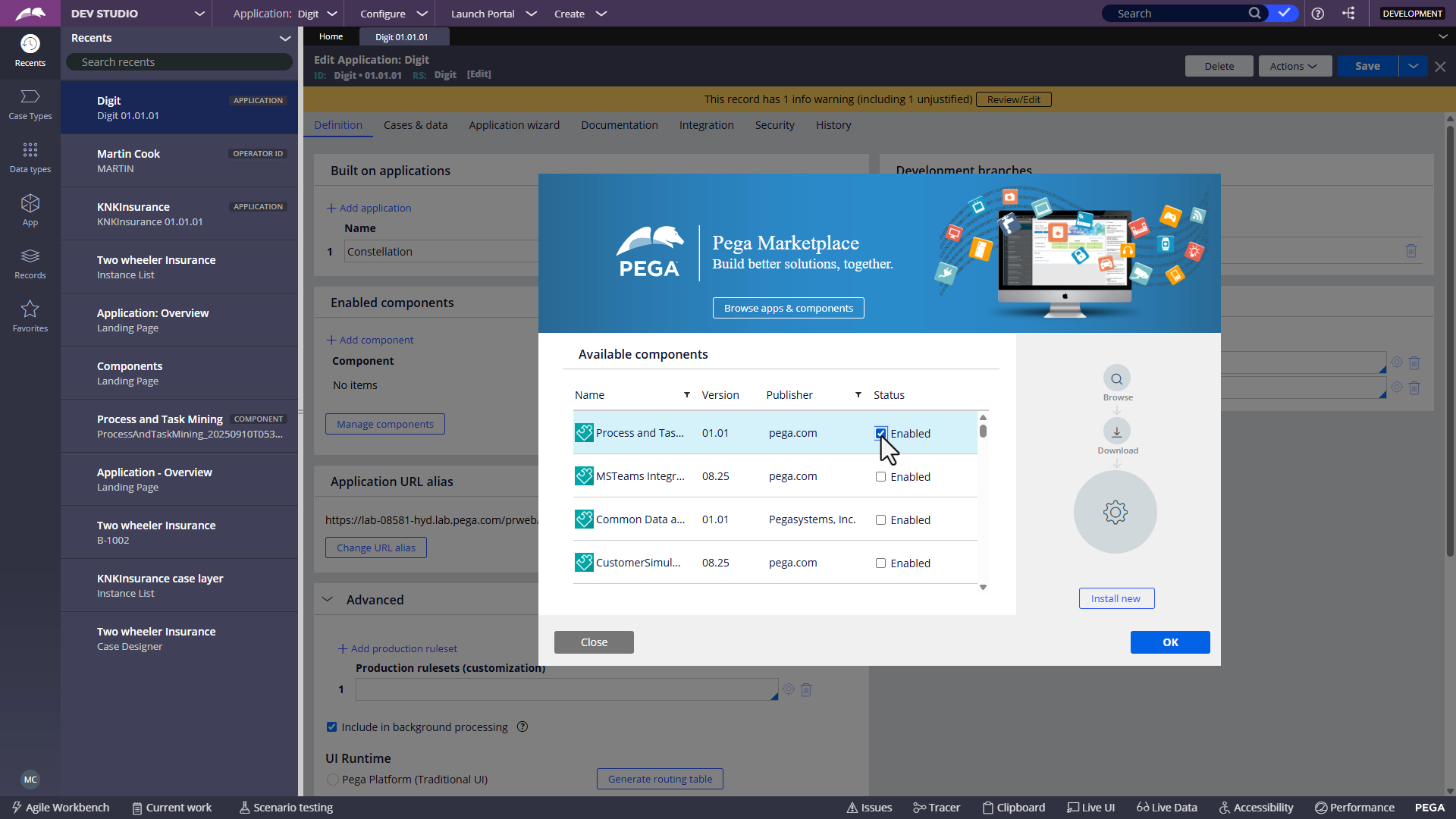
- Manage components to enable the Process and Task Mining component.
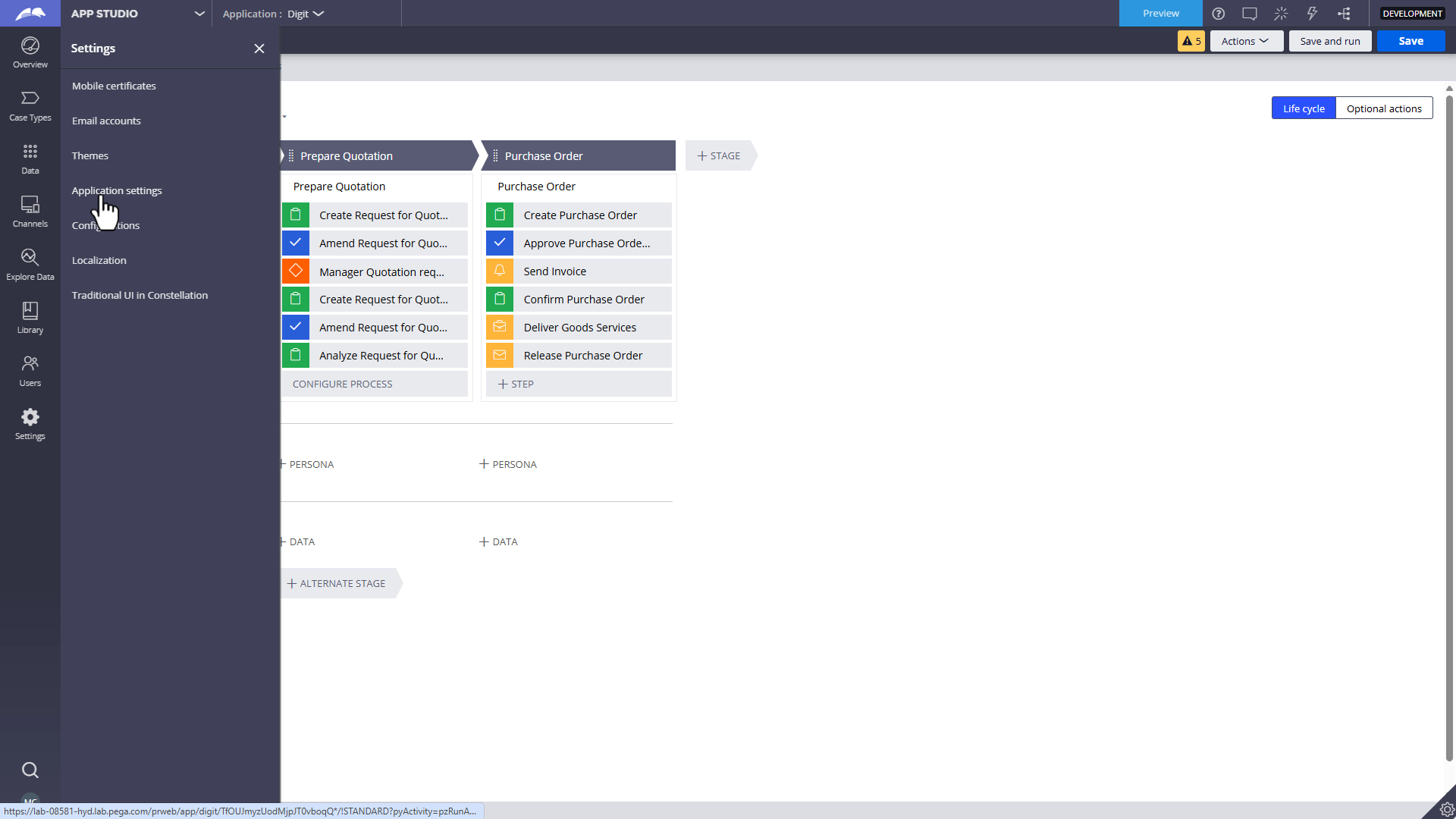
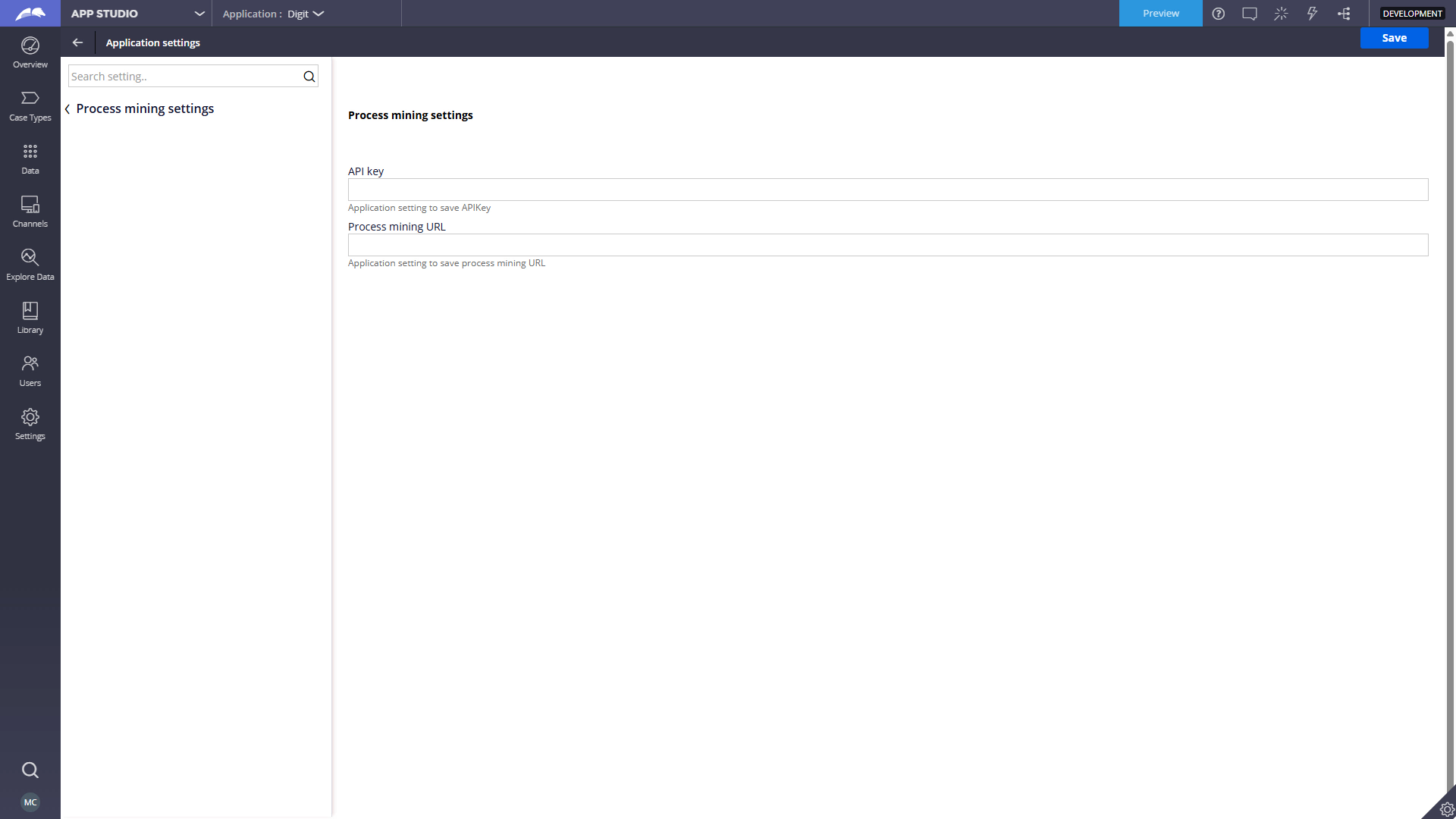
- In App Studio, in the application settings, configure your API key and environment URL.
- Select the relevant process mining View for your Case Type.
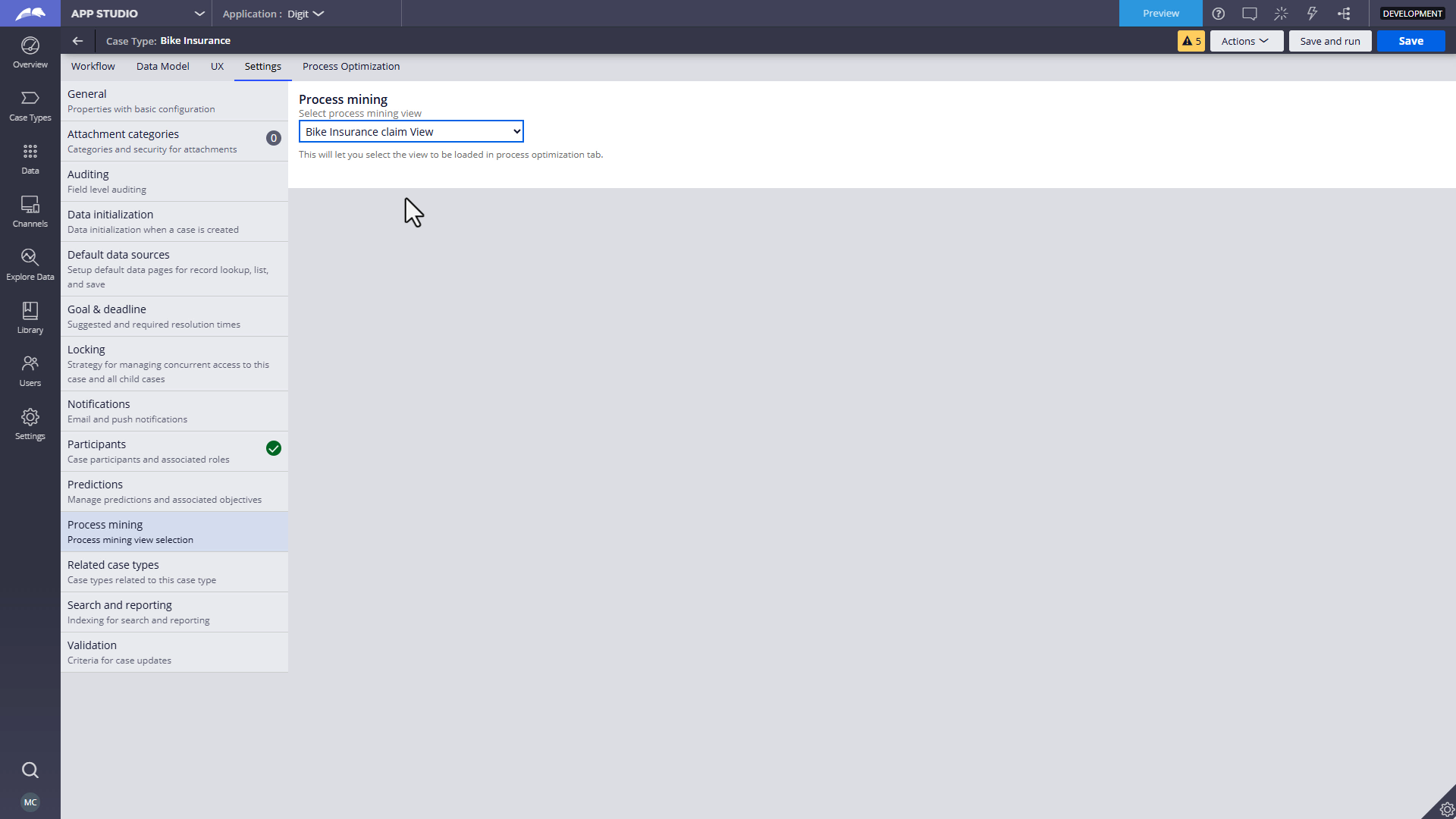
After the component is configured, you’ll see a new Process Optimization tab in your Case Type, populated with real-time Insights.
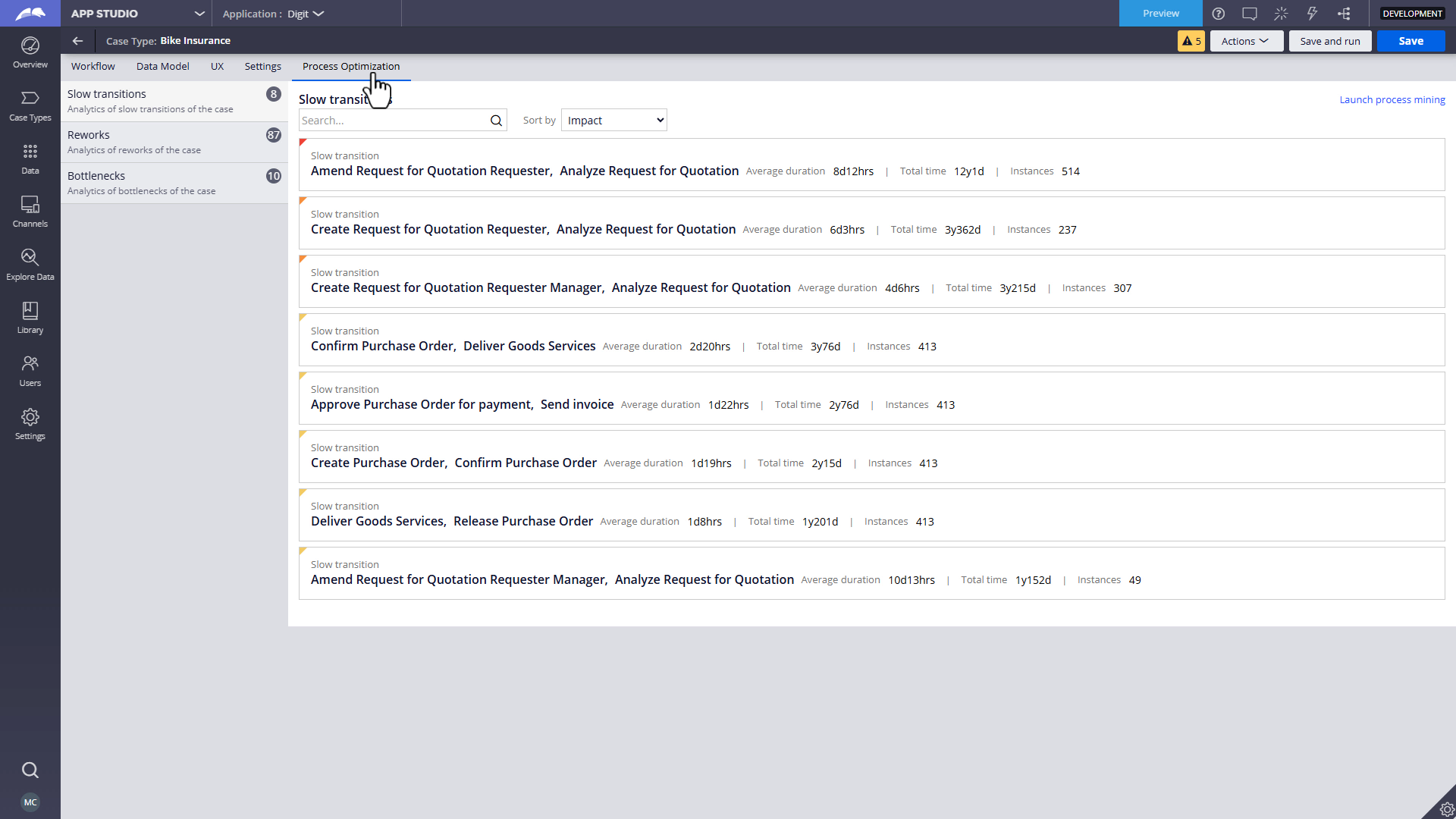
Explore, analyze, and act, all in one place
With this integration, you can:
- View slow transitions and bottlenecks at a glance.
- Search for specific activities and analyze performance.
- Sort insights by instances, average duration, or total impact.
- Dive deeper by launching Process Mining for advanced analysis such as transition analysis and filtering.
This seamless experience bridges the gap between process design and data-driven optimization, which empowers you to make informed decisions without leaving App Studio.
Ready to transform your process optimization experience?
Enable the component today and unlock a new level of insight in Pega App Studio. For more information, see the Pega Process Mining Plugin on Pega Marketplace.
Recommended Resources
- Blog hub: Pega Process Mining "How do I...?" Blog Series
- Pega Process Mining mission on Pega Academy
- Pega Process Mining Plugin on Pega Marketplace on Pega Marketplace
Don't Forget
- Continue the conversation on Pega Forums