

In today’s enterprise landscape, data no longer lives in silos. Cloud-native databases and Online Analytical Processing (OLAP) systems have become the backbone of scalable, intelligent decision-making. As organizations modernize their architectures, the question isn’t if external systems should be part of the application stack; it’s how they can be seamlessly enabled in software like Pega Platform™.
This blog explores the how, not just as an integration exercise, but as a guide for enabling external data sources as first-class citizens in Pega applications.
A database is a storage engine, while a system of record (SOR) is the trusted system where the most accurate and up-to-date version of the data lives. OLTP databases power real-time transactional systems like Pega, whereas OLAP databases like Redshift, BigQuery, or Snowflake are optimized for large-scale analytical processing.
Introduction: The shift toward externalized data
Enterprise applications are evolving. Data no longer lives in isolated transactional systems; instead, it flows across distributed architectures, often centralized in cloud-native OLAP systems like Amazon RedShift, Snowflake, BigQuery, and Azure Synapse.
These platforms are becoming the new SOR for many organizations because they offer:
- Performance at scale for complex queries.
- Elasticity to handle dynamic workloads.
- Unified access to enterprise-wide data.
- Cost efficiency through pay-as-you-go models.
As these technologies take center stage, architects and developers face a critical question: How can Pega applications seamlessly consume and interact with these external systems without adding complexity or sacrificing performance?
Cloud-native OLAP systems are becoming the new system of record to, enabling unified, scalable, and cost-efficient enterprise data access.
This blog provides practical guidance for achieving that seamless experience, detailing the configurations and steps needed to make external OLAP systems operate as trusted, high-performing components in Pega applications.
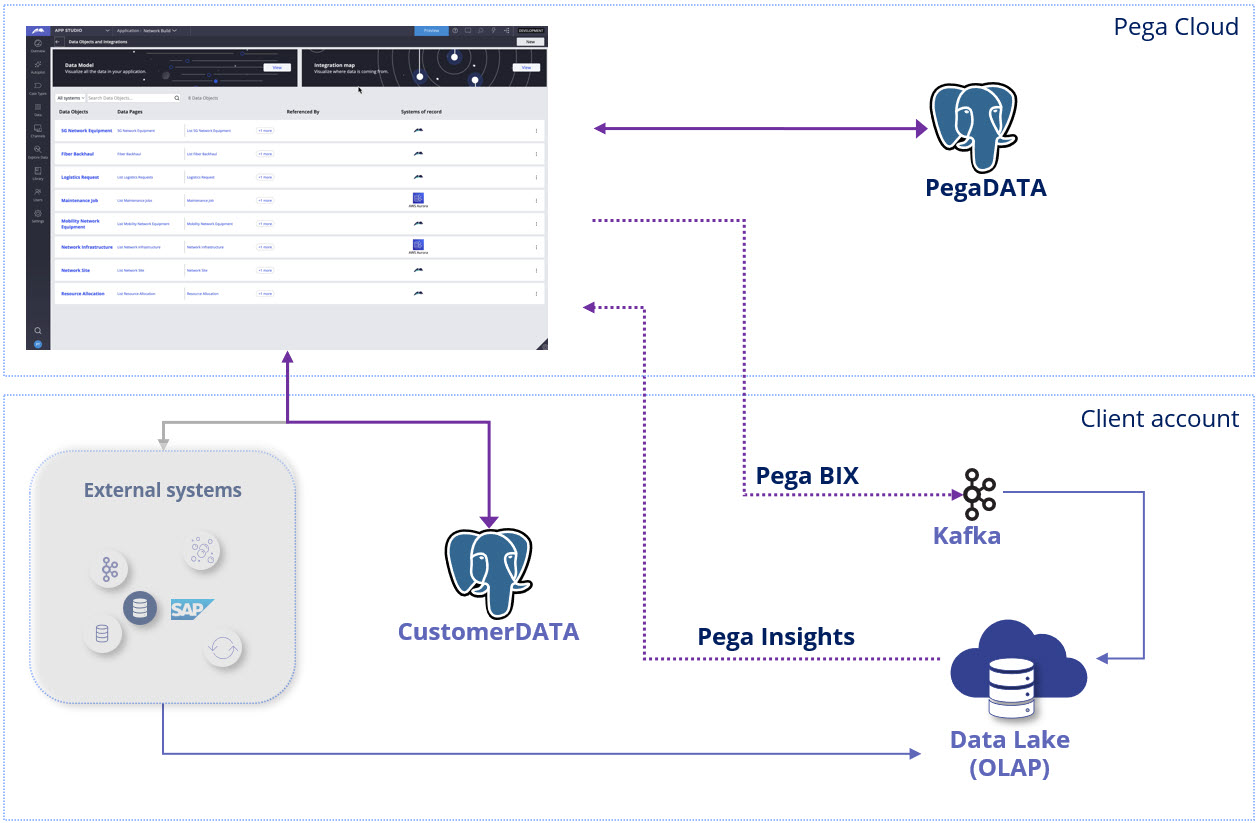
The end-to-end flow for developers
Enabling external OLAP systems in Pega is more than connectivity — it requires creating a smooth, scalable architecture. Here’s the complete flow:
- Initial data load
Use Business Intelligence Exchange (BIX) to extract historical data from Pega and load it into the OLAP system. This step sets the foundation for analytics and reporting.
- Real-time extracts
Configure scheduled or event-driven BIX extracts to push incremental updates so that external systems stay fresh.
- Reconciliation
Validate data consistency, detect failures, and retry missing or errored records to maintain completeness.
- Connecting and mapping external data for reporting
Set up secure connections and map external tables to Pega classes, and then configure reports to query external data.
Technical walkthrough: Configuring Pega Infinity with external OLAP
This walkthrough provides the specifics for each stage so you can configure Pega Infinity to work seamlessly with external OLAP systems.
Step 1: Getting OLAP ready
Before extracting data from Pega, ensure that the OLAP system is ready:
- Provision the OLAP and create the schema and table structures.
- Setup the data ingestion pipeline, that can ingest data from CSV, XML, and streamed JSON messages.
- Ensure the pipeline connects with the stream (for example, Kafka) and with the repository or filesystem where the extracted files are stored.
Step 2: Initial data load
Use BIX to extract data from Pega and load it into the OLAP system.
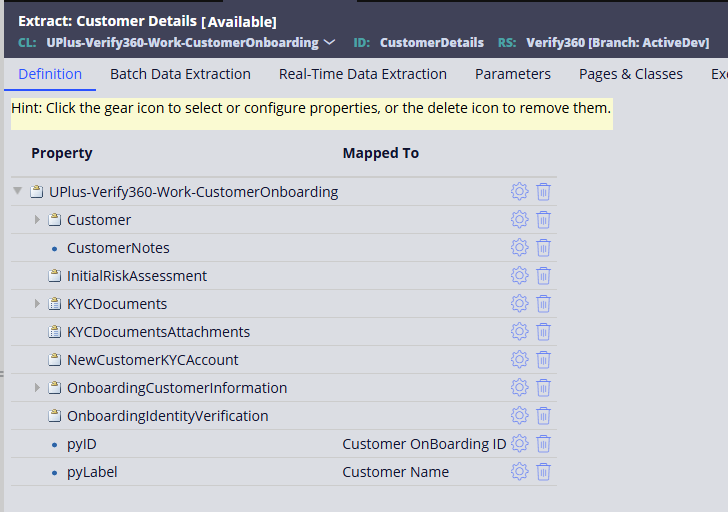
- Create extract rules for Case Types and Data Objects.
- Configure the extract to run at scheduled interval by using the job scheduler.
- Export data in CSV or XML format for ingestion.
- Handle data transformation in the data ingestion pipeline.
Step 3: Real-time extracts
Keep external systems fresh with incremental updates. Two approaches are possible:
Option A: Stream the data
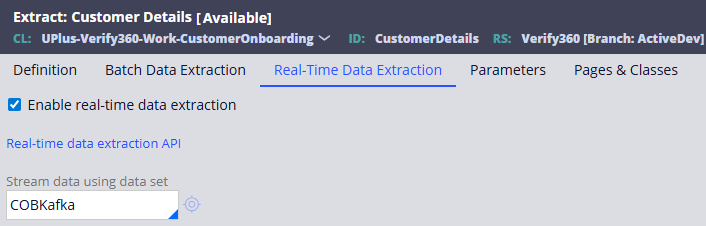
- Create the Data Flow with the client Kafka stream details in the application.
- Configure the BIX Extract with this created Data Flow as real-time extraction.
- Ensure that the data ingestion pipeline is reading from the stream.
Option B: API to get the data
Pega provides Data Extraction APIs for ingestion without Kafka:
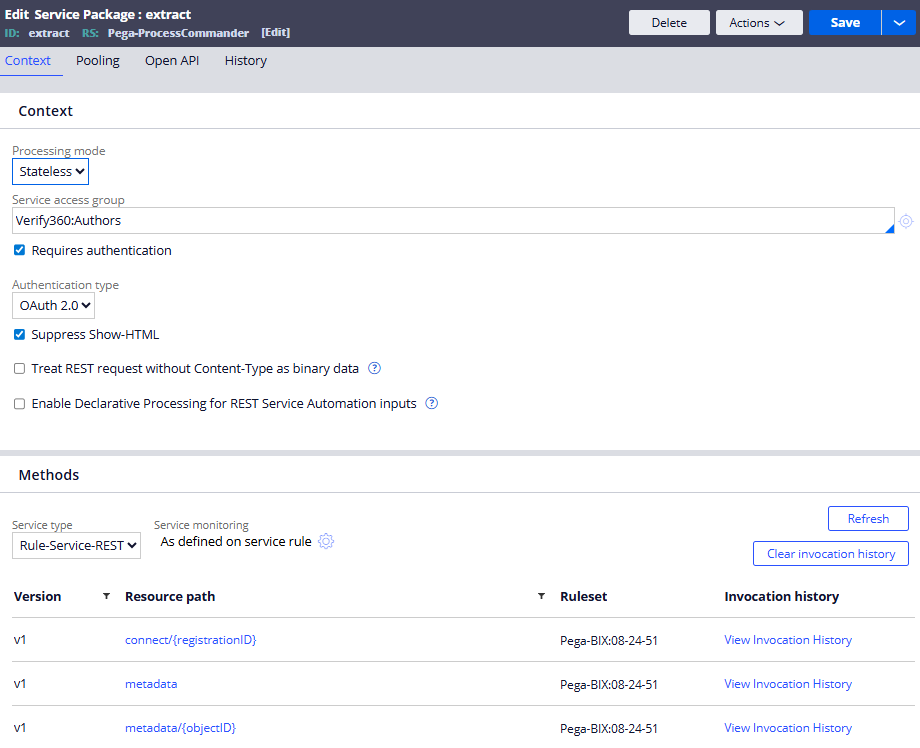
- Registration API
The third-party system must register for the data it needs. Registration ensures that only relevant or required Case Type and Data Object records are streamed to the third-party system.
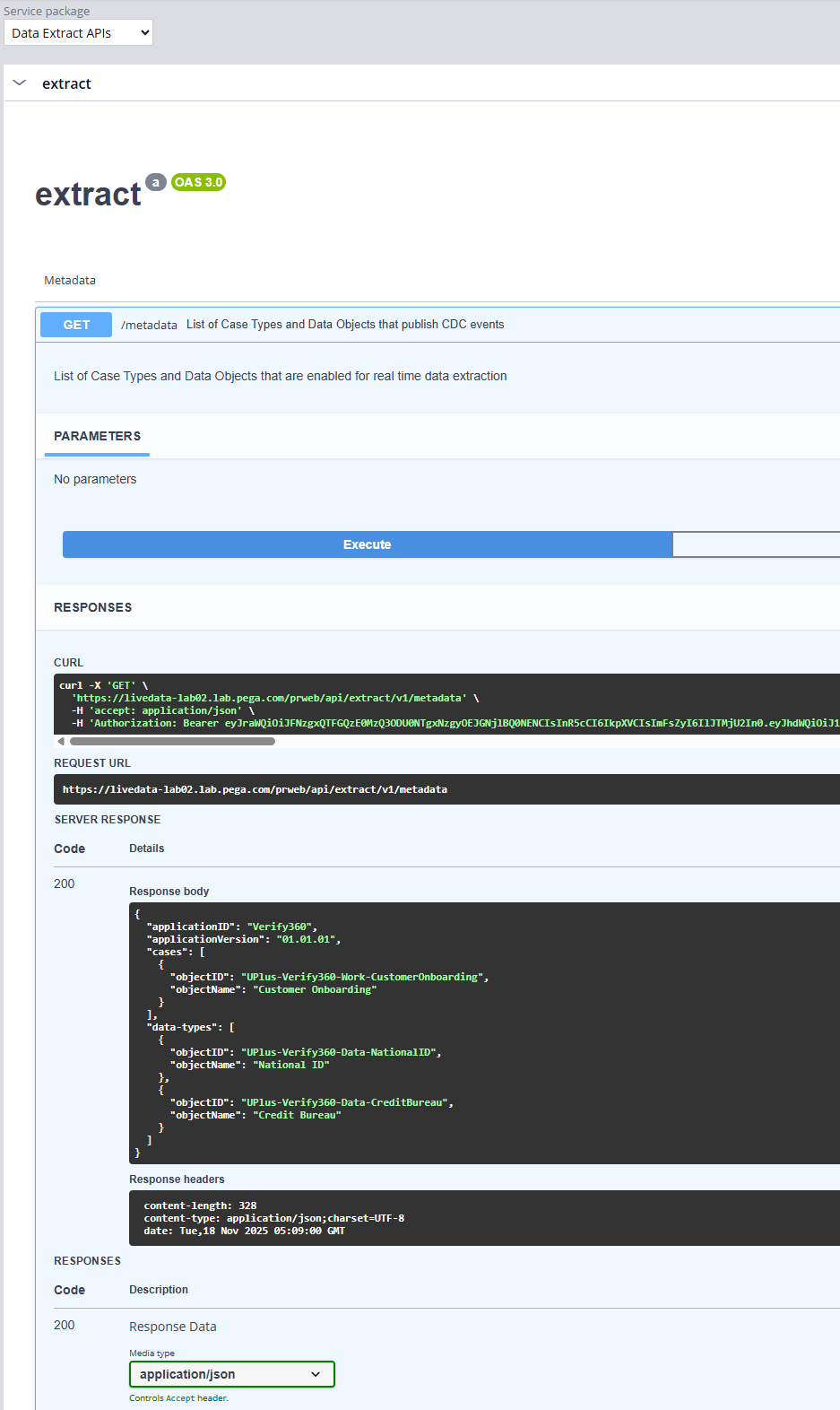
The third-party system with Metadata API displays the Case Types and Data Objects enabled for extraction. This API also provides the Data Model of the extract so that the third-party system knows what to expect.
- Connect API
This API streams the data based on the configured extract. Use the registration ID returned by the Registration API to receive the data. The third-party system must establish the long-polling connection to get data as a stream.
If the data is no longer required, the third-party system can call the Unregister API to stop the stream.
Step 4: Reconciliation
Ensure data integrity and completeness:
- Configure the extract to run at a scheduled interval.
- Modify the data ingestion pipeline to insert or update the records in OLAP based on the commit or save datetime of the record to prevent stale data.
Step 5: Connecting and mapping external data for reporting
Enable Pega to run Insights directly on OLAP:
- Create the OLAP as a database Rule.
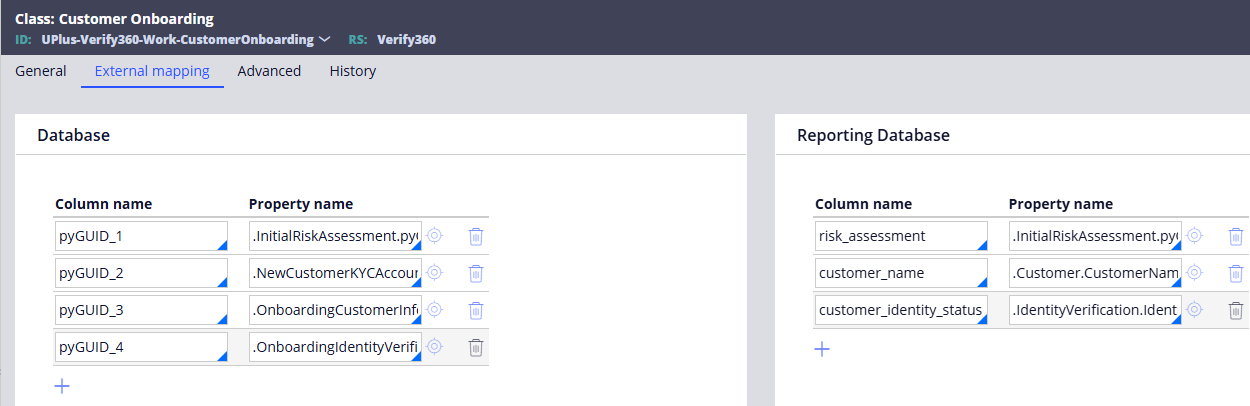
- Configure external class mappings for the Case Type and/or Data Object class.
- Update the Report Definition settings to retrieve or use the Reporting Database.
With these five steps, you now have a clear path to make external OLAP systems behave like first-class citizens in Pega Infinity. But this is just the beginning—the real value comes when you put this into practice.
Ready to get started?
- Try configuring your first OLAP connection in Pega by using the previous steps.
- Explore Pega documentation for BIX, external database mapping, and Data Pages.
- Share your experiences or questions in the Pega Community! Your feedback helps shape best practices.
Related Resources
Don't Forget
- Continue the conversation on Pega Forums
