Conversation

Groupama Insurances
FR
Last activity: 24 Jun 2025 2:40 EDT
Guidelines for the prompt
We are preparing an initial experimentation with Blueprint, with a first objective of accelerating the design phase with business stakeholders.
Beyond the available documentation and the tests we are conducting to better understand the tool, I would like to know if there are any guidelines for structuring and writing the content of the Blueprint prompt.
Many thanks in advance for your contributions

Pegasystems Inc.
GB
Hi Thierry,
Great question — and an important one!
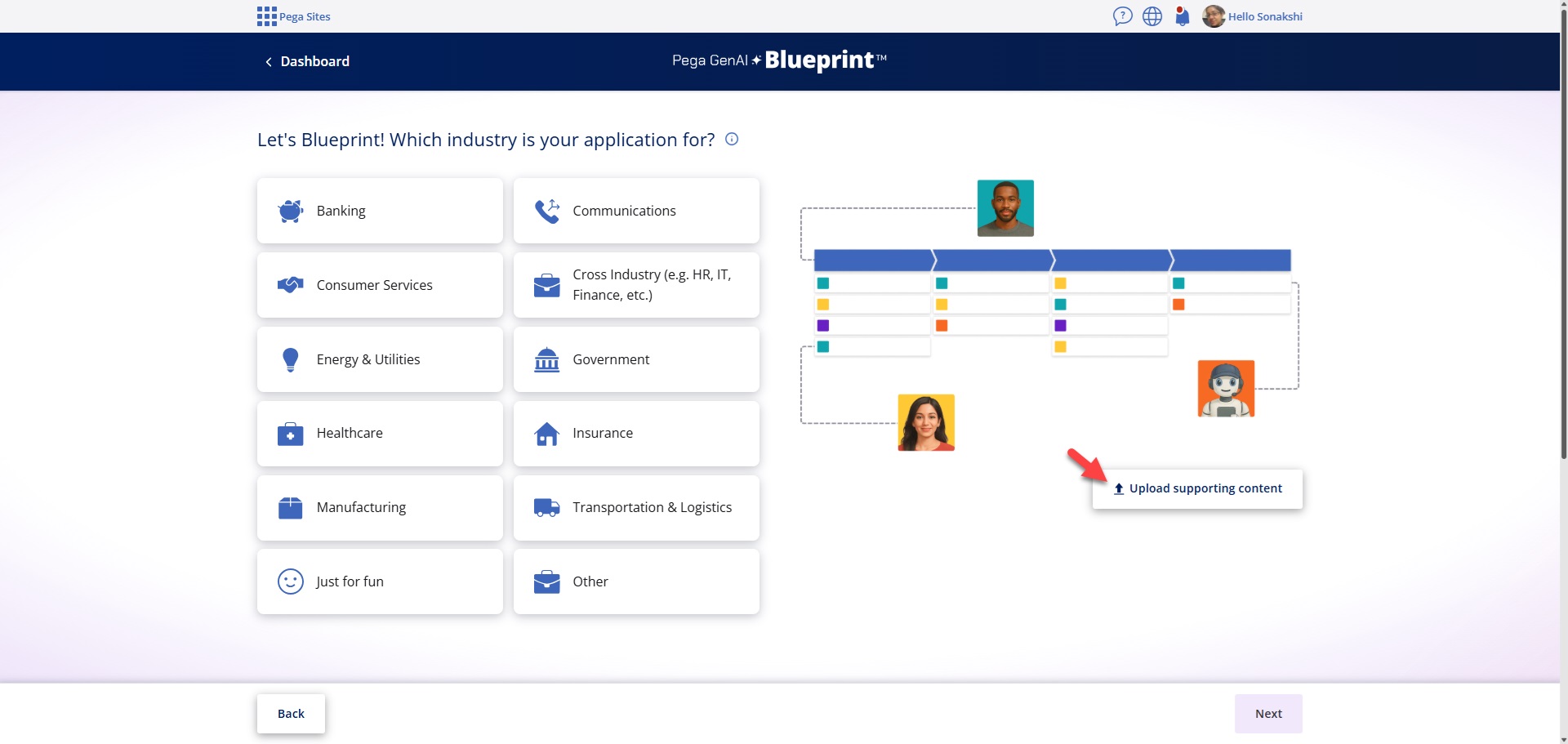
When using an AI tool like Blueprint, the key is to provide as much relevant context as possible. Leveraging the industry templates is a great first step, as they embed useful context by default. For instance, selecting "Healthcare / Healthcare Services (Provider) / Collections" guides the AI to generate outputs tailored to that specific domain.
The prompt you enter further refines this context. It’s an opportunity to include organisation-specific terminology or nuances. If you’re unsure where to start, the “What should I write?” link offers examples of both the template and prompt, which can be a helpful guide.
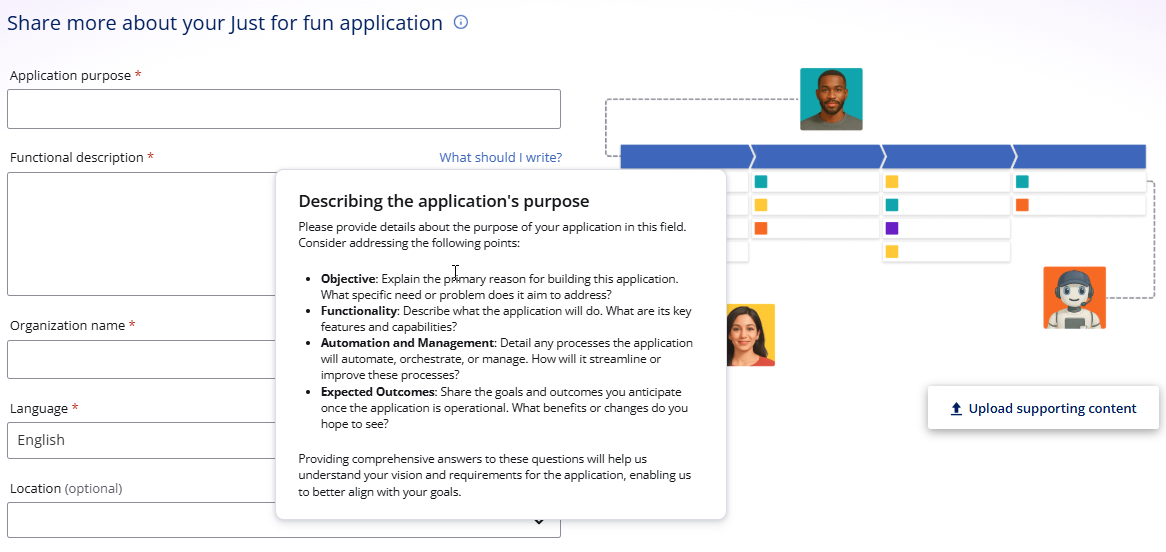
That alone may be enough to get you started. The balance lies in providing sufficient structure while also allowing the AI to be creative. In practice, some teams fall into the trap of simply replicating current processes rather than exploring what’s possible. Blueprint encourages forward-thinking — helping you imagine how things could work, not just how they do today.
A great approach is to bring together stakeholders from different parts of the organisation to generate separate blueprints. Comparing these outputs can surface valuable insights, highlight unknowns, and reveal differences in how processes are experienced by different SMEs.
Hi Thierry,
Great question — and an important one!
When using an AI tool like Blueprint, the key is to provide as much relevant context as possible. Leveraging the industry templates is a great first step, as they embed useful context by default. For instance, selecting "Healthcare / Healthcare Services (Provider) / Collections" guides the AI to generate outputs tailored to that specific domain.
The prompt you enter further refines this context. It’s an opportunity to include organisation-specific terminology or nuances. If you’re unsure where to start, the “What should I write?” link offers examples of both the template and prompt, which can be a helpful guide.
That alone may be enough to get you started. The balance lies in providing sufficient structure while also allowing the AI to be creative. In practice, some teams fall into the trap of simply replicating current processes rather than exploring what’s possible. Blueprint encourages forward-thinking — helping you imagine how things could work, not just how they do today.
A great approach is to bring together stakeholders from different parts of the organisation to generate separate blueprints. Comparing these outputs can surface valuable insights, highlight unknowns, and reveal differences in how processes are experienced by different SMEs.
Beyond prompts, you can now upload multiple supporting documents — such as SOPs, process maps, or data models — to further enrich the AI’s understanding. Don’t hesitate to experiment: try a standalone prompt, then add documents, and compare the results.
Finally, remember that this is a design tool. The AI’s suggestions — whether case types, data models, or personas — are just the beginning. It’s still essential to collaborate with your business and IT stakeholders to refine and evolve the blueprint into something high fidelity. The AI kickstarts the conversation, but the value comes from shaping it together.
Here’s a great blog that dives deeper into this approach:
High Fidelity Blueprints: Producing Digital Transformation Success
I hope that helps.
Brad
Groupama Insurances
FR
Hi @BradTanner,
Thanks for these usefull guidelines and ressources.
One of our existing guideline is "imagine how things could work, not just how they do today", and i'm convinced that blueprint will help us, thanks to the ability to show and test the result, to promote an iterative way to work with our stakeholders, starting with the value expected and not with a copy of existing process or screens.
I'll keep you informed
Coforge
US
The latest foundational models have a solid understanding of what Pega BluePrint is, and one way to utilize it is by using tools like Perplexity. You can input all your requirements into the prompt and ask it to generate output that can be imported into Pega BluePrint. Ideally, the models have trained enough to identify detailed requirements and extensive case types, but it’s always beneficial to start with that and refine as needed. Additionally, you can mention your organization’s name and request that the search adapt to your enterprise standards.
PK
Great breakdown of case type design very useful for structured planning. Anyone into system logic or test prep should jump on this approach. I found similar clarity while browsing resources on McqsAlert.

Pegasystems Inc.
US
The best way to prompt Blueprint to generate workflows and application components depends on your familiarity with the business process and how prescriptive you want to be.
If you're still getting acquainted with the business problem and don’t yet have all the details, start by providing Blueprint with high-level information about the process. This allows it to leverage the application context—such as industry and departmental function—to generate a blueprint that reflects common workflows and components relevant to that domain.
Be sure to clearly articulate the business objective, desired functionalities, processes that should be automated or orchestrated, and the expected outcomes. Blueprint will use this input to generate case types, workflows, data models, and personas. If you have supporting documentation—like process maps or data models—use Blueprint’s document analysis tools in the Application Context and Workflows steps to enrich the output.
On the other hand, if you already have a clear vision for the workflow, data, and personas, include as much detail as possible in your prompt. Specify the case types you expect, any automations, and exception flows that should be handled. Blueprint will incorporate this information when generating the initial application structure.
The best way to prompt Blueprint to generate workflows and application components depends on your familiarity with the business process and how prescriptive you want to be.
If you're still getting acquainted with the business problem and don’t yet have all the details, start by providing Blueprint with high-level information about the process. This allows it to leverage the application context—such as industry and departmental function—to generate a blueprint that reflects common workflows and components relevant to that domain.
Be sure to clearly articulate the business objective, desired functionalities, processes that should be automated or orchestrated, and the expected outcomes. Blueprint will use this input to generate case types, workflows, data models, and personas. If you have supporting documentation—like process maps or data models—use Blueprint’s document analysis tools in the Application Context and Workflows steps to enrich the output.
On the other hand, if you already have a clear vision for the workflow, data, and personas, include as much detail as possible in your prompt. Specify the case types you expect, any automations, and exception flows that should be handled. Blueprint will incorporate this information when generating the initial application structure.
Finally, remember that like other generative AI tools, Blueprint is designed to create a strong starting point. The output should always be reviewed and refined by subject matter experts to ensure accuracy and alignment with business needs.

Pegasystems Inc.
US
Additional to the above responses, if you have a process flow handy, I would suggest trying out "Upload supporting content" feature by saving them as jpg or pdf, which will translate the workflow for you and even generate the prompt. Then you can go ahead and adjust the prompt to further finetune the workflows, but you do get a good starting point.