
Conversation

Novitates
IN
Last activity: 6 Feb 2026 2:17 EST
Exploring Localization Configurations in Application rule - Infinity 25
Introduction
Localization configurations is a an option introduced in Pega Infinity 25 on the Application rule (extreme bottom) in order facilitate the developers to append/modify any additional labels without modifying the original bundle.
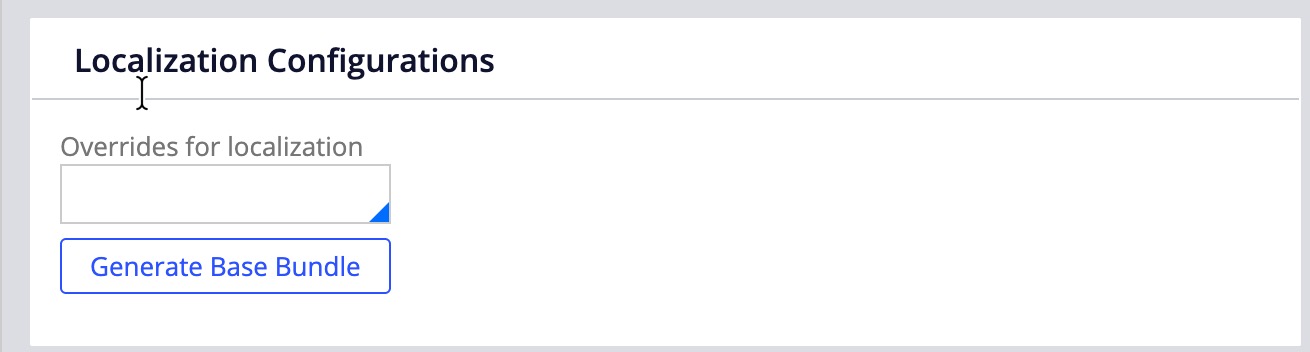
With 25 version, localization feature had a major change where all the field values are populated into one single localization bundle rule per language in comparison with 24 version where individual localization rules were generated per context (label, view, paragraph, case, page, datapage, generic).
Setup and Implementation
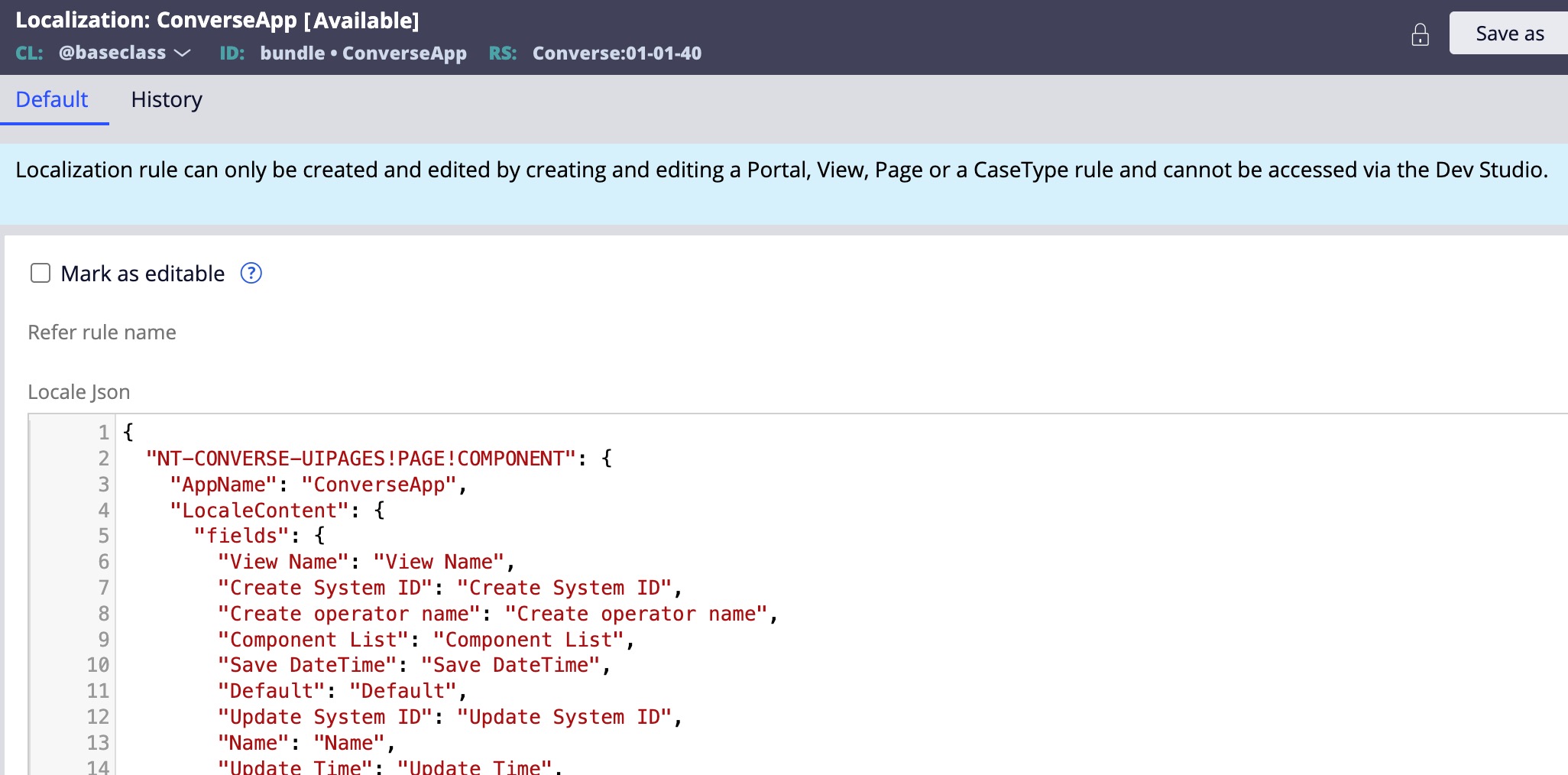
Whenever we create any content from App studio w.r.t UI screens, all the text labels will be automatically written into the localization bundle rule created for the application.
For eg. if the application name is ConverseApp, we will see a bundle rule like below,
@baseclass: bundle : ConverseApp : Converse:01-XX-XX
When we run the localization wizard from app studio for any specific language and import the translations, system will create a single bundle rule for that language with all the translations for the labels mentioned in the base bundle rule. For instance, if we execute the localization wizard for French (Canada), below is the bundle we see
@baseclass: bundle : ConverseApp : Converse_fr-CA:01-XX-XX
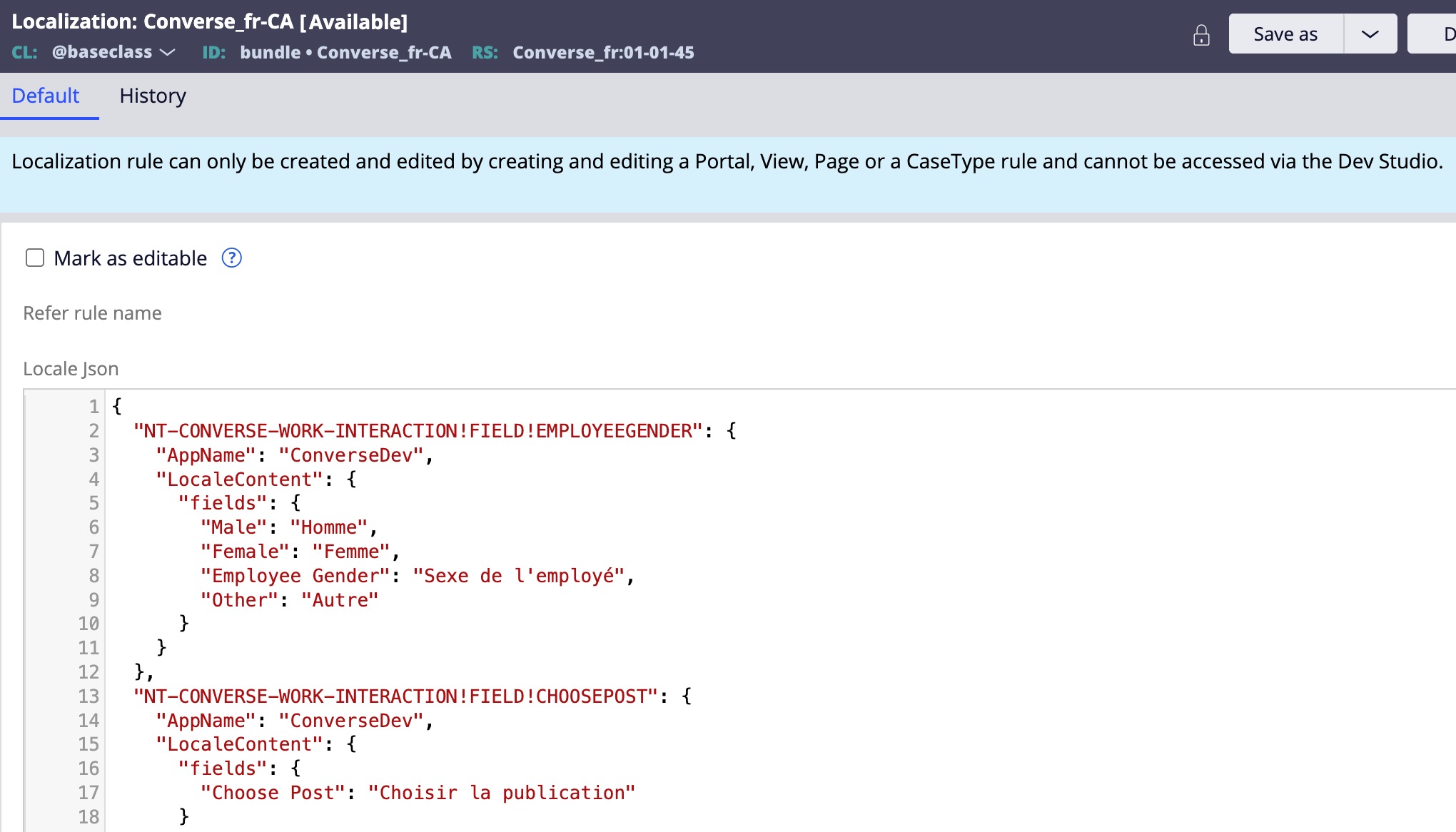
Now, these bundle rules are not marked editable by default and are not suggested to be manually edited by the developer.
Below are the scenarios where an existing source bundle needs to be updated,
- An existing field value in base language (english) has to be updated.
- We need to add/modify an existing field label value in a Custom DX component without importing the component into pega again. Prerequisite: The locale content is fetched by component using pConn and pCore methods.
We can create a separate bundle to modify existing labels or add new labels with context as "overrides" in @baseclass as shown below
@baseclass: overrides : AdditionalLabels : Converse:01-XX-XX
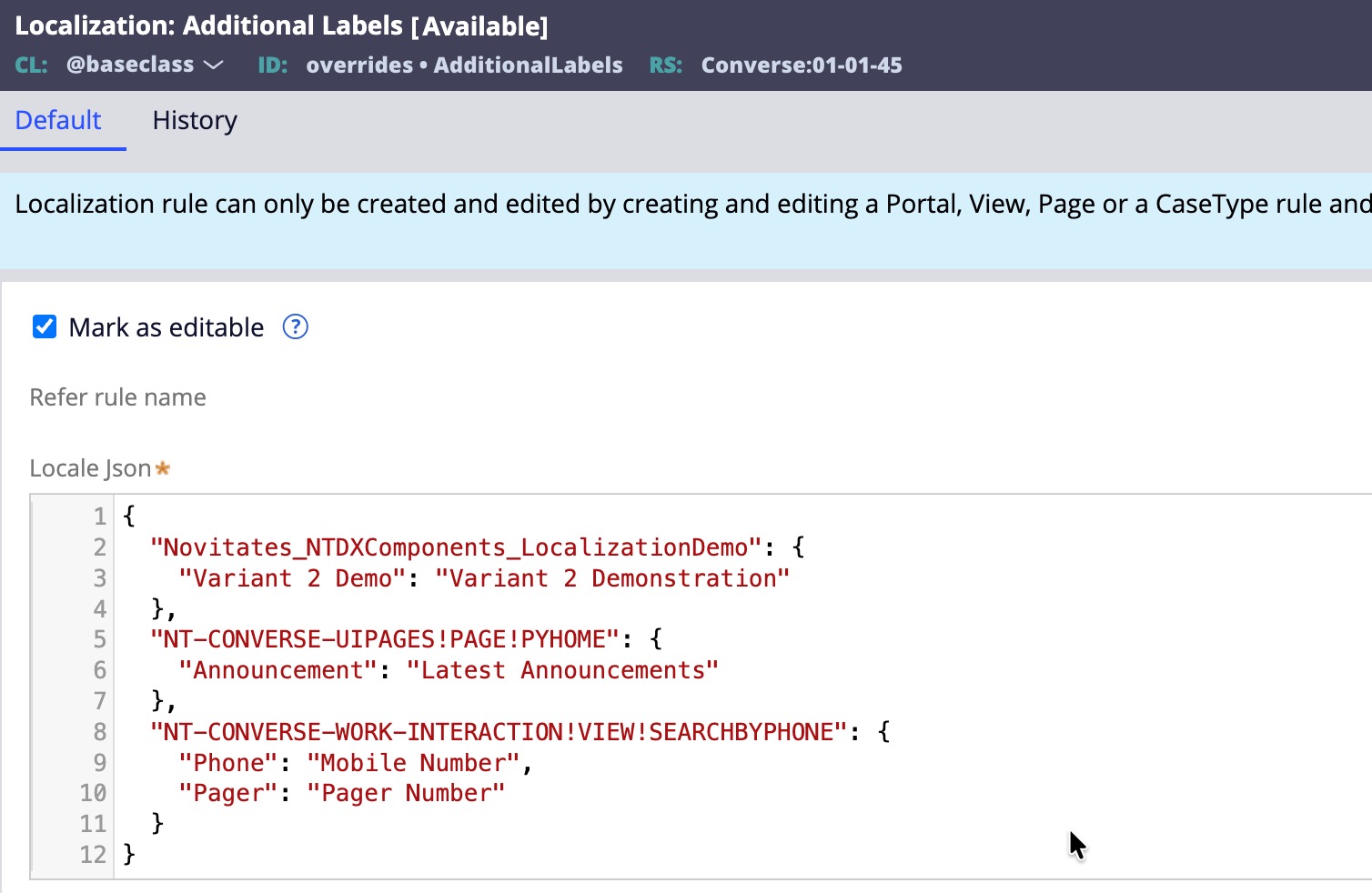
Once you create this rule, you can add the labels you want to modify or newly add with below syntax.
{
"Novitates_NTDXComponents_LocalizationDemo": { // This is to modify an existing custom dx component label
"Variant 2 Demo": "Variant 2 Demonstration"
},
"NT-CONVERSE-UIPAGES!PAGE!PYHOME": { // This is to modify an existing page context label
"Announcement": "Latest Announcements"
}
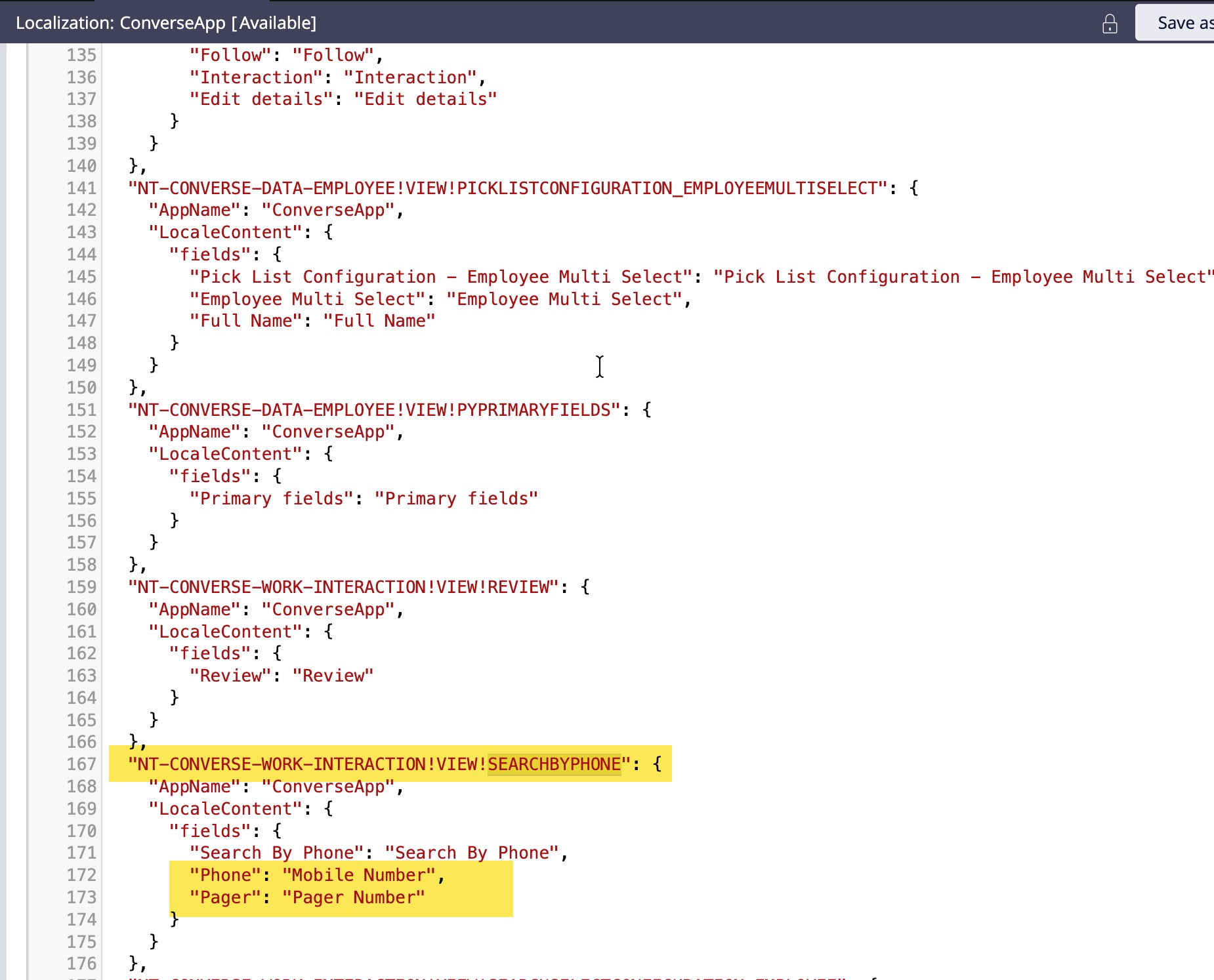
"NT-CONVERSE-WORK-INTERACTION!VIEW!SEARCHBYPHONE": { // This is to add a new and modify an existing view context label
"Phone": "Mobile Phone",
"Pager": "Pager Number"
}
}
We can add labels for various contexts and get the additional fields bundle ready based on our requirements.
Ensure that you have the one latest application ruleset version open for the base bundle to get saved with new content (You can try with branching as well and let us know if it works the same way)
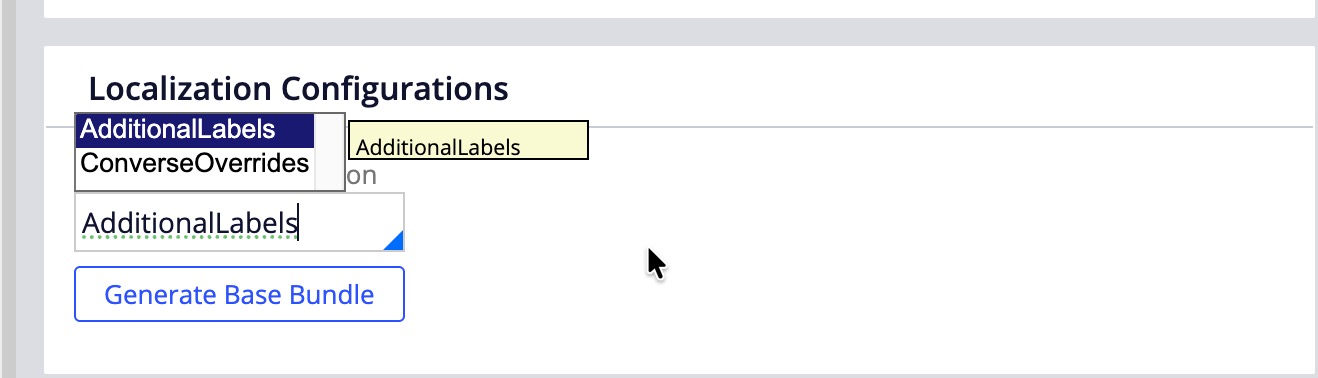
Open the application rule and go to the Localization configurations section in the General tab, and you will see that the AdditionalLabels bundle will get populated in the text box if you press down arrow. Choose the bundle name and click on the Generate Bundle button.
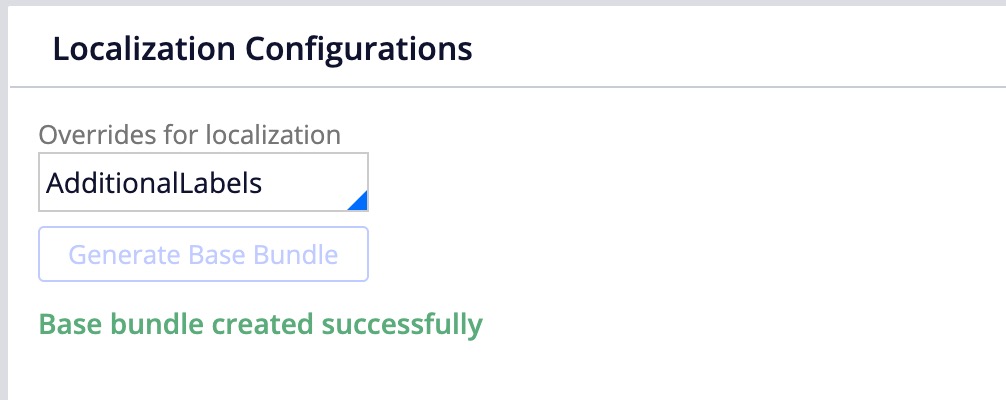
You will see a message saying "Bundle generated successfully". Save the application rule.
With the above action you will notice that the additional labels in the overrides bundle are moved to the base bundle into appropriate block. May it be view/page/component.. context.
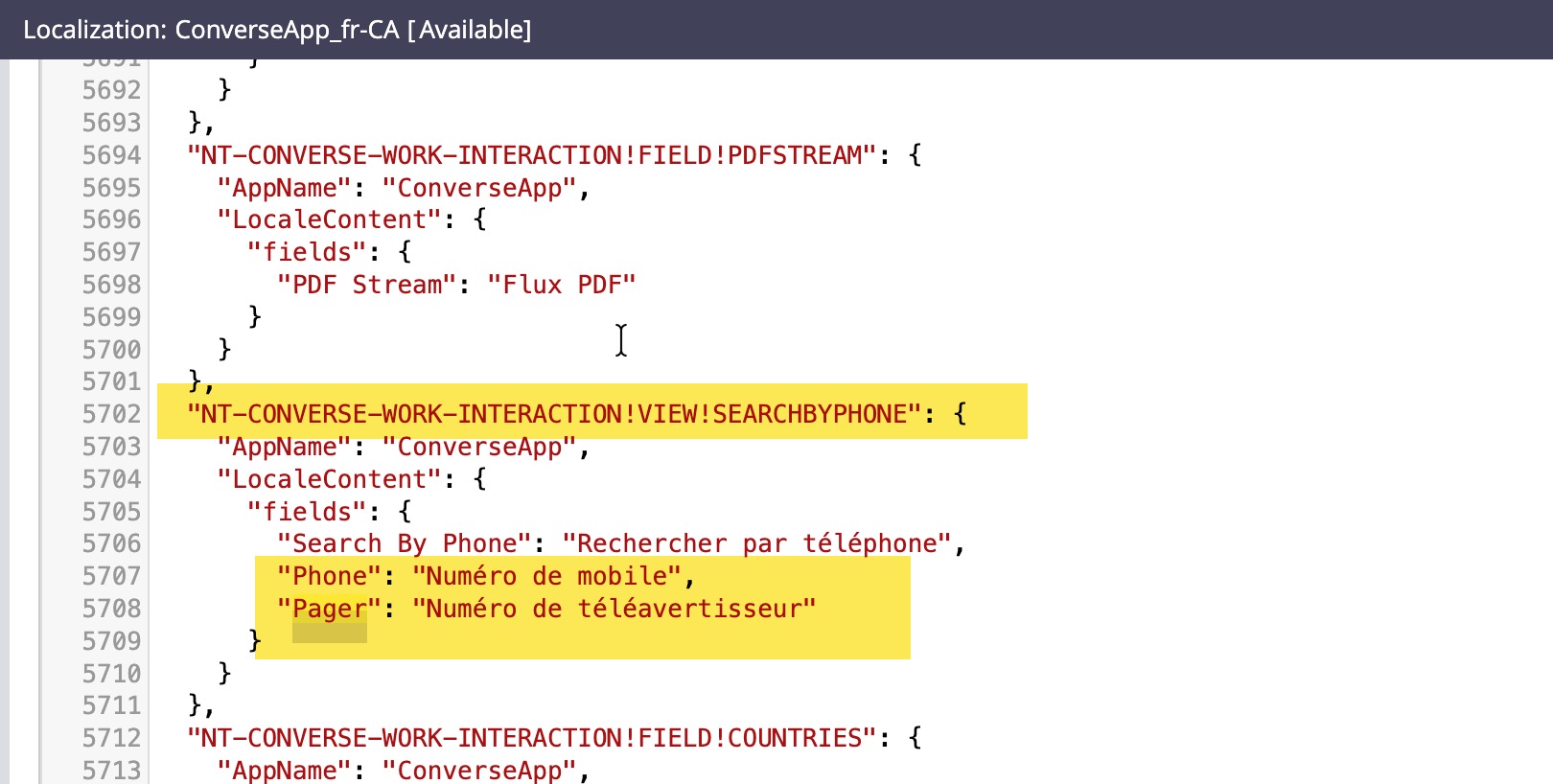
Once the base bundle is updated, you can run the localization wizard once again for the fr_CA language and add the translations for the newly added/modified fields and post import you will see that the fr_CA bundle is also updated with the appropriate label translations.
Note: There were few points which are still unexplored like,
- When a field label which is part of a view is already in the bundle and if i modify it from App studio, the bundle does not get updated.
- If we change a view instructions content from app studio, does it get updated in the bundle
- how does dynamic text content get updated in the bundle as its shown as encoded content..
Let's explore the above and feel free to add any further thoughts, feelings and ideas. Happy exploration !!!
Feel free to check the custom dx component for switching the locale in constellation in the below marketplace link
https://community.pega.com/marketplace/component/switch-locale-componen…?
Thanks
Jayachandra Siddipeta
Novitates
IN
Images are not shown properly in the post. Hence attaching the word document for your convenience.
Thanks alot for understanding

Aaseya IT Services Pvt Ltd
SA
@JayachandraSiddipeta The base bundle is getting updated even when branching is used.
Novitates
IN
Thumb rule i understood is that we need to update the base bundle from application rule directly on the latest versioned rule once the application implementation is fulfilled by putting all the missed/additional labels in the overrides rule. Do not use branching for this update. Put the overrides bundle rule in the text box only when you want to update the bundle, otherwise keep it blank. Then you should be seeing the base bundle rule updated properly. Once you are done with updating the base bundle, run the localization wizard from App studio and post import you should the localized bundle rule also gets all the newly added labels localized successfully. Let us know if you have any more queries on top of this.
Regards
JC