
Conversation

Pegasystems Inc.
IN
Last activity: 27 Jan 2026 5:02 EST
Infinity 25 Localization Guide: Translating Dynamic Text Rules and Decisioned Paragraphs
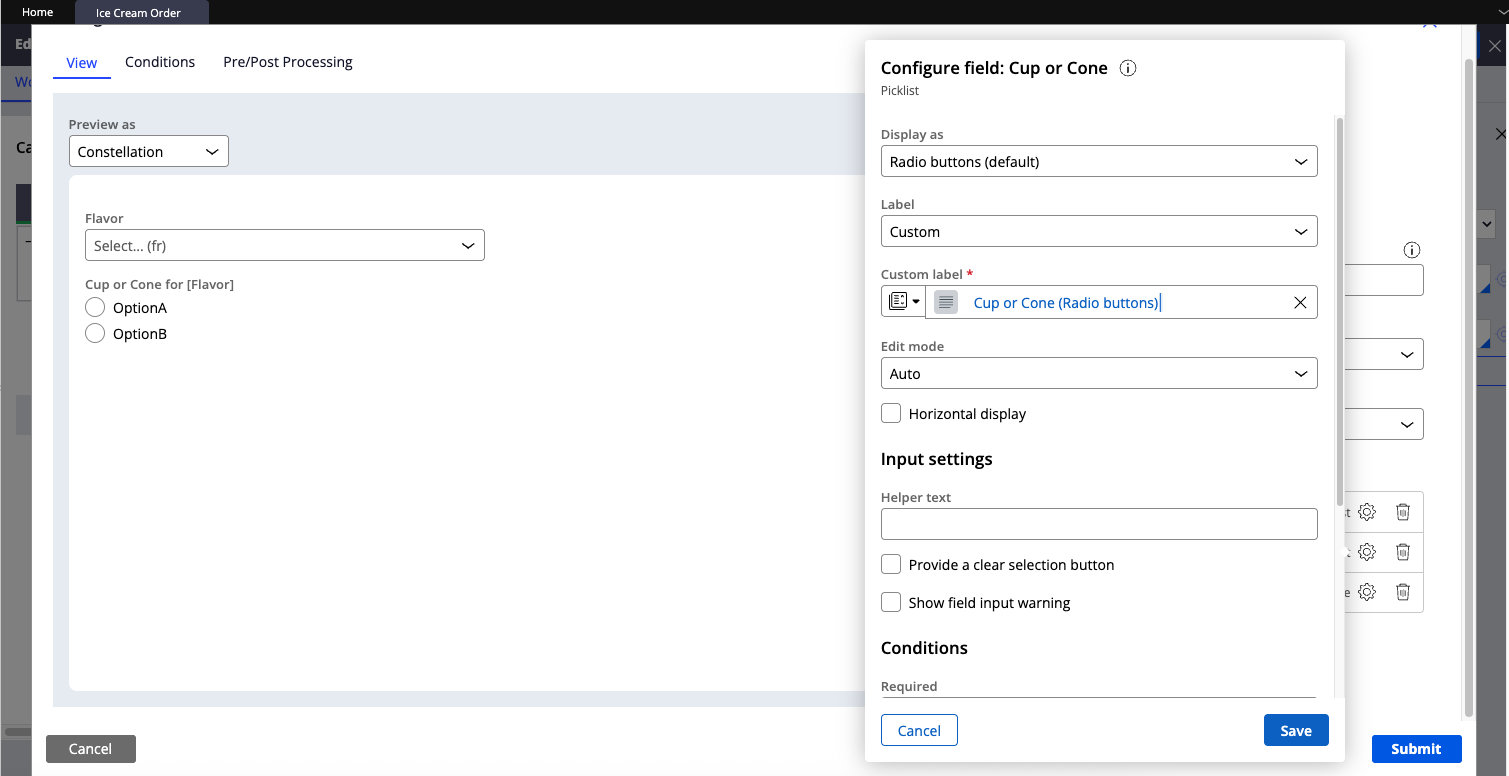
For each field in a Constellation view, you can configure the label in three ways:
-
Default: Uses the label derived from the property.
-
Custom: A fixed label you author directly.
-
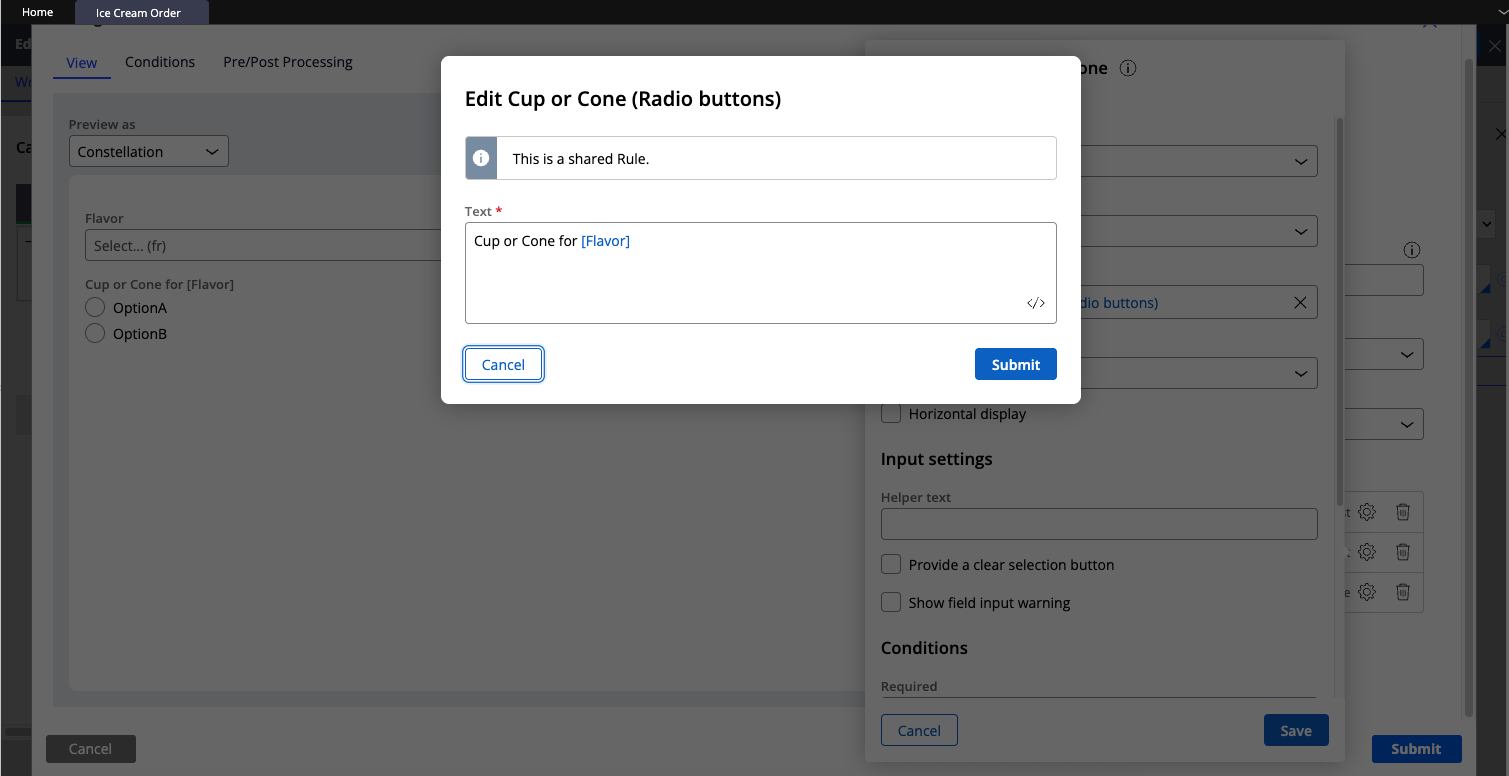
Source from library: Pulls the label from a Dynamic Text rule.
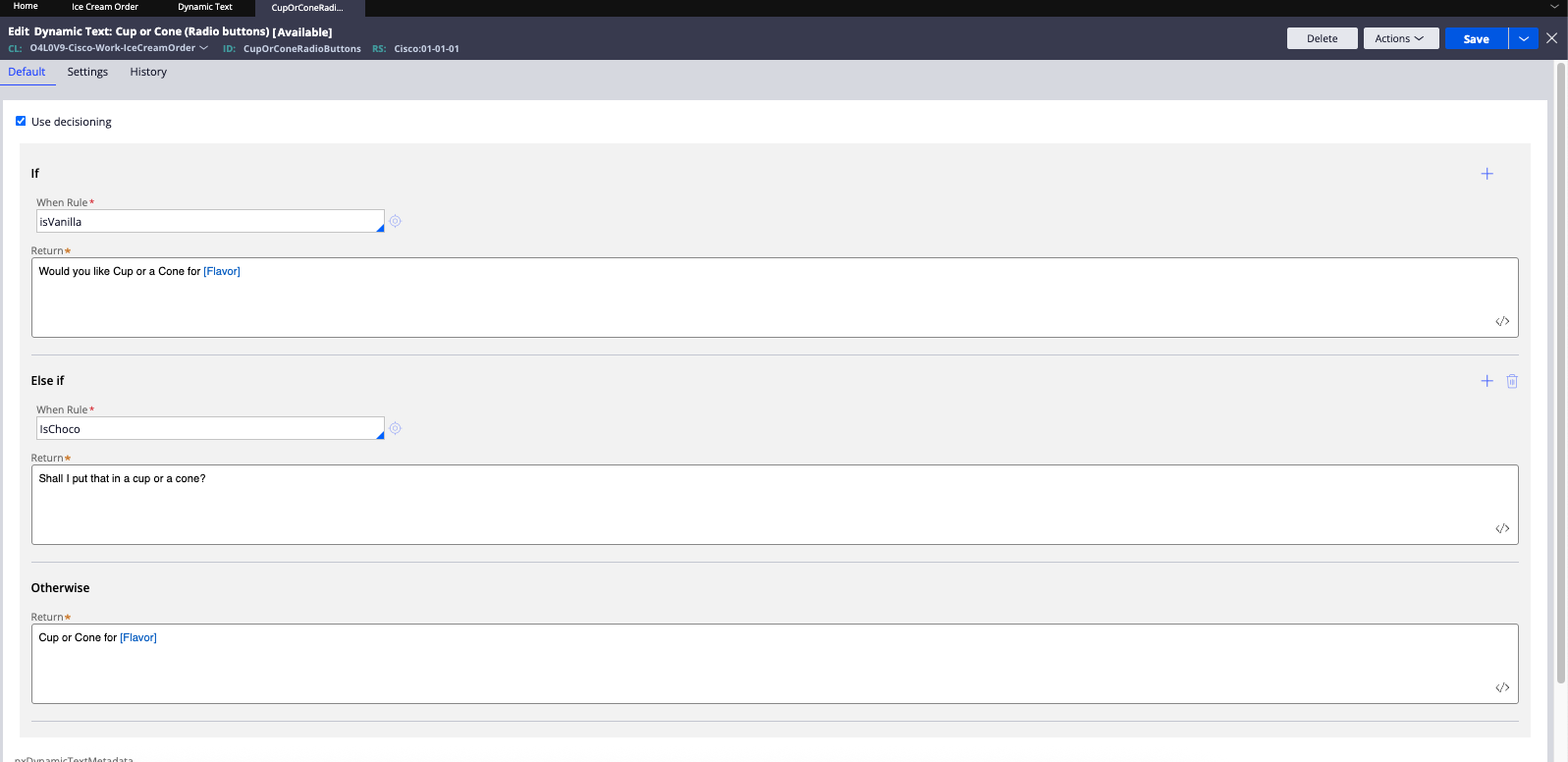
Dynamic Text lets you compose labels dynamically by inserting property values. Separately, decisioning controls which paragraph variant is shown based on conditions.
This post covers how to localize both: Dynamic Text-driven labels and decisioned paragraphs, so the UI stays correct across locales without duplicating logic or creating translation drift.
Demo: Choose Flavor
To demonstrate this, we’ll use a simple flow called Choose Flavor. Users first select an ice cream flavor, and based on that selection we conditionally change the label of the Cup or Cone field (see the screenshots below for the configurations).
Export the language pack
Once the configuration is in place, go to App Studio → Localization wizard and create a language bundle. Click Create, choose the target language, and download the Excel once it’s ready for translation.
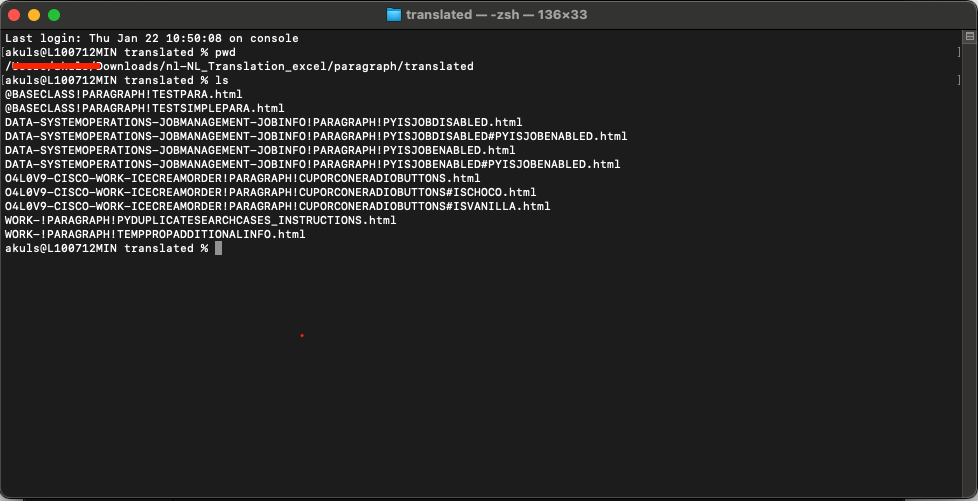
In the downloaded language pack, open the Paragraph folder, then open Translated. Inside, you’ll find multiple HTML files, and each file corresponds to one of your Dynamic Text rules.
In the terminal screenshot below, you can see three HTML files generated for the CupOrConeRadioButtons Dynamic Text rule: one for each When rule condition, and one for the default case.
Translate the Dynamic Text HTML files
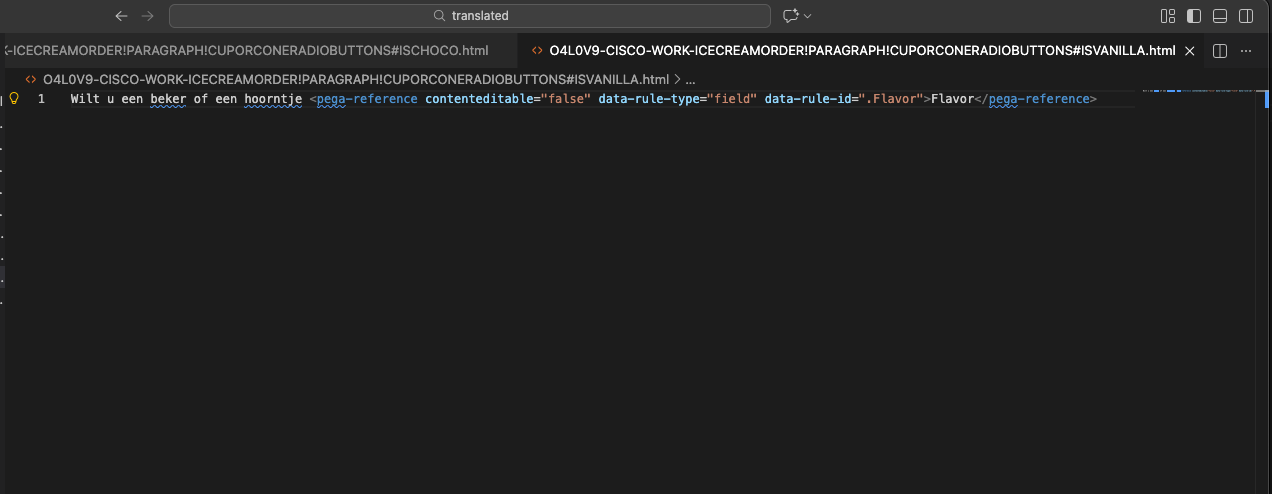
Open these HTML files in any editor, like VS Code or Notepad++, and provide your translations as shown in the screenshot below. Do not modify the <pega-reference> tag or its content.
Import back
Once you’ve translated everything (labels in the Excel/JSON files and the Dynamic Text HTML files), zip the language pack again and import it back through the Localization wizard.
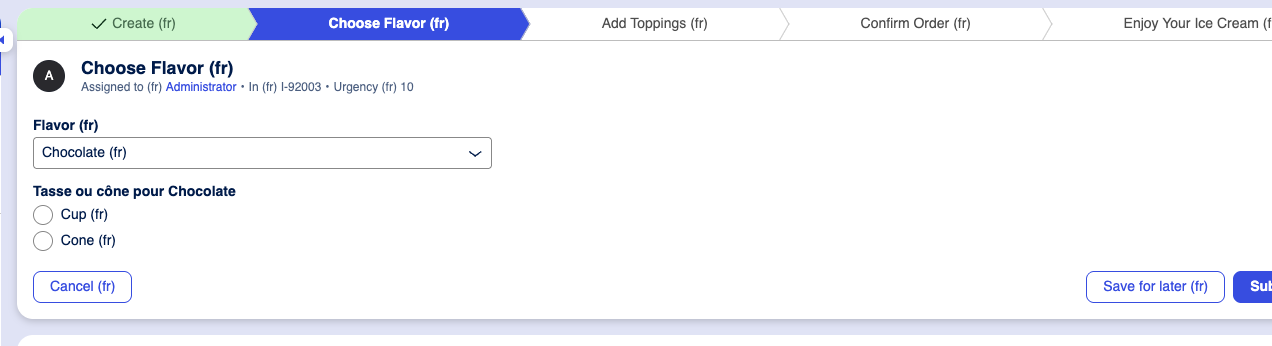
And that’s it. Once the updated language pack is imported, you should see the translated paragraphs (and Dynamic Text labels) reflected at runtime when you switch to that locale.
Constellation 101 Series
Enjoyed this article? See more similar articles in Constellation 101 series.

Pegasystems Inc.
PL
@akuls great article! I’m wondering if translating (or not) "Flavor" inside pega:reference really matters? I recently played around with dynamic text localization, and even after translating it, it still worked.
Pegasystems Inc.
IN
@machpFlavor in between the pega-reference tag is used during the authoring, so in runtime even though you change it it wont matter, however parameter must be untouched or else property will not be resolved in the run time.