
Conversation

Vodafone
IN
Last activity: 26 Nov 2025 14:06 EST
Pega Constellation - Landing Pages - Create menu - create case conditionally visible?
are we able conditionally visible create option for one case type ? for example in below claim would be visible only to one access group ?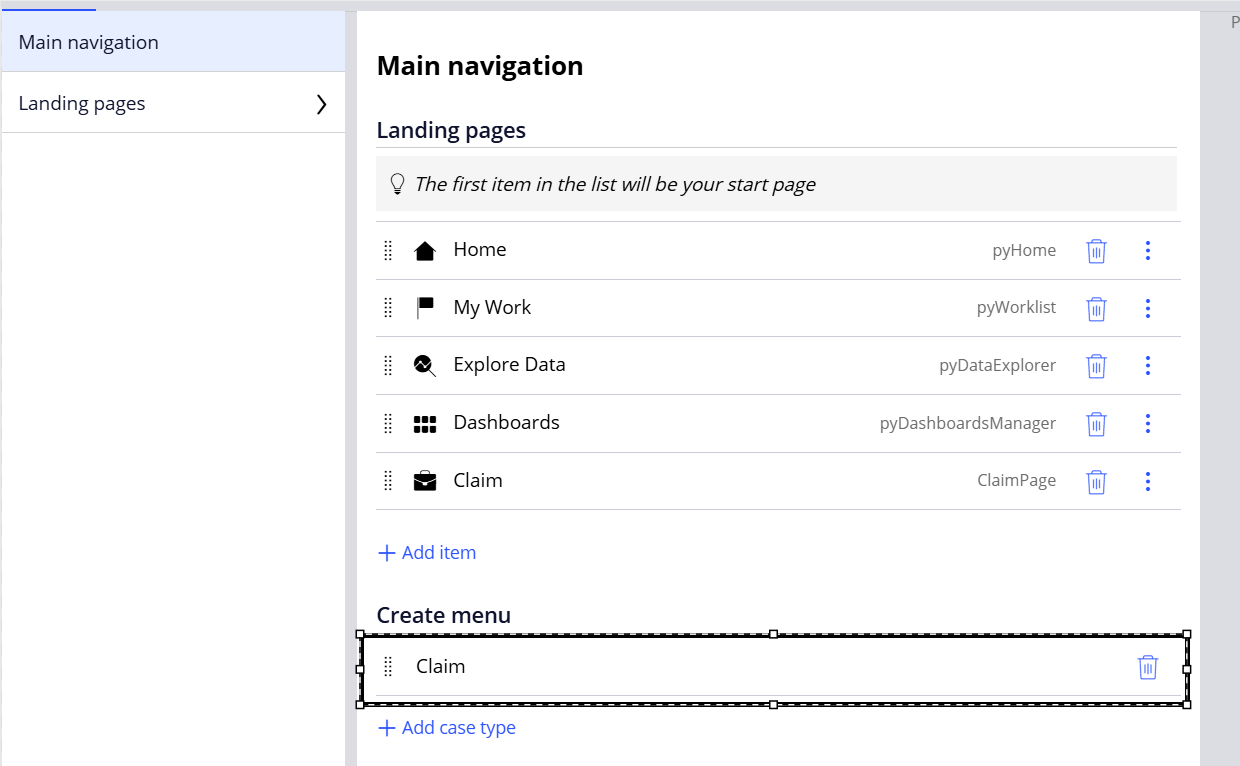

Pegasystems Inc.
GB
@VenkateswararaoKvisibility is not security, so even if they condition was there you would still need to make sure you update your Persona (Access Group) so they can't create this case type. Have you tried this approach? I was under the impression that if that Persona could not create the case, then it won't show in the create menu for them EVEN if its in the portal configuration like you have here.
Good practice: Create a Channel for each Persona
My preferred approach for Persona (Access Group) is to have a portal per. Given how quick and easy it is to create a portal AND the flexibility this then gives you to tailor that experience, its a much better outcome than trying to create single portal and reuse it so many times/ways that misconfigurations become easy to implement
- e.g. is it visible for this persona? I have the wrong order for my landing pages? this persona should have a different default landing page? This persona should have notifications disabled but this other shouldn't?
I covered this in an article for a different topic. See "Good practice: Create a Channel for each Persona"
Truviq Systems Private Limited
NL
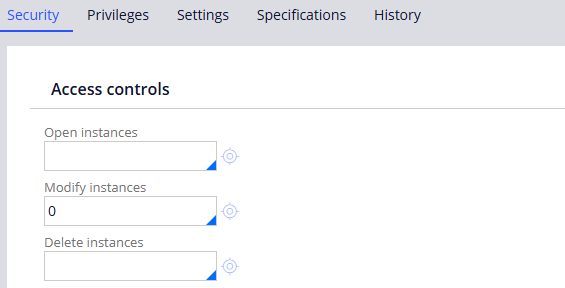
I think it should be possible by creating a Access of Role to Object for that particular access role and object class and mark the Modify Instances as 0 as shown below.
Thanks,
Srikanth.
Truviq Systems Private Limited
NL
but ofcourse again, if we do this- the user wouldn't be able to perform any action on that casetype.
Vodafone
IN
@SrikanthY16686929 , Yes user wouldn't be able to perform any action but it would reflect under create menu of portal, right?
Truviq Systems Private Limited
NL
As I checked, it wouldn't even display under Create menu for that access role.

FusionAIx
NL
@SrikanthY16686929 / @VenkateswararaoK
I fully agree with the comment of @MarcCheong. Make sure your application is secured properly.
However, there is a way to achieve your requirement. Add all cases which are relevant for both user groups to the portal definition and use the D_pyCreateMenuAdditionalEntries DT to add specific items per access group (again ensure it is secure - e.g. add a privilege on the CreateForm_Default flow).
But this is a lot more work than just a portal and maintenance is completely hidden in DEV studio, so think twice before going for this solution.