
Conversation

Vodafone
IN
Last activity: 7 Jan 2026 1:37 EST
Pega Date Functions - @DateTime.CurrentDate - Wrong year value - Both 24.2 and 25 version
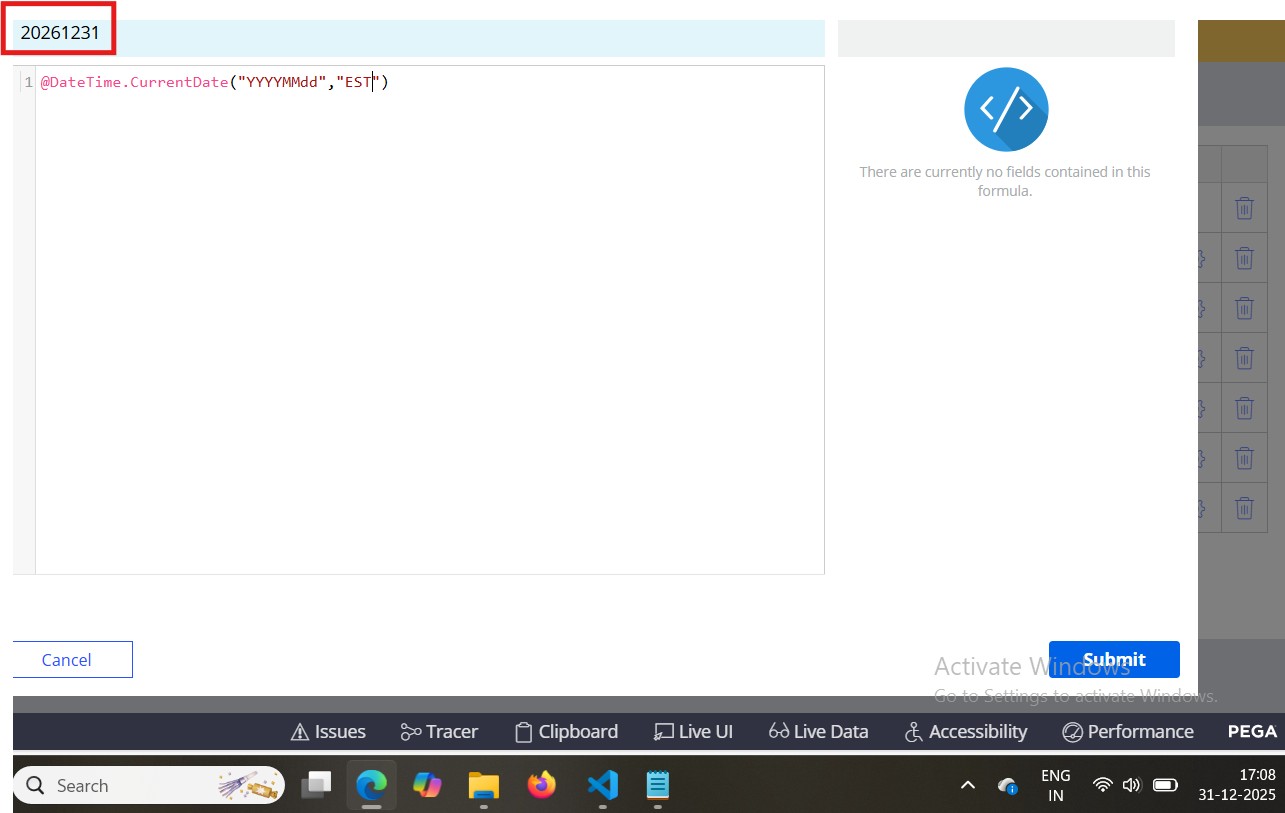
Hi, we observed one issue with currentDate function seems it is giving wrong year value (20261231) as per below. do we have any other date functions to calculate current date for a specific time zone?
Tried with CurrentDateTime also giving always GMT. we are looking to calculate currentDate for EST time zone.
do we have any other functions to calculate current date in Pega ?

Pegasystems Inc.
PL
@VenkateswararaoK I am not an expert but this might be working ok, given that fact that you do not specify time part.
Please raise GCS ticket to get a confirmation and investigation.

Pegasystems Inc.
US
@VenkateswararaoKThis might sound silly, but instead of "EST" can you try "America/New_York"? For some reason I have had better luck using the full IANA time zone identifier that accounts for Daylight Saving Time.
If that doesn't work, you can convert GMT "now" to local timezone and then format.
// Step 1: GMT timestamp
nowGMT = @DateTime.getCurrentTimeStamp();
// Step 2: Format into the target timezone and pattern
todayUSEastern = @DateTime.FormatDateTime(nowGMT, "yyyyMMdd", "America/New_York", "America/New_York");
Vodafone
IN
@sloan, Thanks for the quick response.
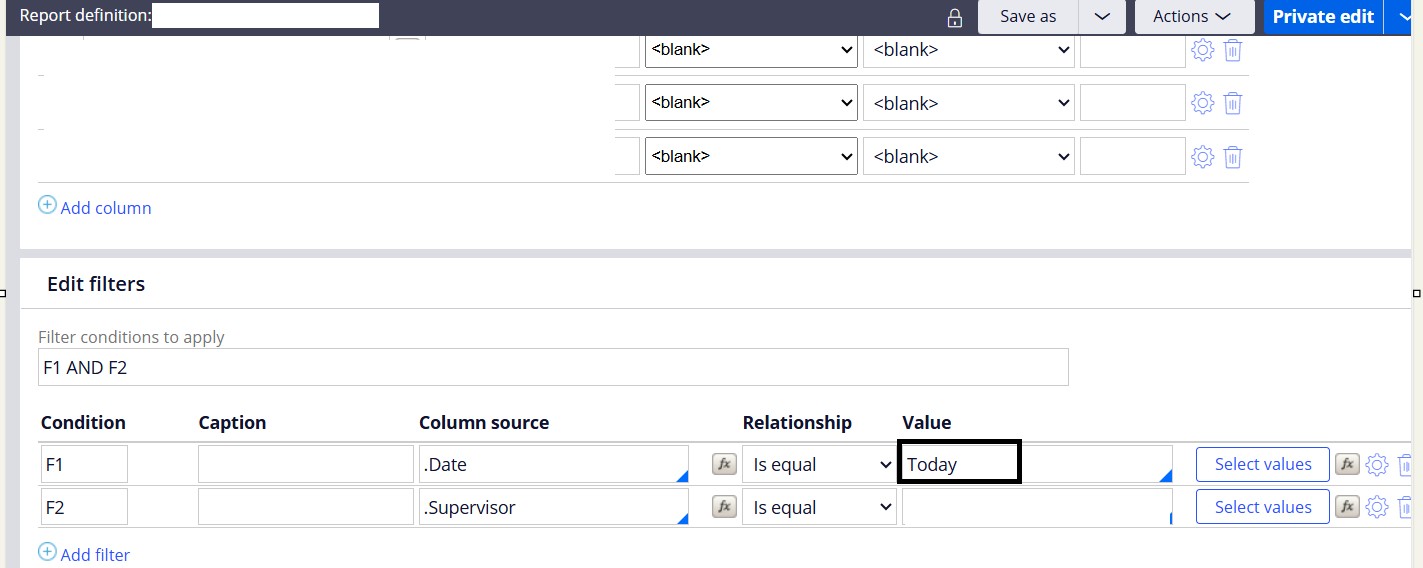
Can you also please confirm which time zone would take in report definition date functions?
for example in below screenshot filter condition Date=Today is Applied. is "Today" would be calculated based operator time zone, system time or any other time zone ?.

Novitates
IN
@VenkateswararaoK It would take the current requestor timezone. You can also try "EST5EDT" but as @sloan said we have to take daylight savings also into consideration so "America/New_York" should be the right one.
If you want to ensure that the datetime value which you have passed to RD should be in a specific timezone, then you can use the function pxGetSpecifiedTimeOnDate and get whatever time frame you want based on a certain data and time. Additionally you can use addTime as well to adjust the timing before you pass the parameter to RD.
Be sure to give the right format of the date time as lowercase and uppercase of date time format parts (y, m, d / Y, M, D) might yield different results.
If you still have any queries post them in detail and we can shed some light on it.
Hope this helps.
Regards
JC
Vodafone
IN
@JayachandraSiddipetaJayachandraSiddipeta, Thanks for the response. i have a requirement to show the data in list view. the data is fetched from local Pega based on Date value.
currently in report definition we have functions like today, yesterday, last n days. but my requirement is we need to display the data related to today's & previous (business day)
for example, today is Monday, along with Monday it should display previous Friday records.
Kindly advise how to achieve this, if there is any approach to check previous day business day or not?
Novitates
IN
@VenkateswararaoK If you want to fetch the data for the last two days, then you should pass the date time value as input parameter to report definition from your data page's data transform using addTime() function. You should add -2 days and then generate the date time and pass it to RD call.
For example, below is a sample implementation of RD call from activity.
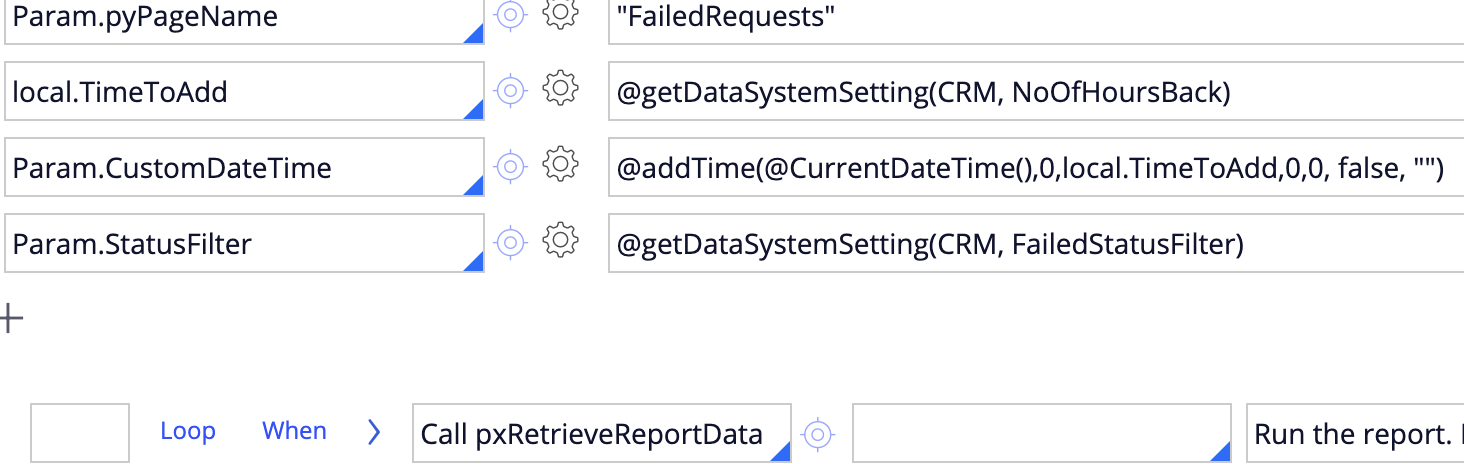
Parameters usage in RD filter
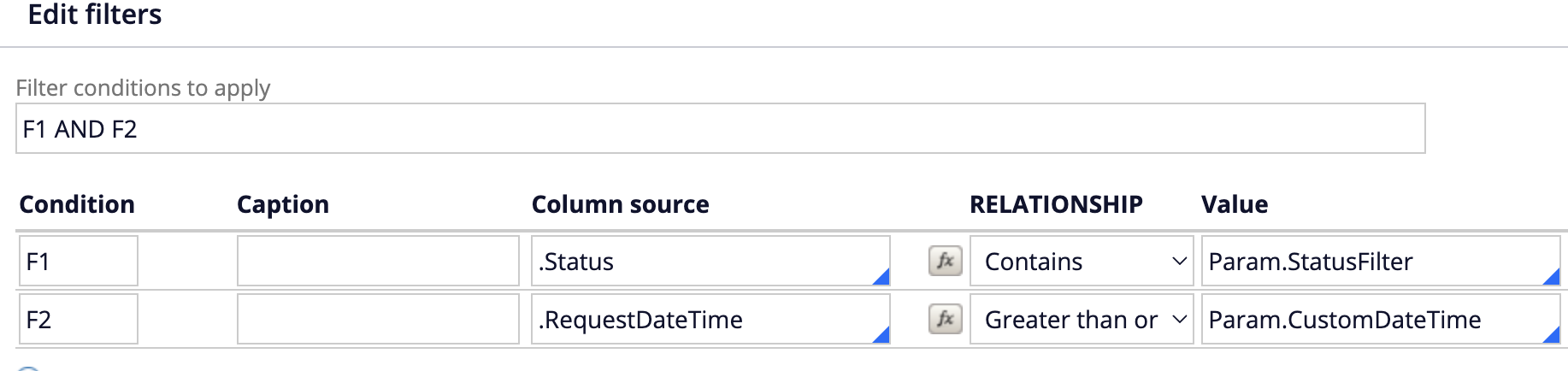
While rendering the data on the list view, for date / datetime fields you will have OOTB date formats like "Since" in the format dropdown as shown below.
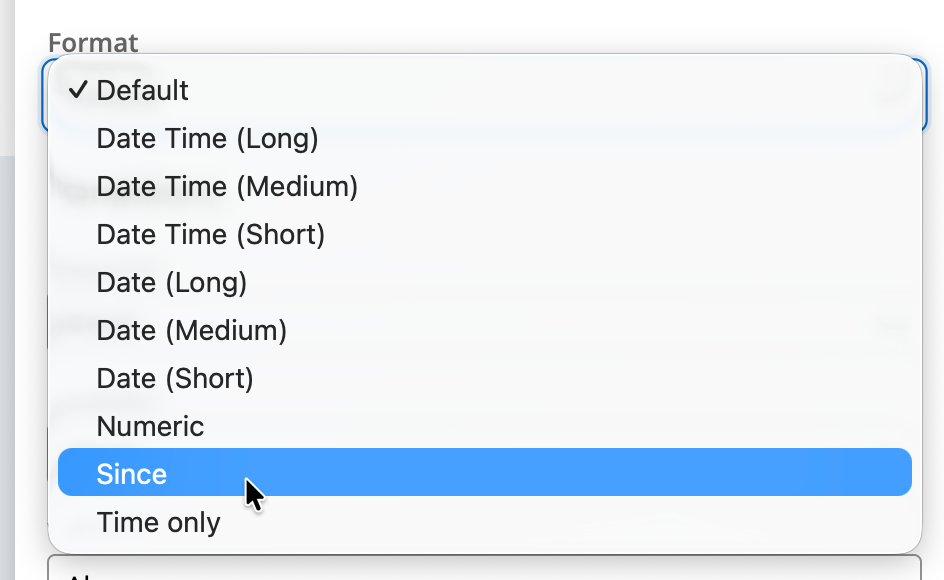
Hope this helps. Let us know if you have any further queries.
Thanks
JC