
Conversation

PEGA
Pegasystems Inc.
CA
PEGA
Posted: Dec 24, 2025
Last activity: 1 week ago
Last activity: 28 Jan 2026 12:31 EST
Split-View Confidence: Visual Validation in Constellation
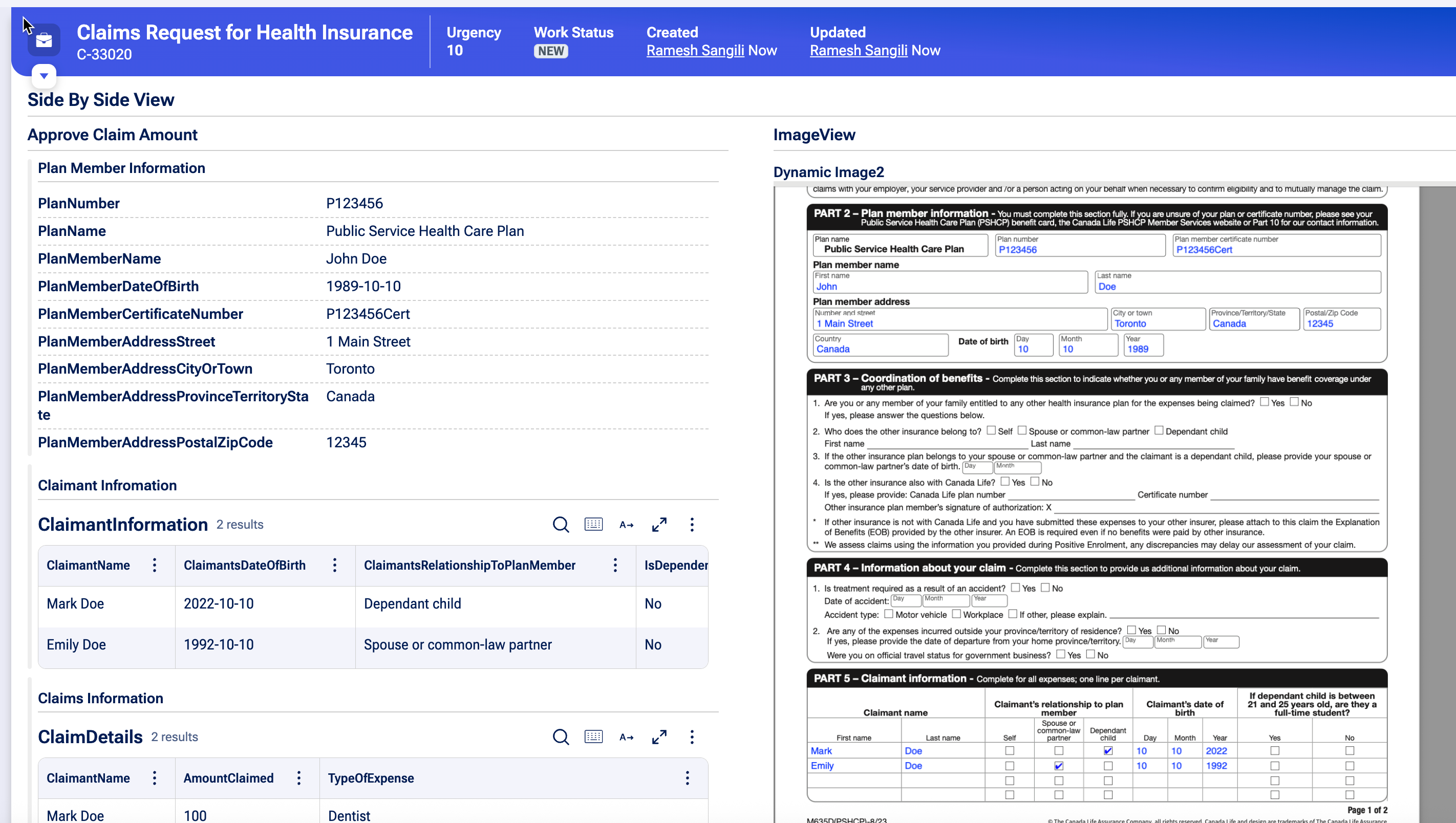
This article demonstrates how to display an image alongside UI fields in Constellation, allowing business users to verify information side by side to ensure details are captured correctly.
Steps:
- Create a new property named DynamicImage and set its type to URL.
- Ensure the property length can accommodate the image’s Base64 content.
- In Dev Studio, open the DynamicImage property, go to the Advanced tab, and remove the pxIsValidURL validation.
- Configure the Pre Data transform and configure the DynamicImage to base 64 data for the attachment with the help of below snippet of code.
-
"data: image/png;base64, "+D_AttachmentContent[AttachInsKey:.ExtractClaimsData.pxAttachmentKey,PopulateAttachStream:"true"]. pyAttachStream - Create a new partial view with two columns.
- Add the relevant fields to the one column so users can compare and verify the results side by side.
- Add the DynamicImage property to 2nd column and set its display to Image (instead of URL).
Final View:
Credits goes to @robotvinay and @G. jagadish for their help!
Constellation 101 Series
Enjoyed this article? See more similar articles in Constellation 101 series.
Posted: 1 week ago

PEGA
Pegasystems Inc.
GB
another 101 on related topic https://community.pega.com/conversations/user-experience/rendering-imag…