
Conversation

Novitates
IN
Last activity: 5 Jan 2026 10:17 EST
Case-Type-Specific Dropdown Values in Constellation Using a Single Property
Problem Statement
In traditional UI-Kit applications, it was common to:
- Define a property at a common or higher class
- Source dropdown values from case-specific data pages in each case type’s section
When moving to Constellation, this pattern often appears to require:
- Changing the property to a dropdown per case type, or
- Creating specialized properties at each class level
This raises the question:
Can we still achieve case-type-specific dropdown values in Constellation without specializing the property?
Example Case Hierarchy
Release (Grandparent)
└── Feature (Parent)
└── Story (Child)
All three are case types in the same application hierarchy.
Step 1: Define the Property Once
A property named:
.StarPerformer (Picklist / Text)
- Defined only in the Release case type
- Inherited automatically by Feature and Story
- No specialization
- No view-specific logic
This property represents the selected employee.
Step 2: Create a Context-Driven Data Page
A parameterized Data Page is created to supply the dropdown values.
Data Page: D_StarPerformerOptions
| Attribute | Value |
|---|---|
| Structure | List |
| Object Type | Employee (or Code-Pega-List) |
| Parameters | Filter |
| Scope | Thread |
Data Page Logic (Conceptual)
If Filter = "IT" → Return IT department employees
If Filter = "HR" → Return HR team employees
If Filter = "Sales" → Return Sales team members
The data page itself is generic - it has no awareness of case types.
Step 3: Introduce a Case Context Property
A property named: .Filter
- Defined on the Release case type, or some where on more higher level as well
- Inherited by Feature and Story
- Used only to provide context to the Data Page
Step 4: Set Case-Type-Specific Defaults
In each case type’s pyDefault (or initialization logic):
| Case Type | Filter Value |
|---|---|
| Release | "IT" |
| Feature | "HR" |
| Story | "Sales" |
This ensures:
- The same property exists everywhere
- But its value automatically differs based on the case type
Step 5: Configure the View (Once)
The dropdown is rendered in all three case views with no changes.
View Configuration
- Control: Dropdown
- Property:
.StarPerformer - Options source:
D_FilteredEmployees - Parameter mapping:
Filter = .Filter
No conditional logic.
No case-specific overrides.
No specialized views.
Step 6: Directed Inheritance
For property, data page, and view reuse to work cleanly across Release → Feature → Story, the class hierarchy must use directed inheritance (child → parent → grandparent).
Runtime Behavior
When cases are created:
| Case Type | Filter Value | Dropdown Values |
|---|---|---|
| Release | IT | IT members |
| Feature | HR | HR leads |
| Story | Sales | Sales Team |
Despite:
- One property
- One data page
- One view configuration
…the dropdown options differ correctly and automatically.
Demonstration
Case Structure
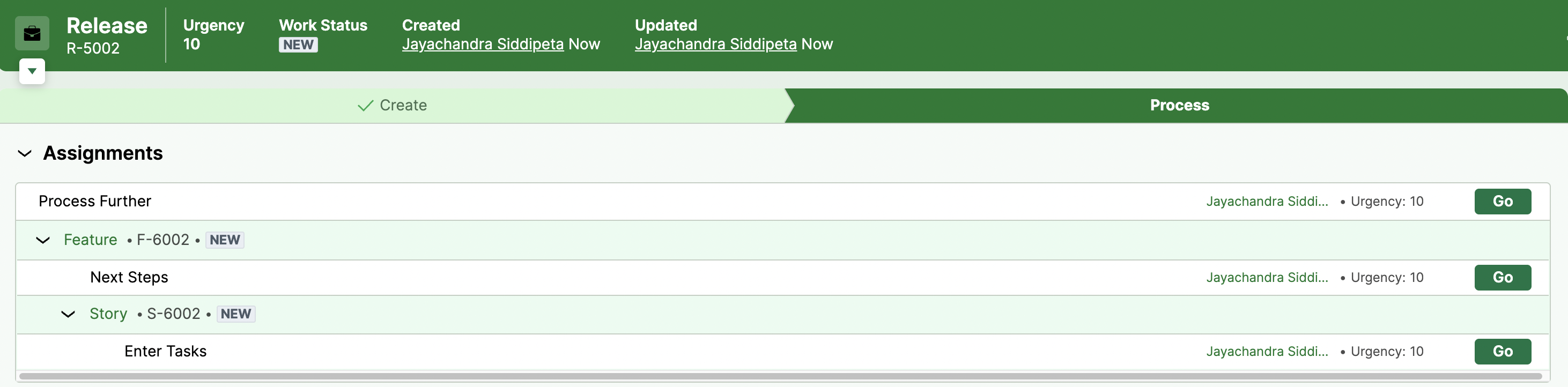
Release (Grand parent)
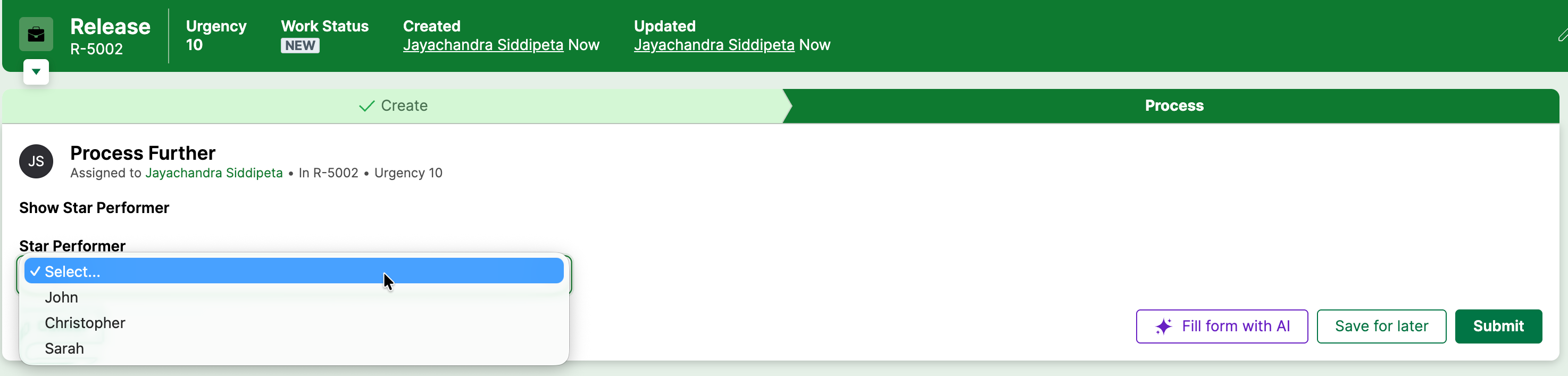
Feature (Parent)
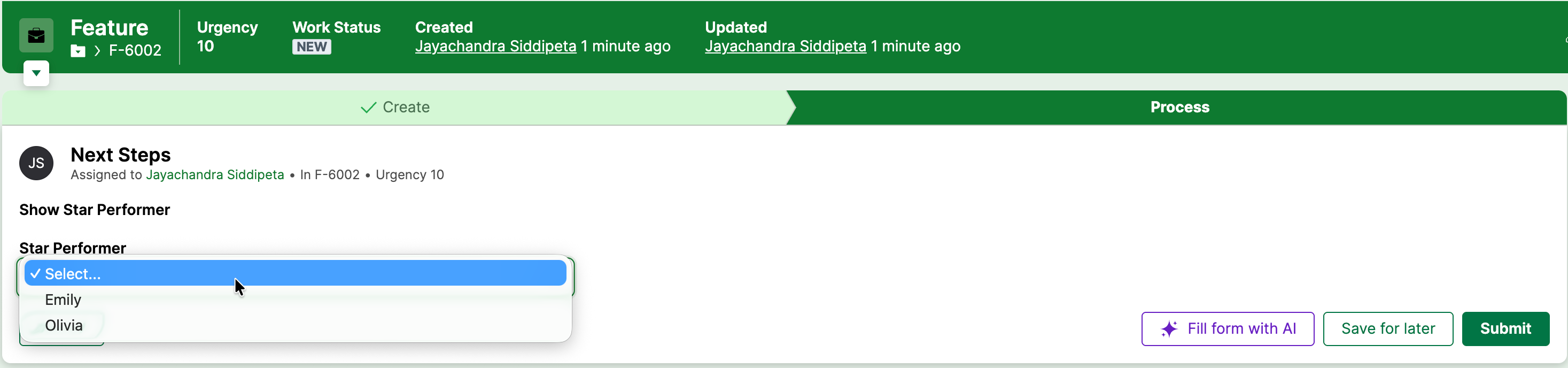
Story (Child)
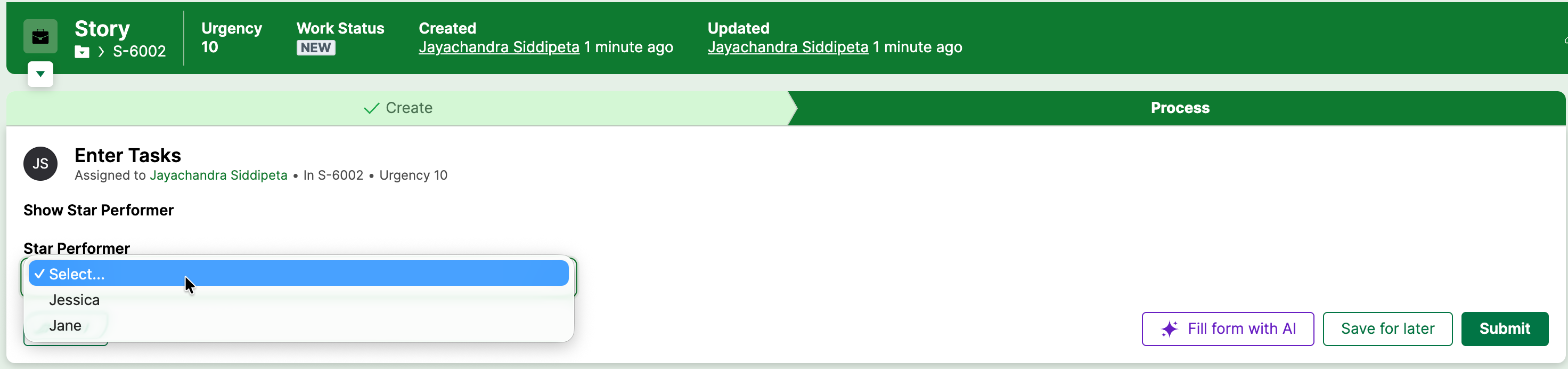
DB Snapshot
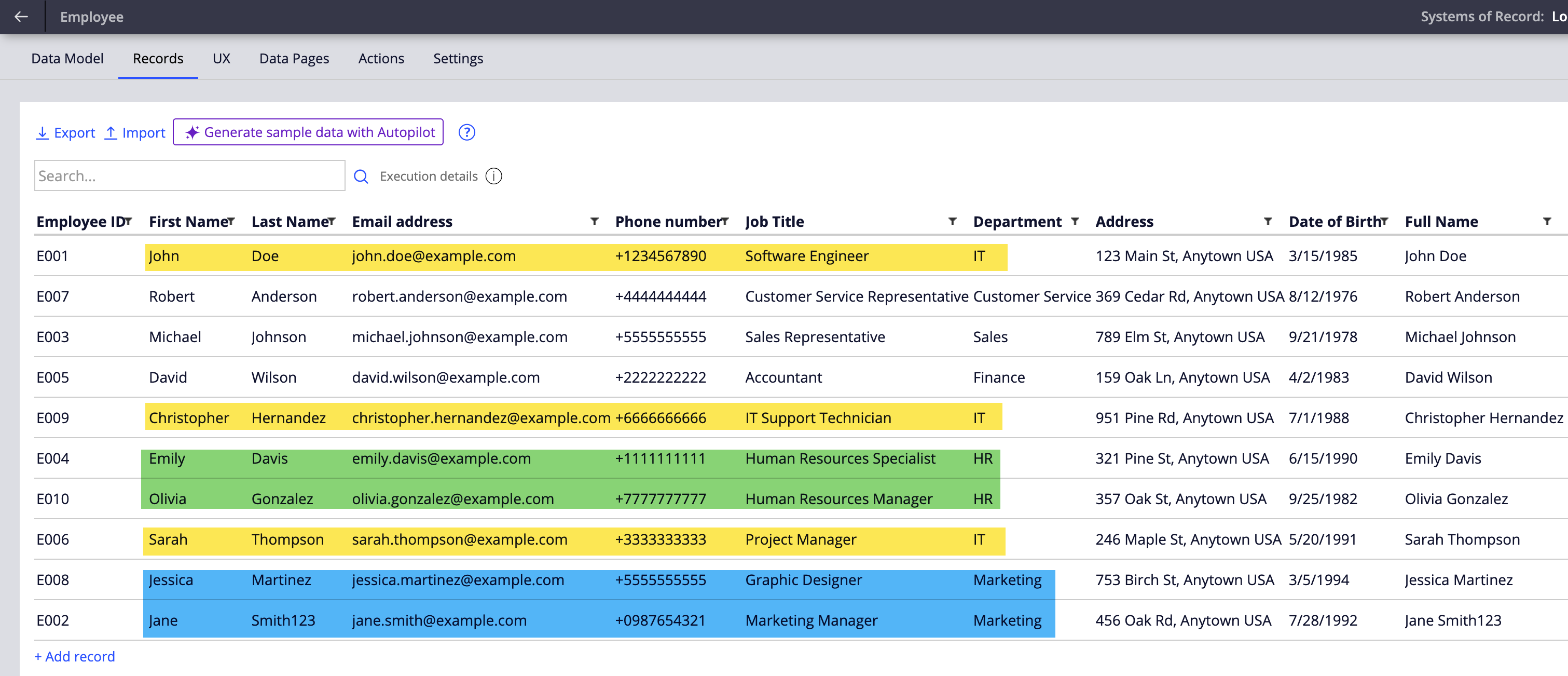
Why This Works in Constellation
This pattern aligns perfectly with Constellation principles:
| Concept | Responsibility |
|---|---|
| Property | Stores data only |
| Data Page | Determines allowed values |
| View | Binds property to data |
| Case Type | Supplies context |
In Constellation, allowed values are contextual, not structural.
Key Takeaways
- No property specialization required
- No case-specific dropdown configuration
- Fully reusable and scalable
- Works seamlessly across parent–child case hierarchies
- Constellation-compliant and upgrade-safe
Conclusion
This implementation is a textbook example of the recommended Constellation approach for handling case-type-specific dropdown values.
It is the direct Constellation equivalent of the old UI-Kit pattern:
“Same property, different data sources per case type”
…implemented in a cleaner, more maintainable way.
Please share your thoughts, feelings, ideas on this topic
Happy exploration!!!
Regards
JC
Constellation 101 Series
Enjoyed this article? See more similar articles in Constellation 101 series.