
Conversation

Sellafield
GB
Last activity: 27 Nov 2025 4:02 EST
Edit option for attachments attached via attachment field property
Hello Team,
We are attaching documents to the case using attachment field property.
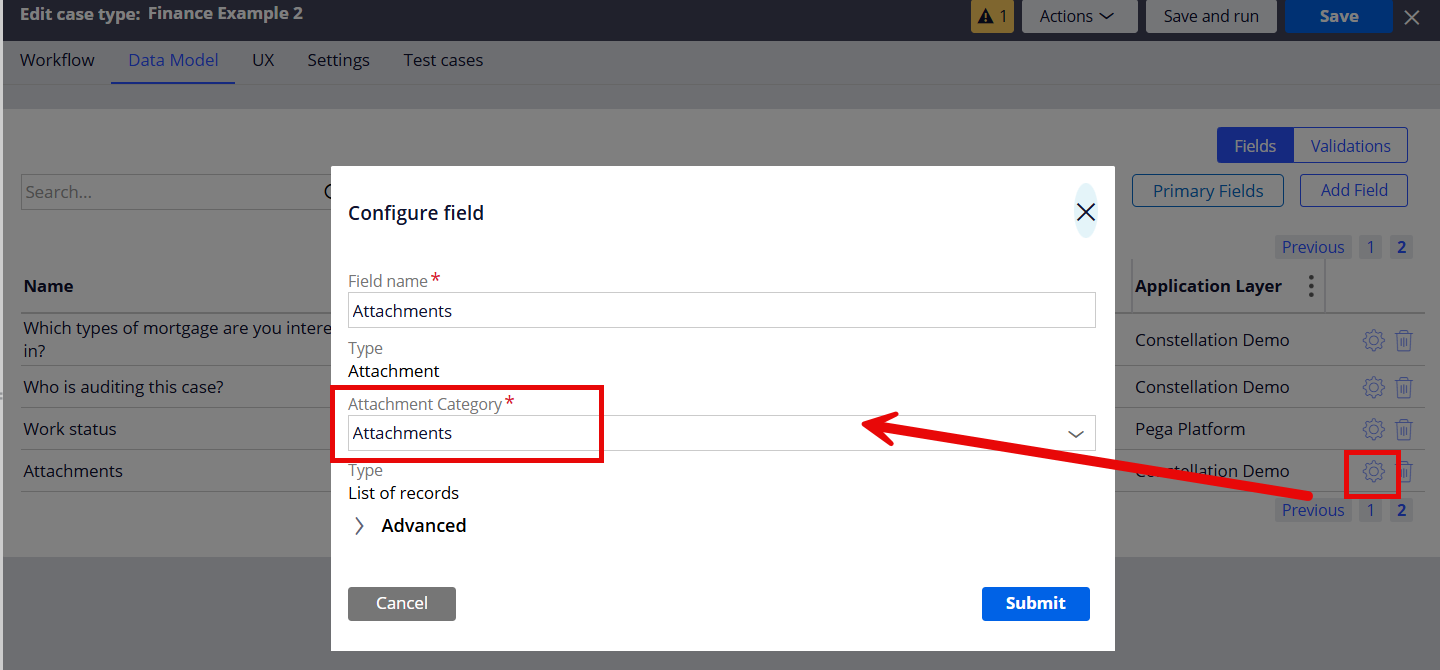
We want to provide user with the option to edit the attachment category using the actions menu, but this functionality is not available.
Attached is the image which only got Delete/Download option.
Can this be achieved?
Regards,
Srikiran

Pegasystems Inc.
GB
@SrikiranV17310012 just to confirm, this is the attachment field type that you've created in the Case Type data model, then added to a form? The category is defined at design time in your data model, it isn't a user choice. This is the prescribed UX for an attachment field, there is no way, i'm aware of, to edit this at run time unless you use the Attachments Widget (then its not a field) or Attachments in Embedded Data.
If you want to go down the route of capturing and editing metadata of an attachment, you could look at Data Level Attachments. @manup has a good write up for this approach.
Sellafield
GB
@MarcCheong Thanks a lot Marc for the reply.
I did look into Data level attachments which is available only after 24.2.
We are planning to upgrade to latest version in Jan.
Plan is to provide something for the users for now and then refactor.
The problem here is while uploading users not able to select the category they want even from Attachments Widget.
It involves so many clicks:
1. Select file
2. Then click on Edit after and select category
Looks like for now we need to use the attachment widget to change category.
Regards
Sri

Novitates
IN
Hello @SrikiranV17310012
The category configured on the attachment field during design time acts as a default value. Because of this, the category cannot be edited at the time of upload through the attachment field — which is the behavior seen in your screenshot.
But if you really wish to edit the attachment category, it can be done from the Attachments widget on the case, but only after the file is attached to the case (i.e Link-Attachment instance is created). This is the expected system behavior.
This behavior is the same for both single and multi-file attachment field types.
If you want users to choose or modify the category while uploading, as of today they must use the Add Files option in the Attachments widget, as it allows category selection before the file is linked to the case.
Note: Any category updates made through the Attachments widget after the file is attached will update only the Link-Attachment metadata. It will not update the category value stored on the underlying Data-WorkAttach instance.
Please refer the attached document with screenshots..
Sellafield
GB
@G. jagadish Thanks a lot Jagadish for the reply.
The problem here is while uploading users not able to select the category they want even from Attachments Widget.
It involves so many clicks:
1. Select file, upload and
2. Then click on Edit after and select category
Regards,
Sri
Novitates
IN
Hello @SrikiranV17310012
Based on your requirement, we conducted an analysis of the OOTB attachment capabilities and explored possible extension points. By leveraging the Data Embed Attachments structure, we have designed an approach that enables users to select the attachment category at the time of uploading documents.
We have documented the complete solution, including the design and the configuration steps, in the attached document.
Please refer to it for a detailed explanation of the approach.
Thanks and Regards,
G.Jagadish
Sellafield
GB
Thanks a lot Jagadish for above.
But Data Embed Attachments available only in 24.2 ?
Once we upgrade we wanted to follow the above steps
Regards,
Sri

FusionAIx
NL
At first I also had my doubts why we were not able to change the category, but now I have a different opinion:
I generally create multiple categories (in the data model) required in an assignment. This will ensure that you have multiple controls on screen which indicate which attachments are required (e.g. Category A is required - single file, Category B is optional - multiple files).
Benefits:
- Better indication to the user what is required / optional
- Less clicks as only upload attachments (in the attachment widget it is 5 clicks during upload)
- No on-submit validation that a certain category is required
- Don't confuse the user with all potential categories
Downside:
- Multiple attachments upload at once can only be done in 1 control
For Attachments which are completely optional for the case - use the attachment widget
As an additional option you can always go for a DX component which behaves like the attachment widget.
Sellafield
GB
Thanks a lot for the reply Ronald.
Another downside:
If the users wants to select only 1 or 2 document types for that case in the screen out of 10 categories then we end up showing all 10 controls in the screen.
Data level attachments is the best solution for this as illustrated by Jagadish above.
Regards,
Sri