
Conversation

Pegasystems Inc.
IN
Last activity: 13 Jan 2026 3:00 EST
Default Values in Search Fields while using search and select pattern
What:
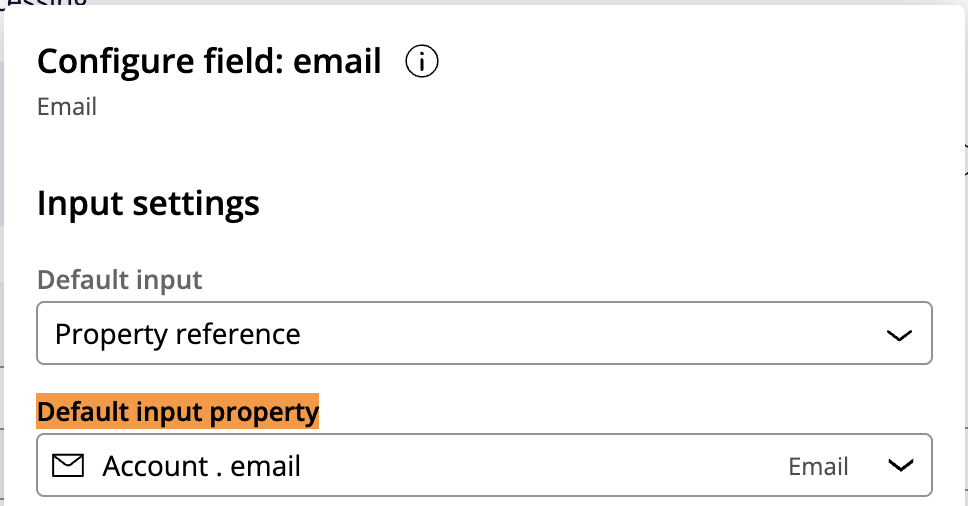
When using Search and Select mode with data or case references, you can configure default values for search fields using the Default input property. For example, if the search field is Email and you set Account.email as the default value, you need to ensure this value is committed to the database before the component renders. If you fail to commit the value to database then search field would not be populated with default value.
Default value configuration:
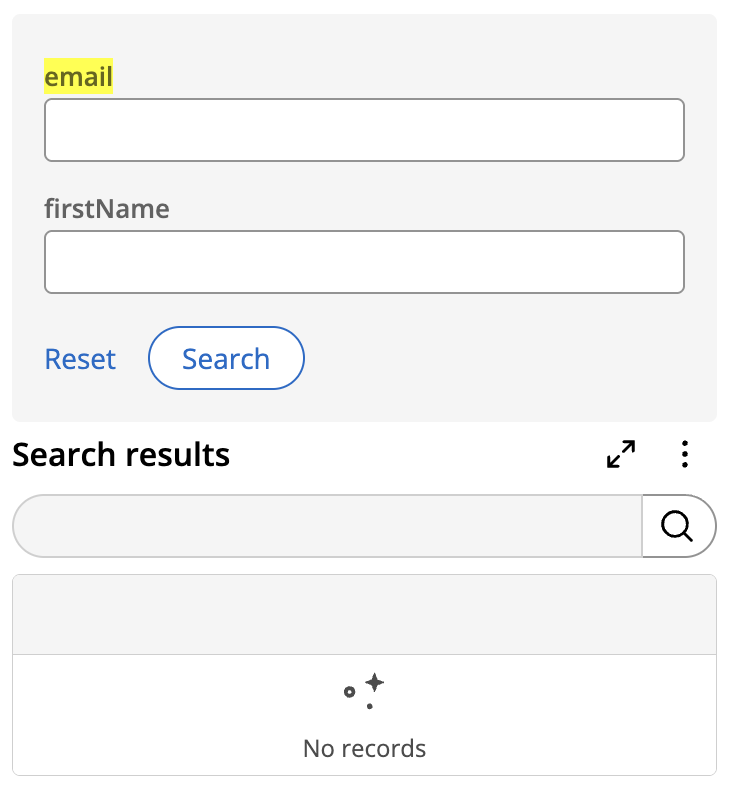
Runtime default value is not populated:
Why This Happens:
The system uses the property value that is committed to the database to populate the default search field.
Any value set during execution (such as in pre- or post-processing data transforms) is not honored unless it is persisted before the search component renders.
Recommended approach:
To ensure default values appear in search fields:
- Commit the value into the property configured as the Default input property before the search component loads.
- You can:
- Populate Account.email in the post-processing data transform of the previous assignment, or
- Choose properties that already have a value stored in the database.
Constellation 101 Series
Enjoyed this article? See more similar articles in Constellation 101 series.
Pegasystems Inc.
IN
Alternate is to use declare expression(which indireclty commits) and use that from the parent to search defaulting prop and the same can be used to achieve this functionality .