
Conversation

Credera
US
Last activity: 28 Jan 2026 0:06 EST
Issue Integrating React SDK with Next.js Application – 400 Error on Portal Load
Hi Team,
We are currently integrating the React SDK into a Next.js application and have followed the steps outlined in the official documentation: https://docs.pega.com/bundle/constellation-sdk/page/constellation-sdks/sdks/integrating-react-sdk-n…
Details:
- The integration was performed using version 25.
- After completing the setup and replacing the required files and code, the application starts successfully using
npm run startand launches at http://localhost:3000. - When navigating to https://localhost:3000/portal, we encounter a 400 Bad Request error.
- No API calls are visible in the browser’s Network tab.
- The project folder has been attached for your review.
Thanks,
Hemalatha

Pegasystems Inc.
PL
@hemalathag8810the 404 is a next.js routing error or call to Pega that is erroring out?

CREDERA
IN
@Kamil Janeczek Thanks for reply.
After loading the React SDK in the browser, the path changes from http://localhost:3000/ to http://localhost:3000/portal or http://localhost:3000/embedded, displaying the medico application based on our OAuth.
The same process works for the Next.js application? Which launches localhost (http://localhost:3050)correctly after running the command, but gives a 404 error when the path changes to "http://localhost:3050/portal" or "http://localhost:3050/embedded". For reference, please look at the above images. Thanks Akhilesh

Pegasystems Inc.
IN
@hemalathag8810 Please confirm if you have NextJS routes added for /embedded or /portal in your application.
Credera
US
We are using Next.js version 16, in which the default routing system is available.
While setting up the Next.js SDK, the framework provides multiple configuration options. We have tried all the available options, but the same issue continues to occur.
We have attached the following screenshots for reference:
- Next.js CLI command
- Successful Next.js installation
package.jsonnpm run buildoutput- Network tab (issue observed when navigating to
/portal)
Credera
US
@Kamil Janeczek, @gupts2,
Is there any update on this? Or else, is there a specific document or video available? Which version of Next.js is required to set up?
Thanks,
Hemaltha
Pegasystems Inc.
PL
@hemalathag8810 checking with the team
Pegasystems Inc.
IN
@hemalathag8810 Can you please confirm if you have
portal/page.tsx under app directory for /portal
for /embedded embedded/page.tsx folder structure
CREDERA
IN
@gupts2
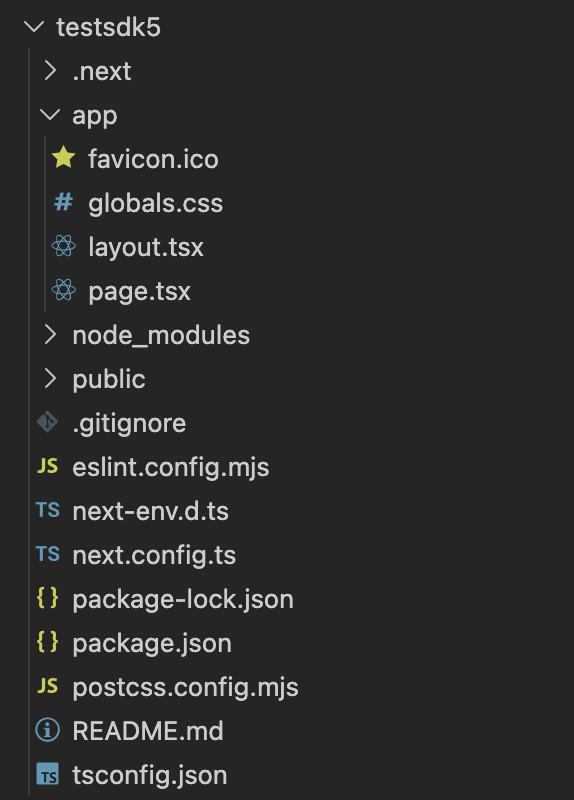
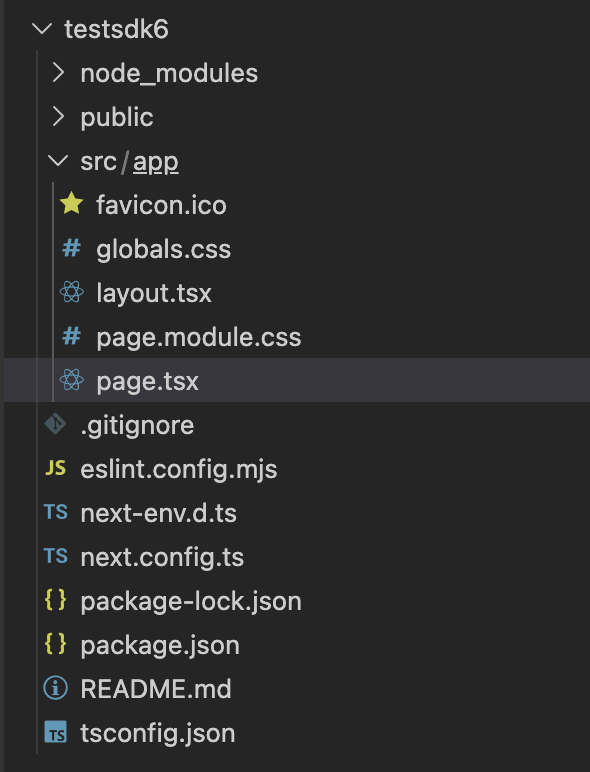
Can you please share the Next.js folder structure for integrating the Pega React SDK? Are we looking for portal/page.tsx under the app directory for /portal, and embedded/page.tsx for /embedded? When setting up Next.js, we don't get these pages in the folder structure. Do we need to create them manually? If yes, what code should be inside?
Version 16
 Version 15
 Thanks
Akhilesh
Thanks
Akhilesh
Pegasystems Inc.
IN
@hemalathag8810 There is an issue with NextJS 16 we are seeing locally hen trying your issues. Engineer is working on the prototype with Next JS 16 and will share the expert circle post here. Also can you confirm if you are using Next JS 16?
Pegasystems Inc.
IN
@hemalathag8810 New article was posted by Siva after trying out Next JS 16. While we work on publishing this on our docs site , please refer https://community.pega.com/conversations/user-experience/how-to-guide%3… for your use case and let us know if that works.