
Conversation

Pegasystems Inc.
CA
Last activity: 8 Feb 2026 21:10 EST
Power Your Agents: Configure Data Pages in the Pega Knowledge Tab
Improve the accuracy of Agent responses and define which automated actions an Agent can perform by associating the Agent Rule with Tool Rules. To support users across various scenarios, you can associate multiple Tool Rules with a single Agent Rule. Use knowledge Tool Rules to source information from Data Pages and buddies and action Tool Rules to run Automations and Flow Actions. You can also use Tool Rules that Pega Platform™ provides by default to accelerate application development.
Define knowledge for an Agent
- In Dev Studio, open the navigation pane and click Records.
- Expand the Generative AI category, and then click Agent.
- In the list of Agent instances, click the Agent you want to configure.
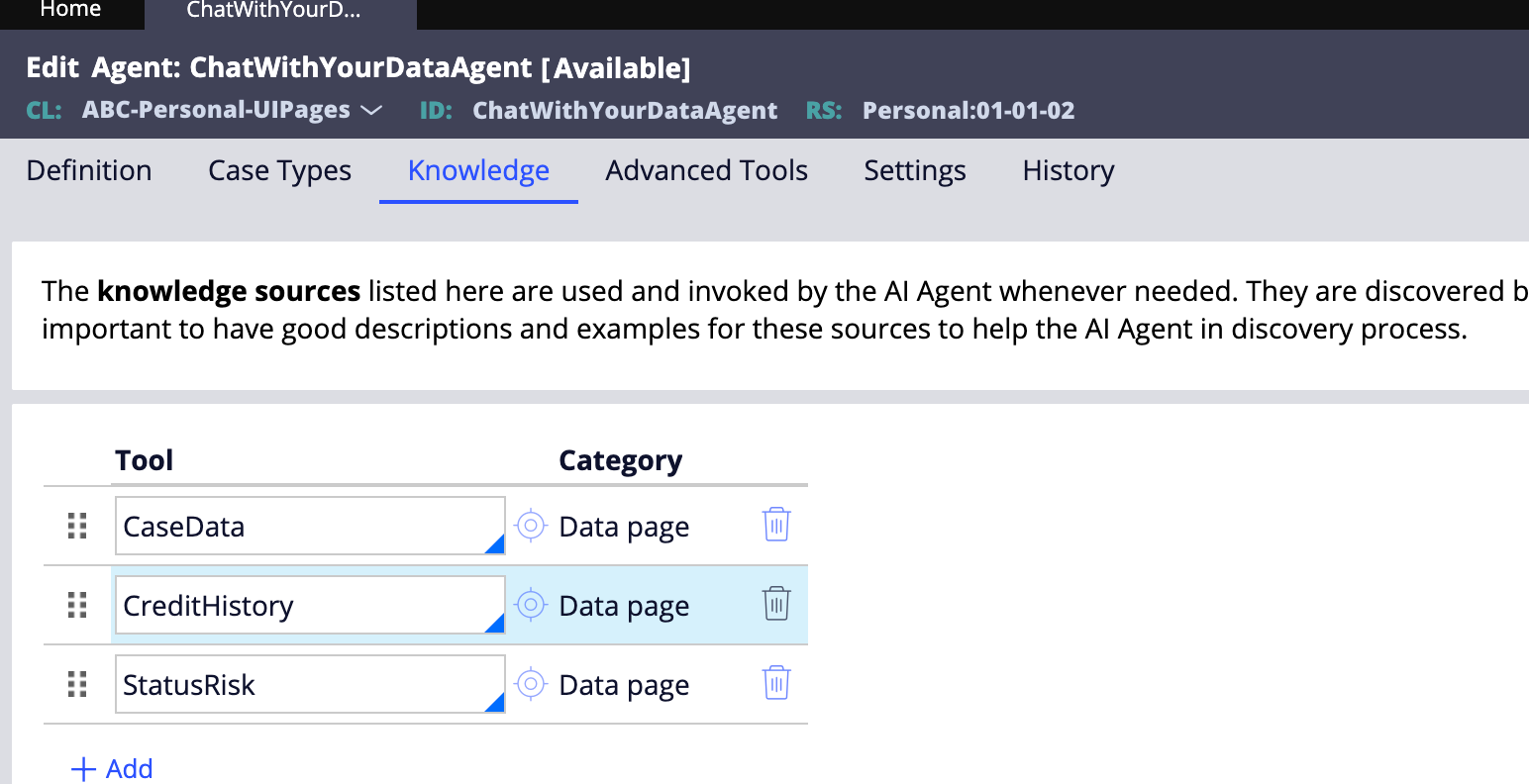
- Open the Knowledge tab and click Add.
- In the Tool field, select the Tool Rule to apply to the Agent:
- Select a Tool Rule that you already created. You can select Tool Rules that reference Data Pages.
- Or create a new Tool Rule by clicking the Target icon.
Demo:
- Demo showcases two scenarios where a case worker uses Pega Agents with data pages to accelerate loan processing
- Case worker triages the worklist to identify the most urgent assignments
- Uses Pega Agents to quickly assess loan eligibility
- Requests a concise case summary from the Agent
- Asks the Agent to retrieve the applicant’s credit score (via data pages)
- Agent returns the credit score along with initial recommendations
- Case worker reviews the Agent’s recommendations
- Case worker asks the Agent to identify any risks associated with the application
- Agent pulls risk information from legacy systems and refines recommendations
- Case worker posts the recommendations and key findings in Pulse for further review and collaboration
Reference:
https://docs.pega.com/bundle/platform/page/platform/gen-ai/defining-knowledge-and-actions-agent.html
Pega GenAI Cookbook - Recipes series
Enjoyed this article? See more similar articles in Pega Cookbook - Recipes 🔥🔥🔥 series.

Vodafone
IN
@RameshSangili Thanks for the article. what would be sources for Credit history and Status risk tool? is this data available in case or some data type. configured for it.? can you share Tool configuration for credit history and Status Risk please
and this create pulse tool added under Advanced Tools Tab, right?
.