Conversation

Sopra Steria
NL
Last activity: 4 Dec 2025 10:46 EST
Tables does not size as expected when columns have large text
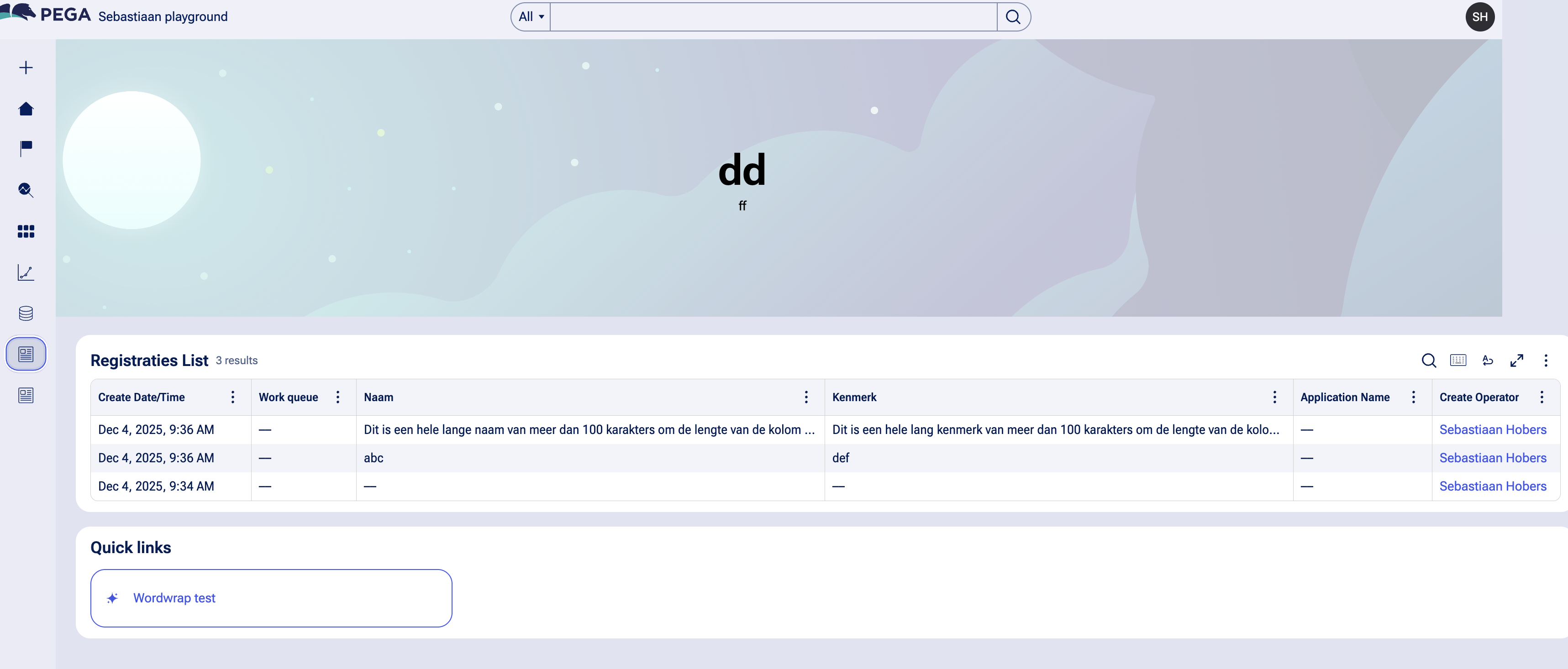
In our application I am facing an issue that the table on our landing page does not size as expected when having large text in a column.
In our application we use self service portal. Our home page on this portal is the self service landing page. The content is configured as wide narrow. The wide part contains two tables. The narrow part contains the quick create widget. One table has 4 columns the other table has 5 columns. On both tables one column can contain large text (max 256 characters). I would have expected Pega to truncate the text and show ... after the text. In our current Pega version 24.1.3 this is not happening. As we going to Pega 25 sometime next year I also had a look on the behavior on a 25 instance I have. Its a bit better but still the table runs out of my screen.
Below a screenshot of the Pega 25 instance
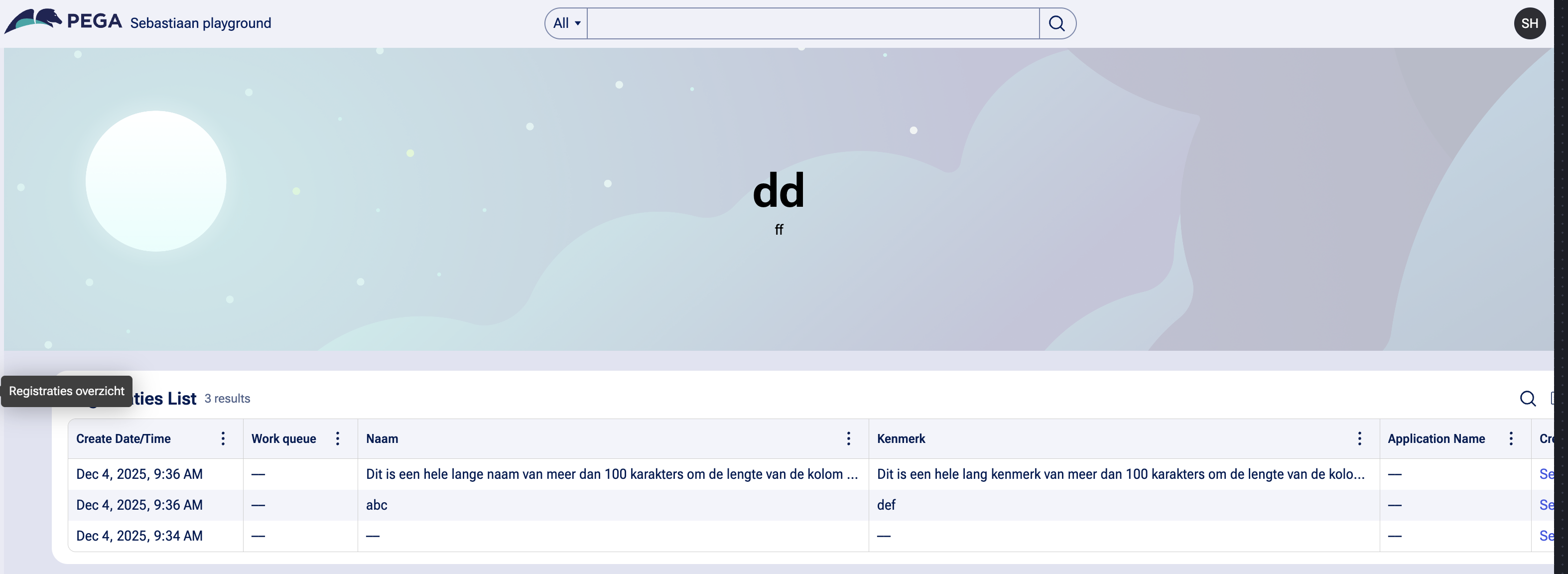
However when manually make the columns smaller pega is able to resize the table to fit in the landing page.
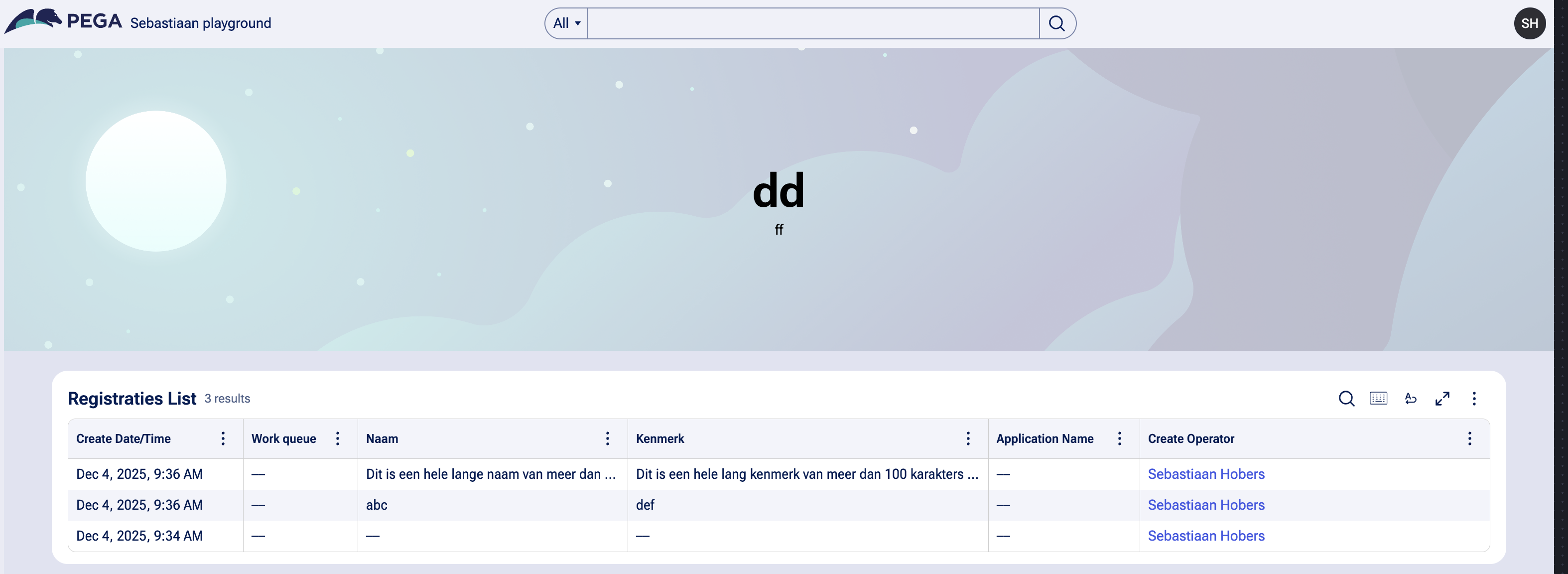
I above table configuration in App Studio the "Naam" column has been defined as the column to take up the remaining width.
Is there a possibility to make sure that by default Pega is able to load the table with the correct column size to ensure the table fits on my screen?

Pegasystems Inc.
US
@SebastiaanH I have seen that problem as well. I don't have a good answer for you on 24.1 - perhaps others in the community do.
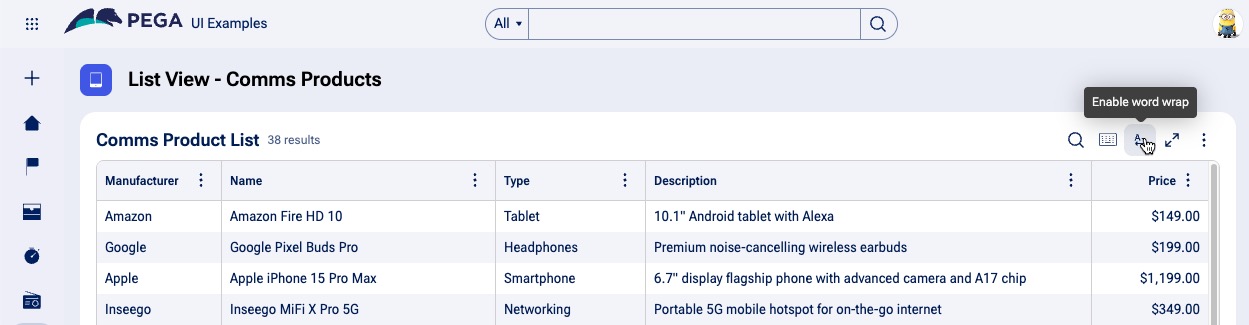
In 25.1, the experience is better. There is a new Word Wrap capability in tables. When you enable it, you can resize your columns, and the text will wrap.
Sopra Steria
NL
The new word wrap capabilities ensure the complete text can be shown. But in my case with large text the tables still run outside my screen. This in 24.1 and in 25. 25 does it a bit better but not as desired. As can be seen in my screenshots. The chosen template, with or without banner seem to make a difference in 25.
Below a screenshot with one column layout

Sopra Steria
NL
In addition to previous comments a screenshot of the table being larger then the banner