
Conversation

Sellafield
GB
Last activity: 15 Dec 2025 10:04 EST
URL Field type displays as text in Generated Word Document
Hello Team,
We have a requirement where we have a document type and document link to be captured by the Customer.
So in a page list called document list we store captured list of document types and corresponding document links.
Document link is type URL and Document Type is type Text.
At the end of the process we need to generate a word document and attach to the case, this is achieved by uploading word templates and using the generate document shape in flow.
All the data captured in all screens is displayed as we require apart from the URL which displays as text.
We want to display the URL field as link in word document as well since the user want to click and navigate to that URL from the document.
Any inputs would help.
Regards,
Sri

Novitates
IN
@SrikiranV17310012 To get the URL content in the word document you have use the correspondence+paragraph rule approach
1. Create a paragraph rule "IncludeLink" and insert the below content in it
<%
String URLContent = tools.getStepPage().getString(".ImageLink");
%>
<a href="<%=URLContent%>">Access Image URL</a><br/><br/>
2. Include the above paragraph rule in a correspondence rule (ConvertToLink). Ensure that the correspondence rule is of type "Mail" and not "Email" (It threw error. Was specifically expecting Mail)

<pega:include name="IncludeLink" type="Rule-HTML-Paragraph"></pega:include>
3. In the work document template, refer to the correspondence rule (Cover) which you have created with below snippet
<pegaref config={"name":"ConvertToLink","type":"C"}>
With the above steps you should be getting your clickable link with intended URL.
For Image Rendering
Additionally to include images in the work document, you have to use the below snippet in the word document template
<pegaref config={"name":".ImageKey","type":"A"}>
@SrikiranV17310012 To get the URL content in the word document you have use the correspondence+paragraph rule approach
1. Create a paragraph rule "IncludeLink" and insert the below content in it
<%
String URLContent = tools.getStepPage().getString(".ImageLink");
%>
<a href="<%=URLContent%>">Access Image URL</a><br/><br/>
2. Include the above paragraph rule in a correspondence rule (ConvertToLink). Ensure that the correspondence rule is of type "Mail" and not "Email" (It threw error. Was specifically expecting Mail)
<pega:include name="IncludeLink" type="Rule-HTML-Paragraph"></pega:include>
3. In the work document template, refer to the correspondence rule (Cover) which you have created with below snippet
<pegaref config={"name":"ConvertToLink","type":"C"}>
With the above steps you should be getting your clickable link with intended URL.
For Image Rendering
Additionally to include images in the work document, you have to use the below snippet in the word document template
<pegaref config={"name":".ImageKey","type":"A"}>
Note that the ImageKey should contain the pzInsKey of the Rule-File-Binary instance or Data-Content-Image instance.
For uploaded/attached image instances to the work case the above is not working.
For eg. ImageContent is your Attachment field on the work case and when you upload an image from UI you should be getting the ImageContent page (of class Embed-Attach-File) populated with the pzInsKey of the image which is of class Data-WorkAttach-File.
Below snippet does not work and shows an error (ERR_ADDING_IMAGE) in the generated word document
<pegaref config={"name":".ImageContent.pzInsKey","type":"A"}>
So you should fetch the base64 encoded stream of the image and setup the image in Paragraph rule to refer in the correspondence rule and then you should see the image rendered in the document
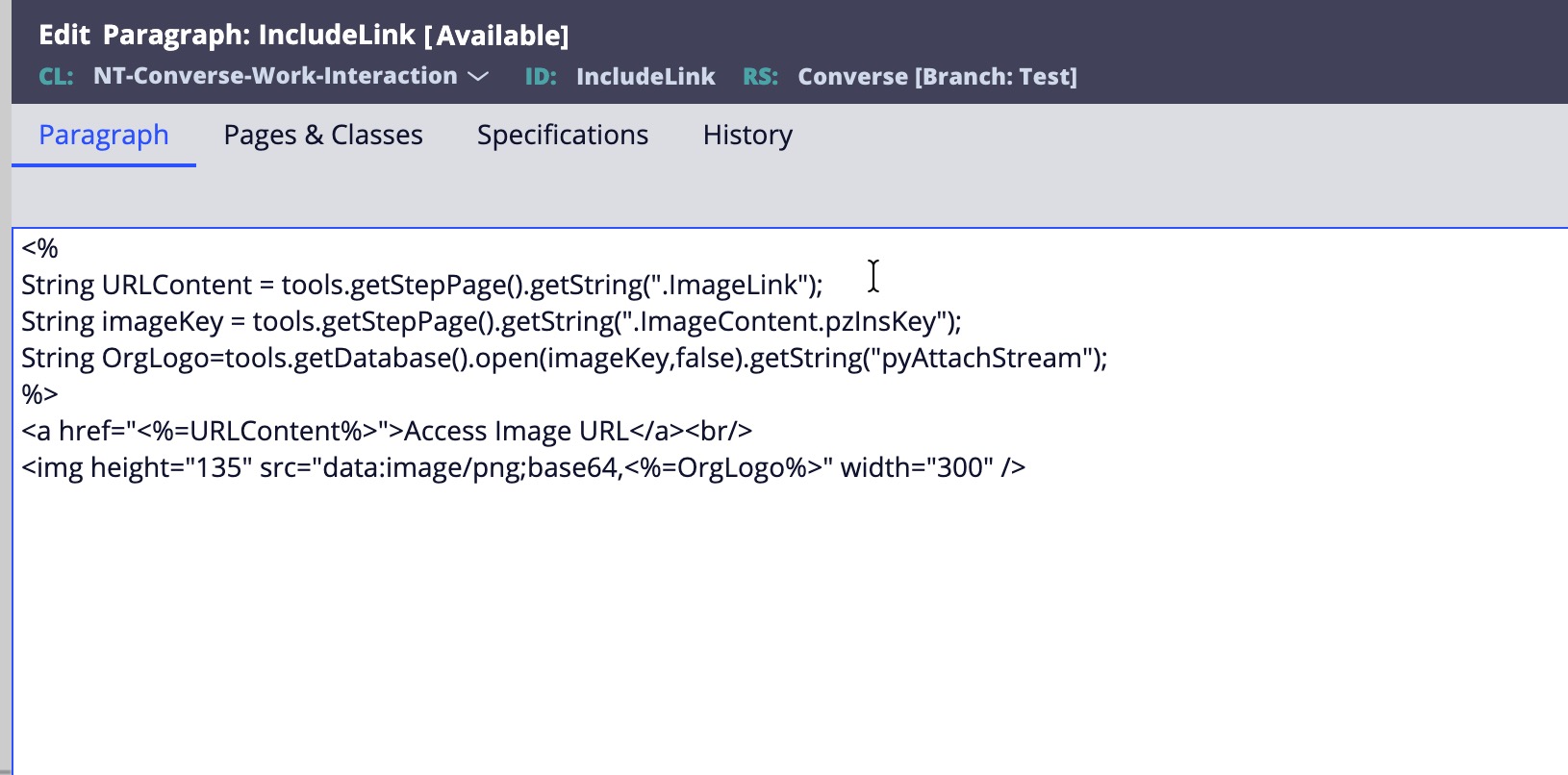
Below is the cumulative output
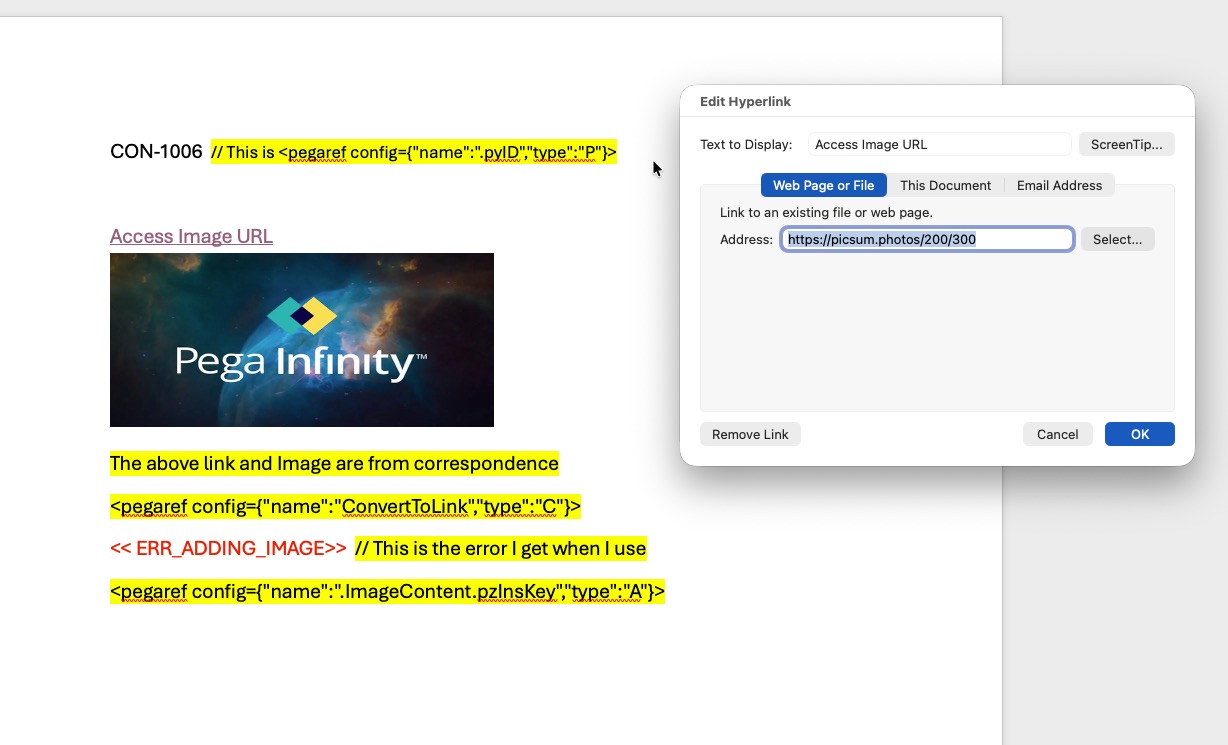
Hope this solves your issue.
For all who are reading this message, you can share your thoughts on the issue while rendering the uploaded case attachment using type "A".
I was referring to the below youtube link where the same implementation worked in Traditional UI with the signature image (You can jump to 2.40 sec)
https://www.youtube.com/watch?v=wZP1WgH2SBQ
@Kamil Janeczek @MarcCheong Please share your thoughts on this issue
Thanks
JC
Sellafield
GB
Hello Jayachandra,
Thanks a lot for replying.
We are on Pega 24.1.3 version and a constellation based app.
I followed the same config but this failed. This is the error i see in output word document

Config as below:

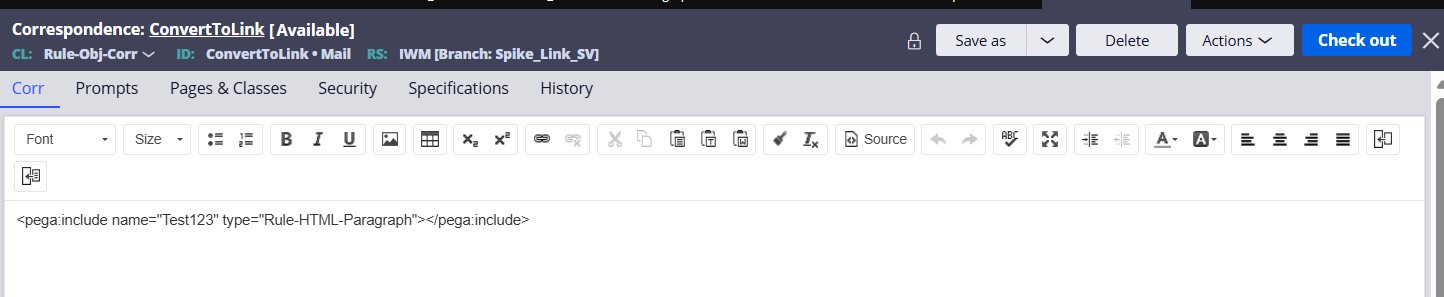
And config in word doc: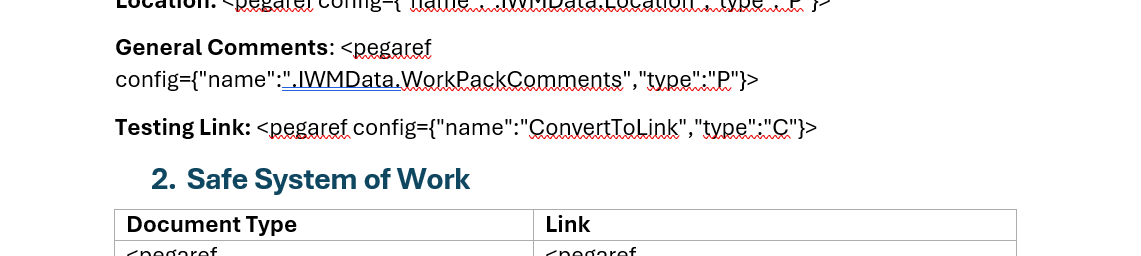
Novitates
IN
Keep you paragraph rule in source only mode. If you want the link to be in italic mode in document, wrap it up with <i> tag.
Also i see your Correspondence and Paragraph rules are in Rule-Obj-Corr and Rule-HTML-Paragraph classes respectively.
If you are generating the document from work case, then both these rules should be in work class. Ensure these things and you should see the link in the document.
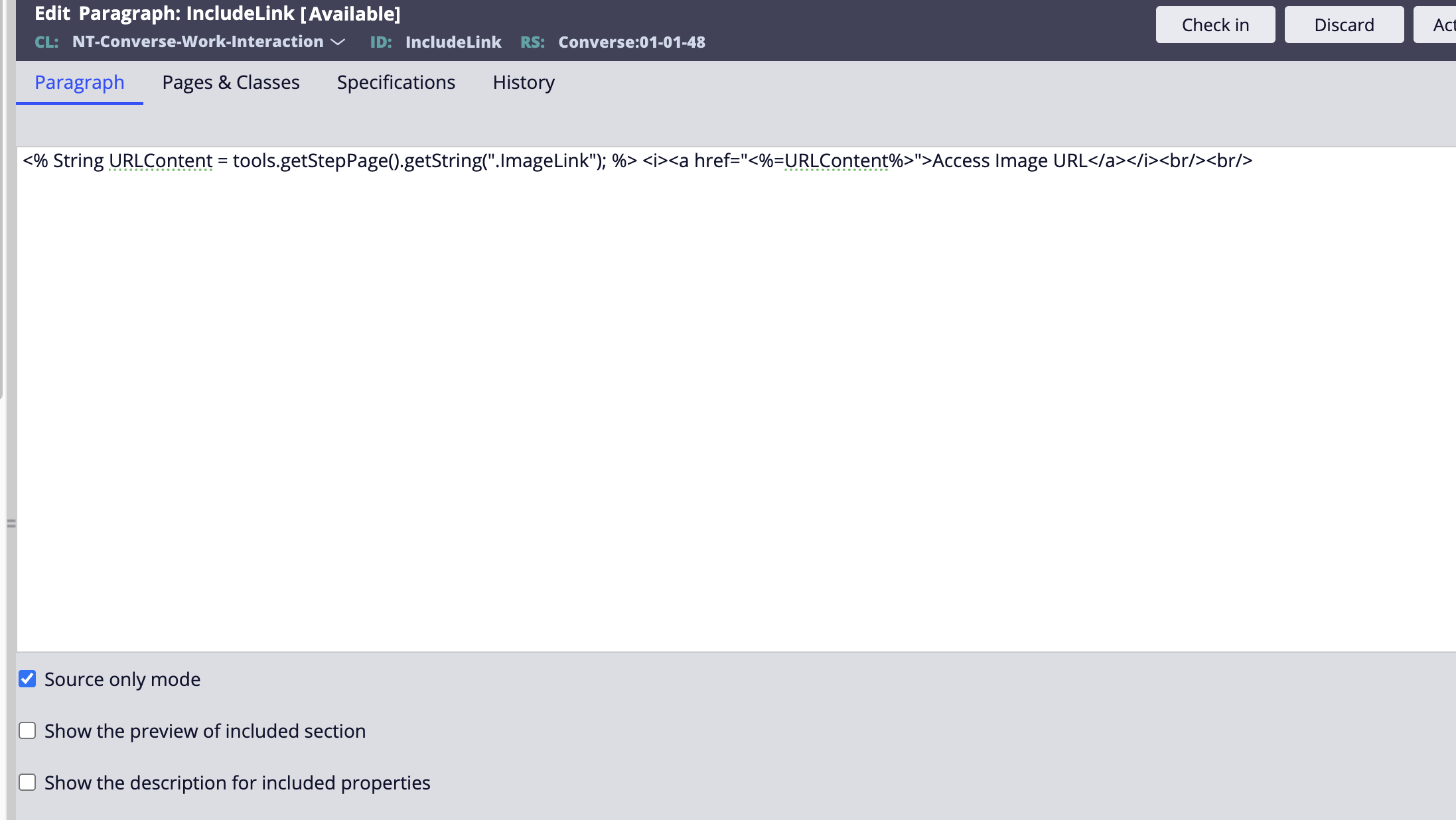
Hope this helps
Thanks
JC
Novitates
IN
@SrikiranV17310012 Also i have implemented this solution in 25.1.1 and 24.2.1 versions. It works in both versions. I will verify in 24.1 version as well and keep you posted here..
Thanks
JC

Pegasystems Inc.
PL
JayachandraSiddipeta thanks for shaing. Provided approach was proved to be working for more complex requirements for Word or PDF generation.
Sellafield
GB
Novitates
IN
@SrikiranV17310012 Alternatively you can work with RTE fields as well for instance, field named "RTEContent" (Text-paragraph [Rich Text Editor]) is rendered on the UI to enter links, images and other formatted content. In the word doc, enter the below snippet,
<pegaref config={"format":"RTE","name":".RTEContent","type":"P"}>
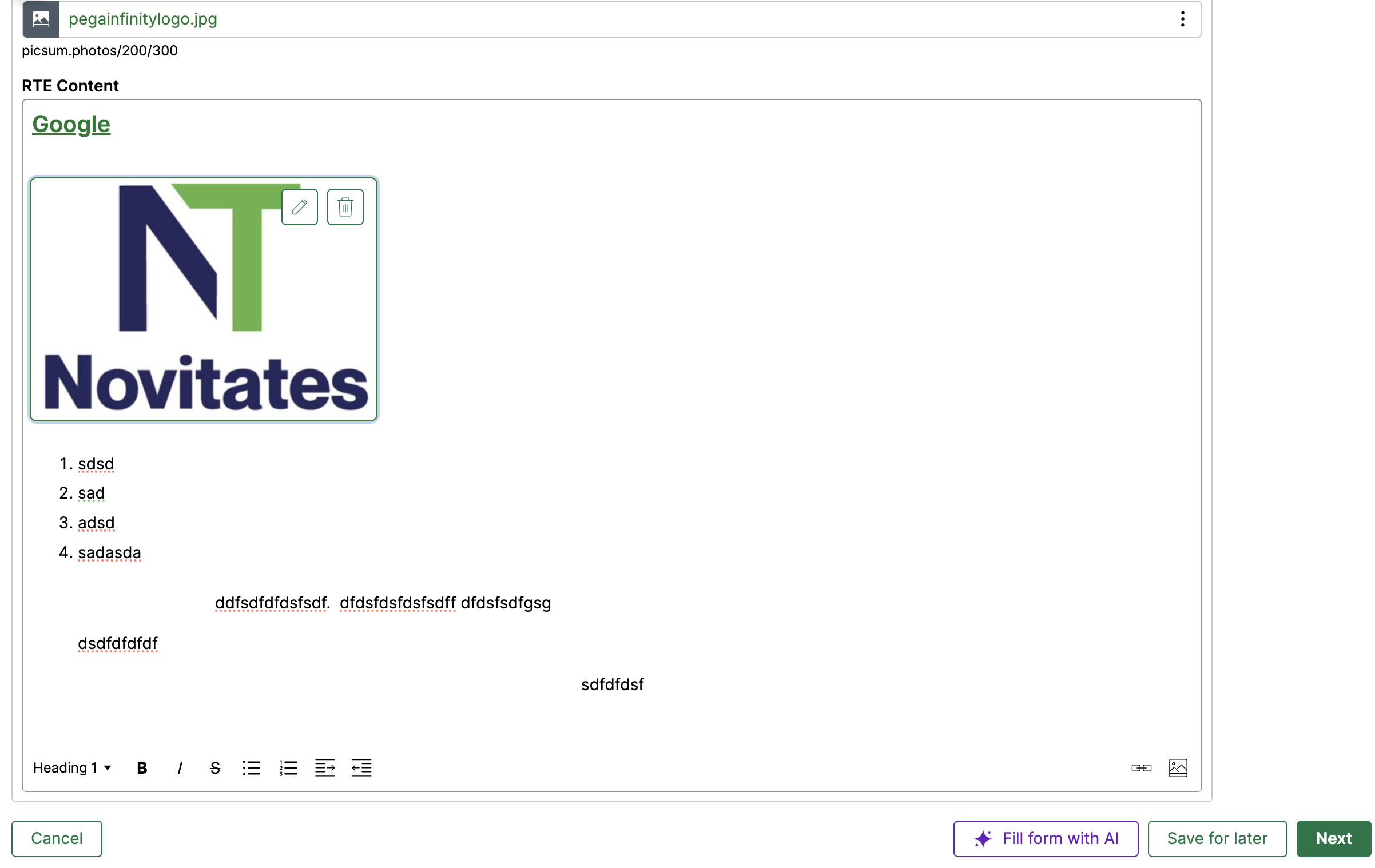
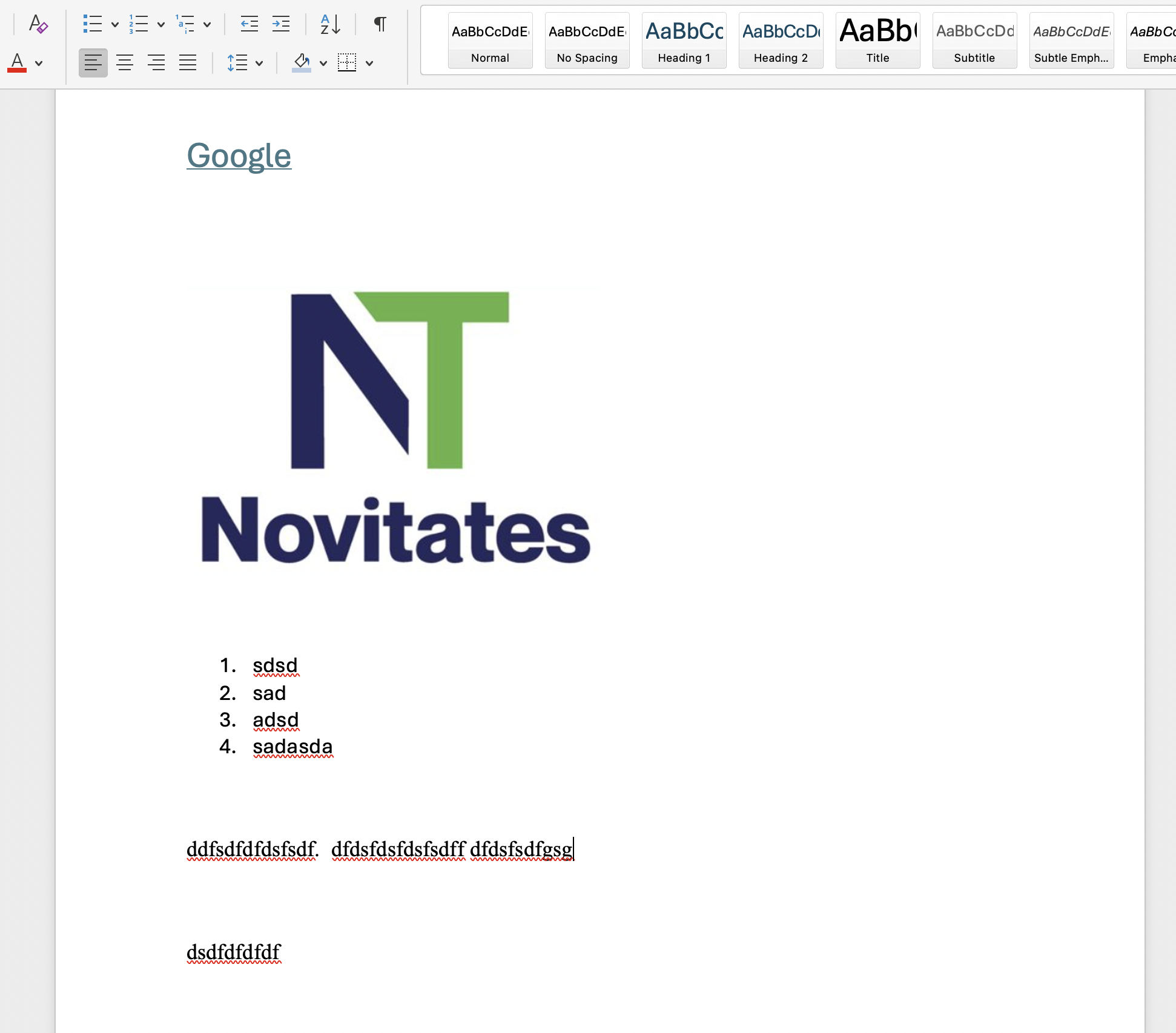
This will ensure that whatever user enters in the RTE will be rendered as it is in the word doc. Please note that any indentations setup in the RTE will be rendered as it is in the word doc. Other that everything else should work fine.
@Kamil Janeczek Using a Data-WorkAttach-File pzInsKey to render the case attachment still seems to be an issue for me in 24.2 and 25. I will try the same in 8.8/8.7 as well. If it works there and does not here, then surely there could be some gap. Could you please try from your end as well to see if i am missing something ?
Thanks
JC