Conversation

ASB Bank NZ
NZ
Last activity: 20 Oct 2025 7:58 EDT
Increase space between templates, views and widgets
Hi experts,
I am in the process of creating a corporate branded Theme in our CoE layer to reuse in all Pega 24.2 applications. I managed to get the other tokens updated and custom font uploaded as well. But, I am unable to increase some spacing between elements shown in the attached PDF. I have tried many ways to capture the element and handle this with CSS via pyC11nCustomFonts.css file.
Note that the solution should not break any guardrails or upgrades. Please view the PDF for elements and changes I need to do.
Thanks

Pegasystems Inc.
GB
@Lakpriyawe are investigating this with @Sreedhar Ganduri and the product team based on your earlier email. Thanks for posting here, be good to share with the community once we have an outcome.
ASB Bank NZ
NZ
@MarcCheong Thank you so much for your prompt response. I am eagerly waiting for your advice. Thank you team.

Pegasystems Inc.
IN
Hi @Lakpriya
Thank you for your patience. I’ve reviewed the attached PDF and the requested enhancements. Unfortunately, there isn’t a standard or platform-supported way to achieve this in Pega 24. By “standard,” I mean an approach that the Pega Platform can maintain and guarantee compatibility with in future upgrades.
While there are non-standard workarounds—for example, using custom CSS to target DOM elements (via tag names, aria attributes, or data-testids) and applying style overrides—these methods are not recommended, as they can be fragile and may break during upgrades.
The good news is that in Pega 25, we’ve expanded our theming capabilities and introduced stable CSS classes for common components like inputs, buttons, and cards, allowing for more reliable and upgrade-safe customization.
Pegasystems Inc.
GB
see: https://docs.pega.com/bundle/platform/page/platform/user-experience/bra… and the subpage:
ASB Bank NZ
NZ
@MarcCheong@jangv2 Thank you. I have already went through this Theme token overriding approach but, I was worried if this might break the upgradability or this change might consider as custom styling. Could you kindly confirm this change or override theme tokens (via JSON) wont break upgradability and not consider as custom code/development?.
Pegasystems Inc.
GB
@Lakpriyathere are degrees of configuring to extending the Constellation UI. Obviously, the most preferred and upgradable approach would be to use the Theme Editor. As you start to introduce extensions to the UI like DX Components, SDK's, Web Embeds and in your case Theme-Tokens, you start to introduce different degrees of customization, risk and ownership to match the level of UI control you desire.
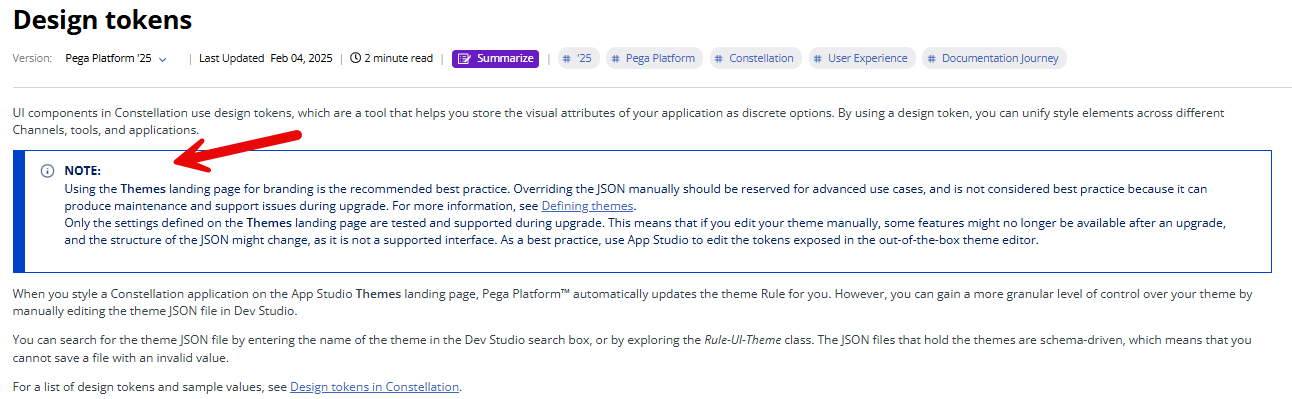
There is a warning on the Pega Docs page for this.
https://community.pega.com/conversations/user-experience/increase-space…