
Conversation

Cognizant Technology Solutions Benelux b.v
NL
Last activity: 18 Dec 2025 4:15 EST
Low-code approach of Group_by and Partial hierarchical layout from APP Studio
In the latest version of Pega Infinity, there are various methods to configure Group by on the list display either on Case or Data object. Group by could be configured/enabled at both run time and design time too. This feature is replica of the traditional method in table/hierarchical/tree layout, but in constellation it's a low-code approach and aligns with a market-ready objective through Constellation.
1) Version
Available in Pega Platform version 23.1 and later.
2) Problem Statement — Why?
In the traditional approach, group by feature will be enabled at design time without any column details. While at runtime only the user could group by the based on the columns in the table/layout. Traditional method is not user friendly and not consistent across a list of source layouts. This traditional method may impact low-code design and affect the citizen developer ecosystem. 3) Key Benefits
- Low-code approach via APP Studio.
- Increased confidence for citizen developers during development.
- End-user UI/UX experience.
- Effective reading of large sets of data as well
4)Prerequisites
- Pega Platform ’23 and higher (Constellation) in your environment.
- Privilege to access App Studio.
5) Configuration Steps: All the configurations below are done through APP Studio
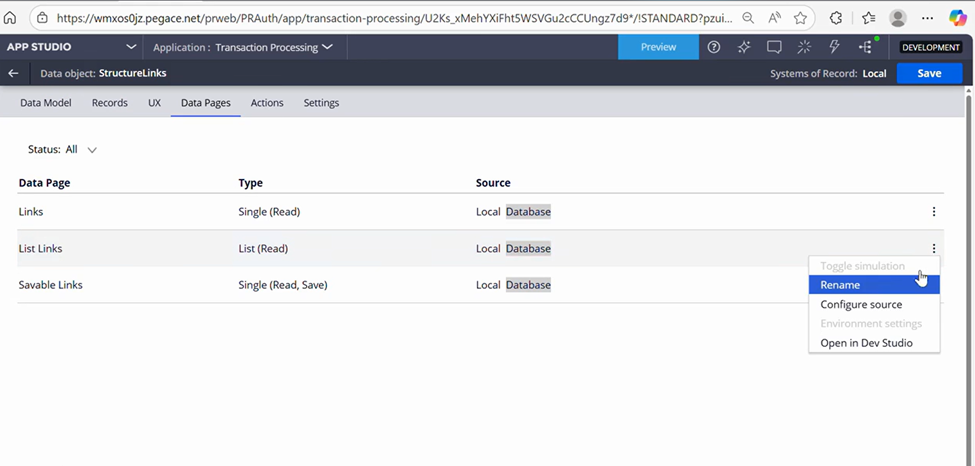
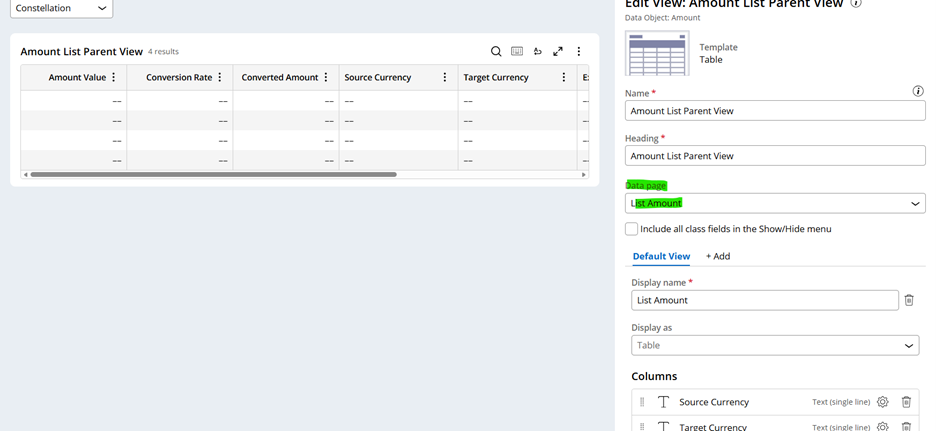
- Open Data Object -> Data Page Tab -> Select Data Page List -> Configure Source-> Update the Data transform to build list (other sources may also be utilized)
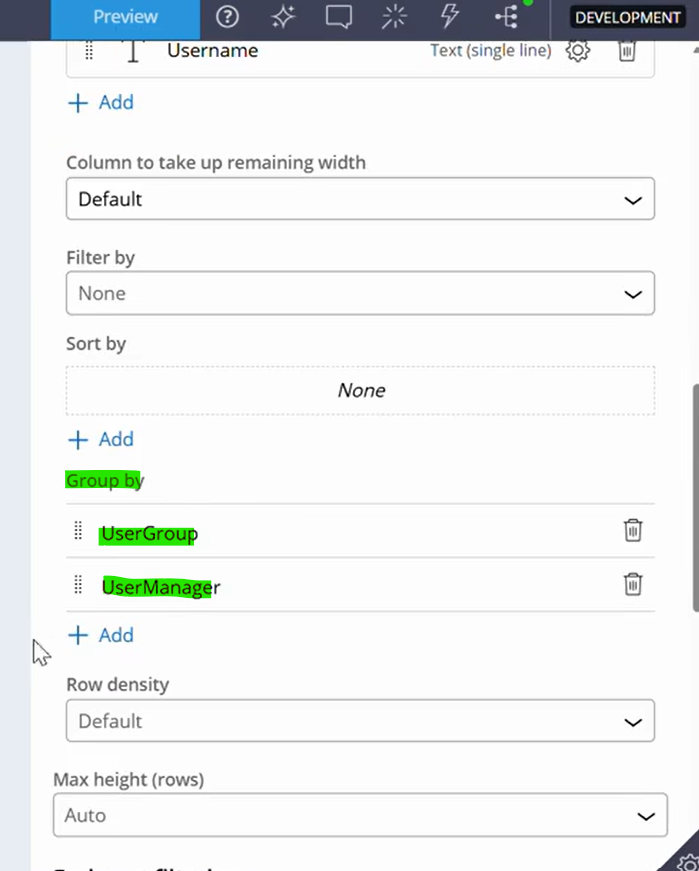
Open Portal -> Create landing page -> Create new view -> Source with List data page updated above-> Select the Columns -> Group by (add the columns)

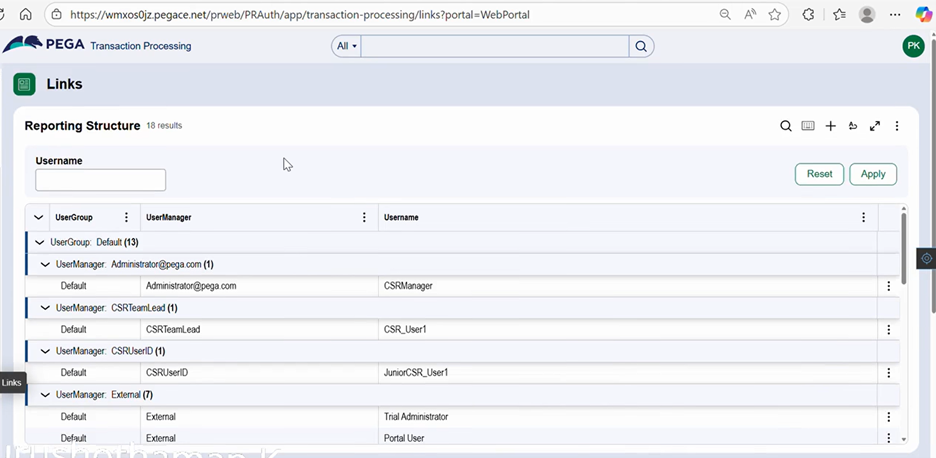
Open the landing page in the portal to view the list organized by the pre-defined group established during the design time.
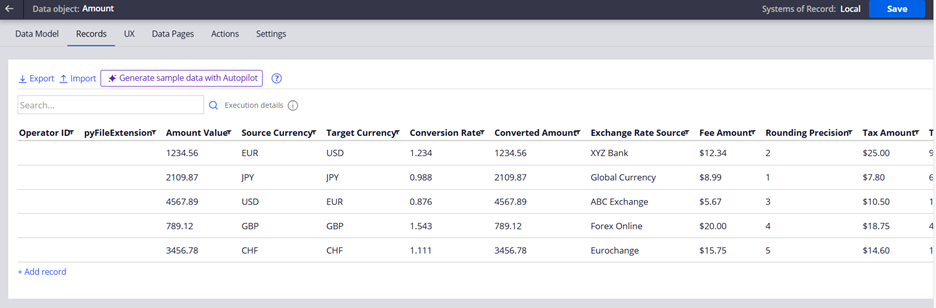
- Open Data Object -> Select Record Tab -> Insert records -> Confirm List Data Page is present
Open Case Type related to Data Object-> Configure Step ->Select the existing list view of Data Object or create a new view -> Source should be List data page of Data object -> Select the Columns -> Enable “Allow Grouping” checkbox
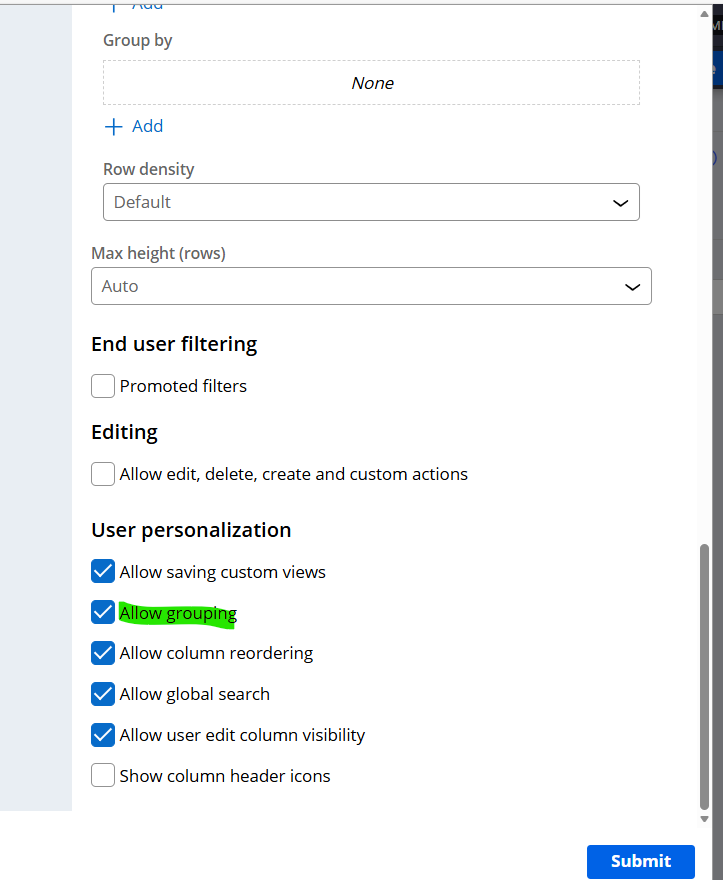
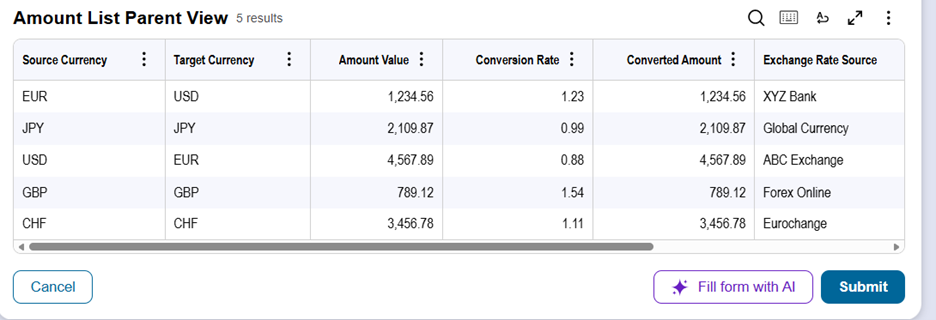
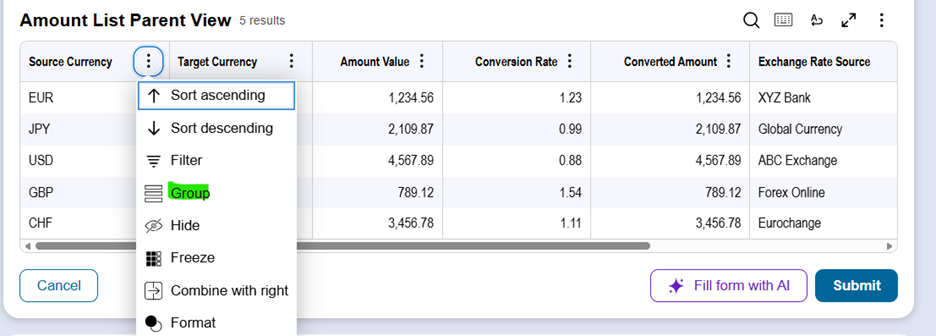
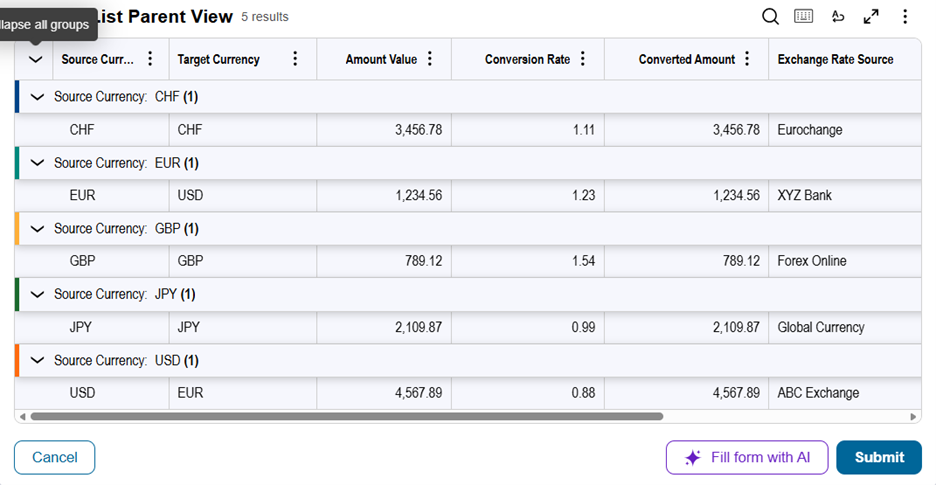
Multiple columns could be grouped simultaneously, both design and run time group by could function mutually. Additionally, the personalization of the view could retain the Grouped columns.
Group by configuration is possible at both case design level or landing page.
6) References & Further Learning
- Configuring list Views
- https://academy.pega.com
- https://support.pega.com/discussion/complex-data-visualization-constellation
- - Enabling grouping by fields
7) Constellation 101 Series
Enjoyed this article? See more similar articles in Constellation 101 series.