
Conversation

Capgemini
NO
Last activity: 5 Jan 2026 10:18 EST
When Insights Become an Entry Point to Create Work in Constellation
In many applications, Insights are treated as passive dashboards - something users observe, analyze, and then leave to perform actions elsewhere. While working with Pega Constellation, I came across a simple but impactful capability that slightly changes this perception:
Insights can also be an entry point to create cases.
This article walks through a practical Appointment Scheduling example to show how this works and why it matters for users.
The use case: Appointment Scheduling:
In this application, there is a case type called Appointment Scheduling.
Users manage appointments by viewing details such as:
- Patient name
- Appointment date and time
- Urgency
- Work status, so on.
An Insight is configured on this case type to display all appointment cases in a table view.
This Insight acts as a single place to monitor appointments across different states - new, pending, or resolved.
Insight view: Seeing all appointments in one place
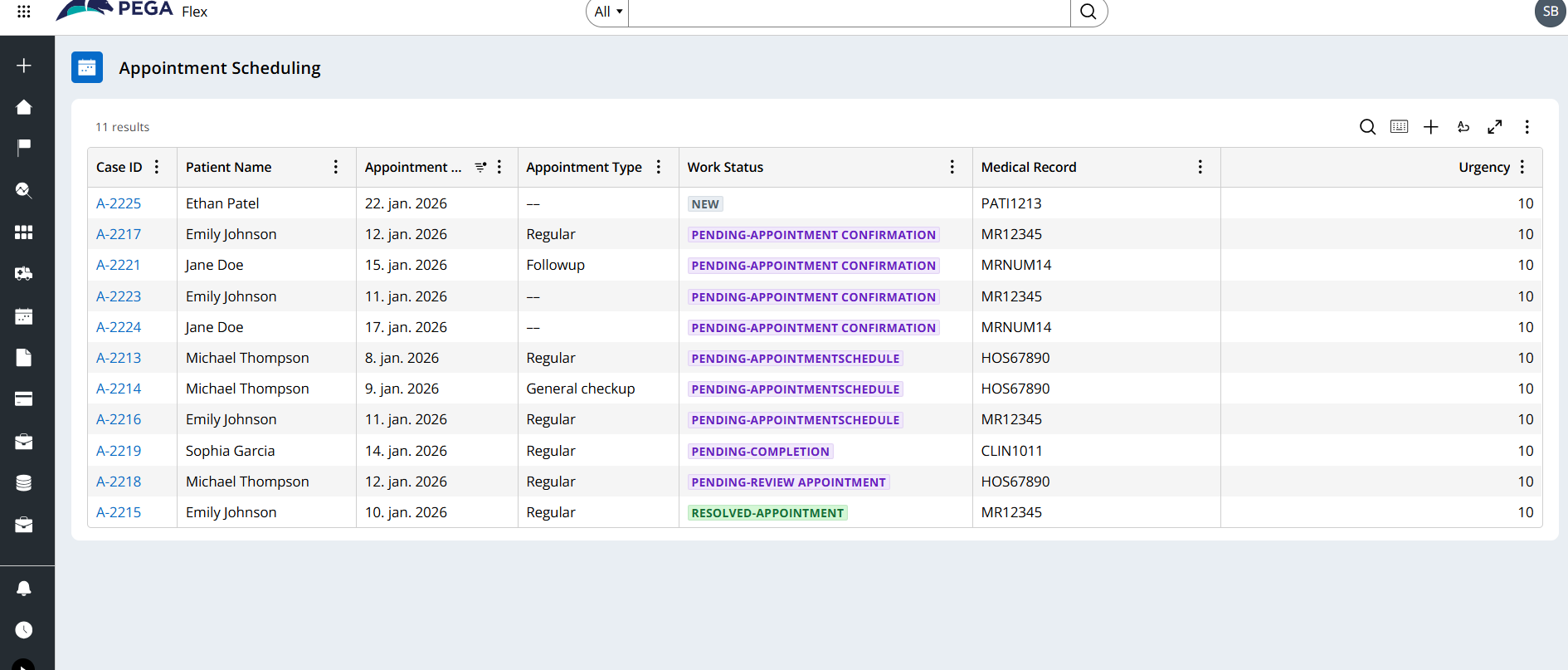
The Insight shows a consolidated list of appointment cases with key information:
- Which appointments are pending
- Which ones are completed
- Which ones still need scheduling
At this stage, the Insight behaves like a traditional dashboard - providing visibility and context.
But this is where Constellation adds something more.
Enabling case creation from the Insight:
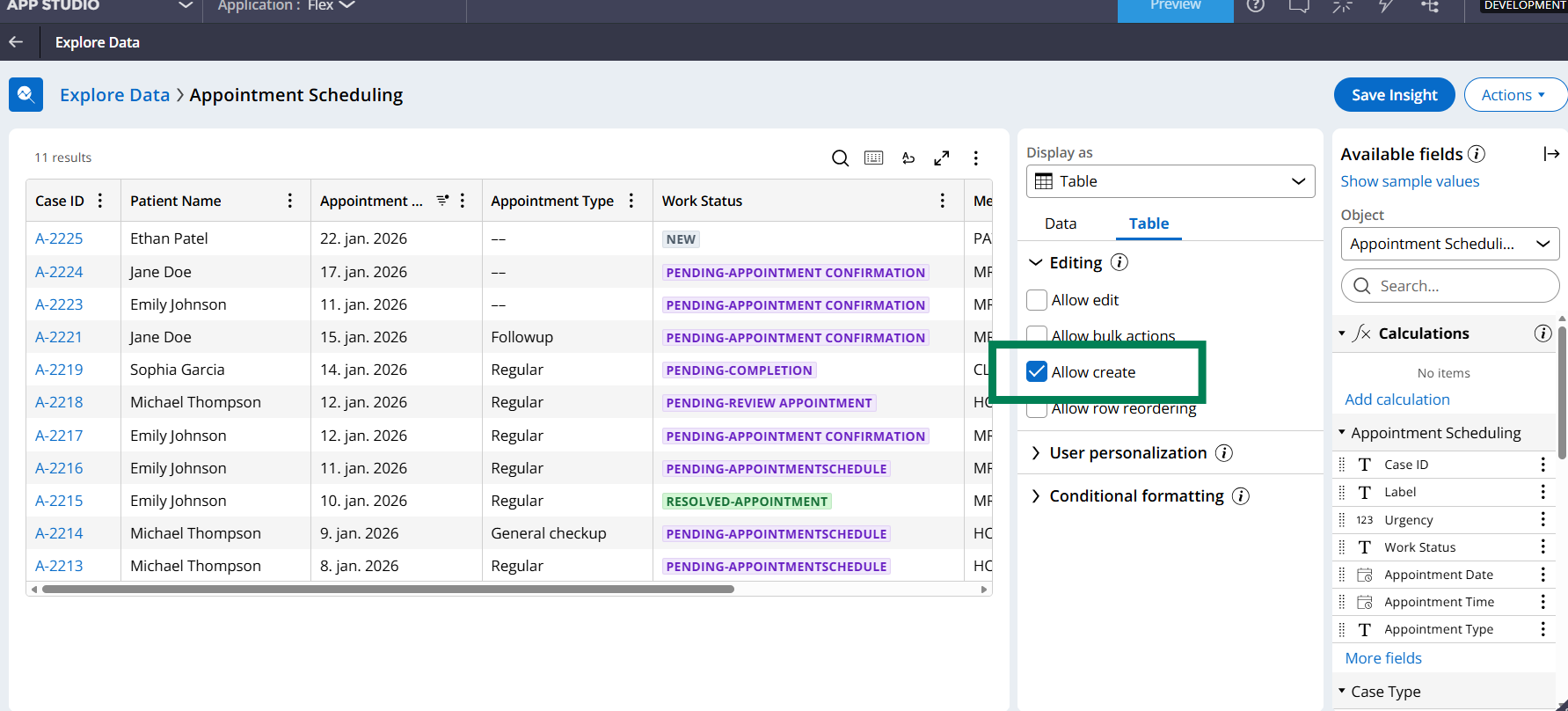
Because this Insight is built on a case type, it supports enabling Allow create in the table configuration.
Once enabled:
- Users can create a new Appointment Scheduling case
- Directly from the same Insight view
- Without navigating to a separate create menu
This is an important distinction:
- The Insight does not create a different case type
- It allows creation of the same case type the Insight is based on
Runtime experience: Creating a case from the Insight:
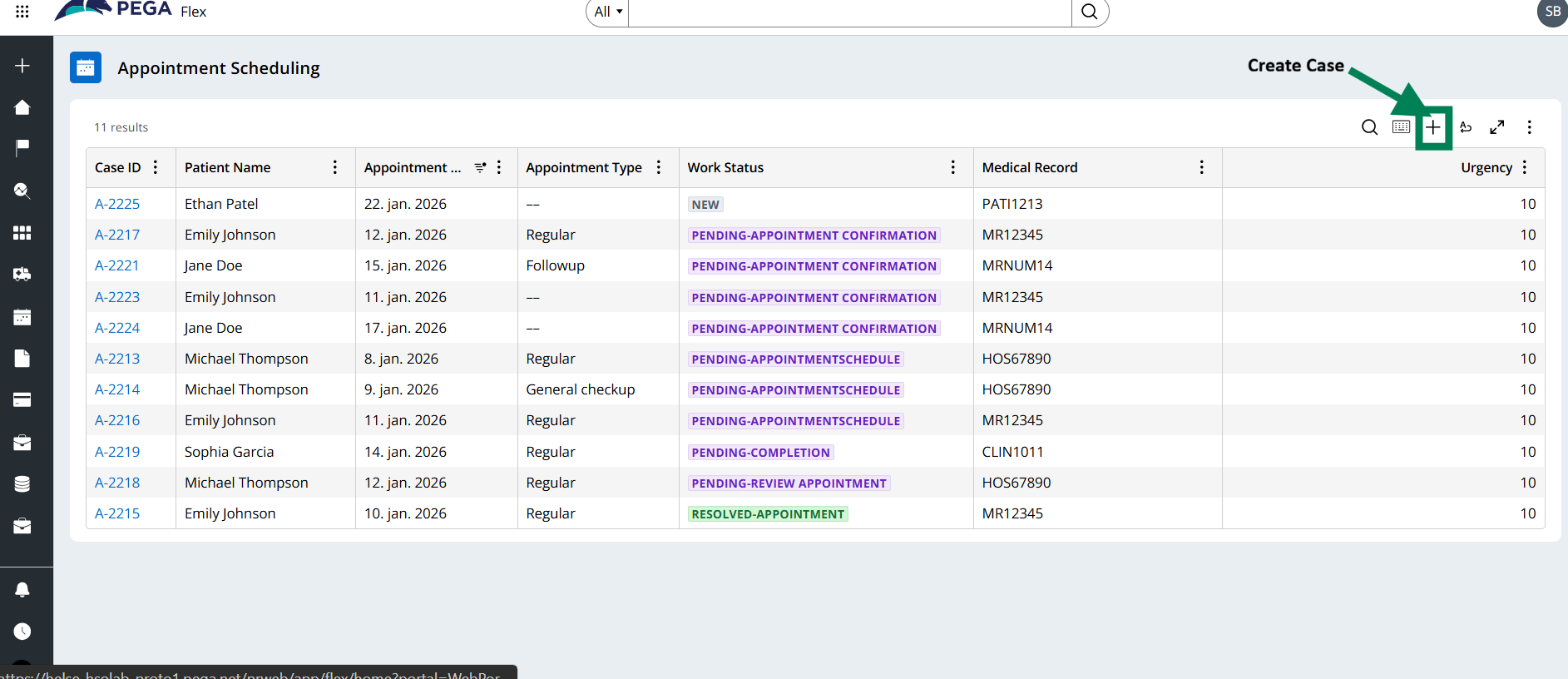
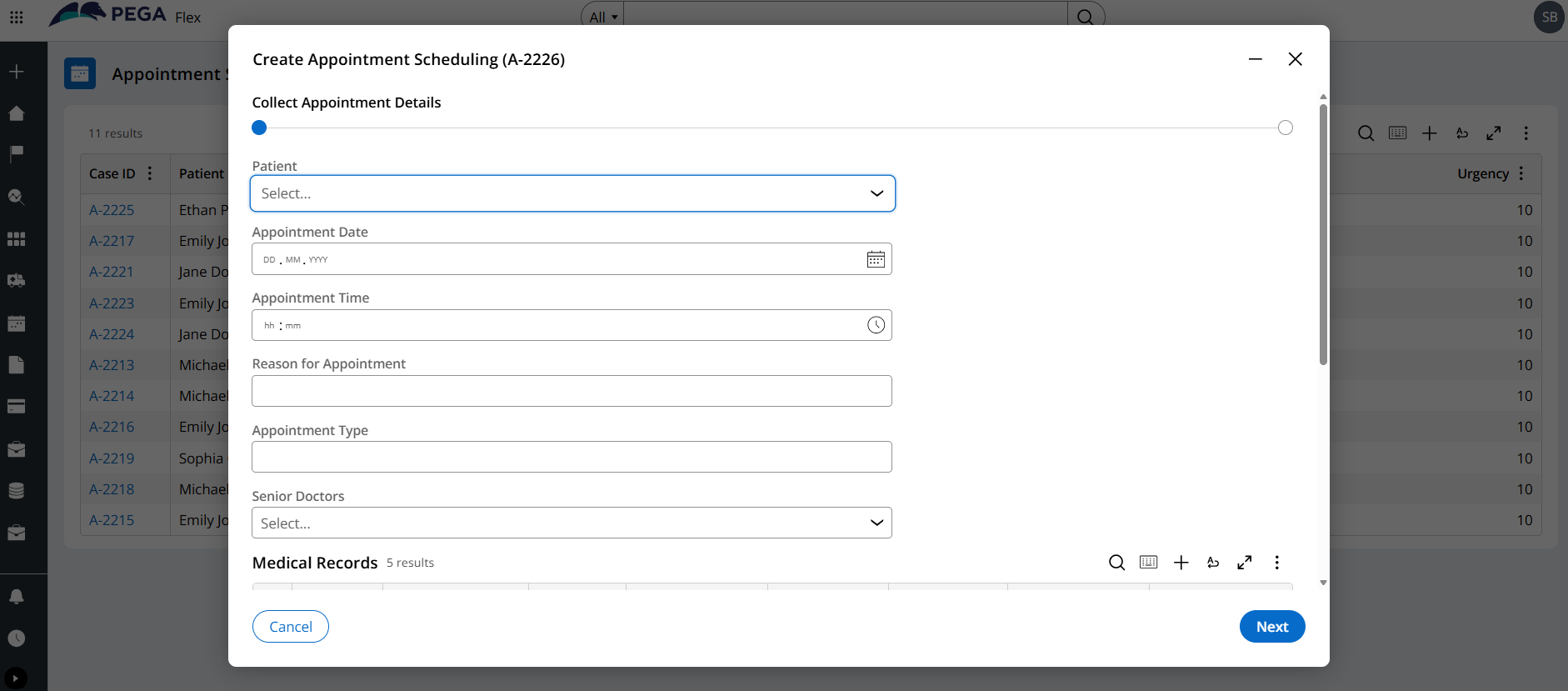
From the user’s perspective, the flow is very natural:
- Open the Appointment Scheduling Insight
- Review existing appointments
- Click Add
- Create a new appointment case
The user stays in context - reviewing data and acting in the same place.
Why this is useful for users:
1. Faster transition from insight to action
- Users don’t need to switch screens or search for a create option elsewhere.
- If they notice a missing appointment or a scheduling gap, they can act immediately.
2. Better user experience
- Insights stop being passive reports.
- They become interactive work surfaces.
3. Ideal for operational scenarios
This pattern works especially well for:
- Scheduling and coordination
- Operations dashboards
- Monitoring-heavy applications
Anywhere users frequently move between reviewing and creating work.
A small but important clarification:
This capability applies when:
- The Insight is built on a case type
- Not when it is built on a data page or data class
In this example, the Insight is based on the Appointment Scheduling case type, which is why case creation is supported.
One Thing Worth Remembering:
In Pega Constellation, Insights are not limited to visibility. When designed on a case type, they can also serve as a starting point to create work.
It’s a simple feature - but one that significantly improves how users interact with applications.
Closing thought:
This capability reinforces a subtle but important design idea that users should be able to act where they observe.
Constellation makes that possible with minimal configuration and a clean user experience.
Please feel free to share your thoughts on this :)
Best Regards,
Shirisha Boinapalli.
Constellation 101 Series
Enjoyed this article? See more similar articles in Constellation 101 series.