Conversation

bitsinglass
bitsinglass
IN
bitsinglass
Posted: 3 hours 44 minutes ago
Last activity: 3 hours 44 minutes ago
Last activity: 19 Feb 2026 23:46 EST
GetNext Work Banner in Constellation
Hello Team,
I have originally posted below question on support centre. But didn't get any responses. So reposting here for better visibility.
So the question is based on the 'Get next Work' topic in LSA mission.
https://support.pega.com/question/getnext-work-banner-constellation-por…
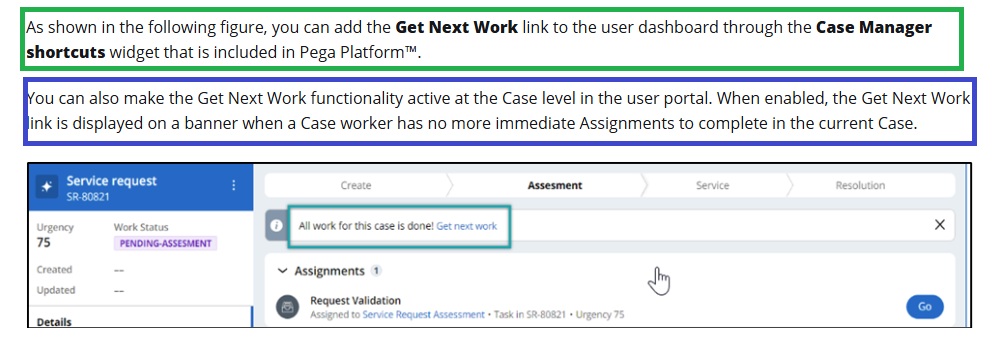
Green highlighted text saying GetNextWork link can be add to dashboard through shortcuts widget, which they claim as in the Case screenshot.
Again blue highlighted text saying get next work can be added to case level in the user portal as banner which is more aligned and make sense as per the screenshot .
Can any one help to clarify this ?
How to enable the get next work banner as shown in the pic / How to display it using shortcuts widget ?